Assigning a task in Tanca takes only a few seconds, but a properly assigned task needs four things: an owner, a deadline, a priority, and context. This article shows how to cover all four.
Add tasks quickly
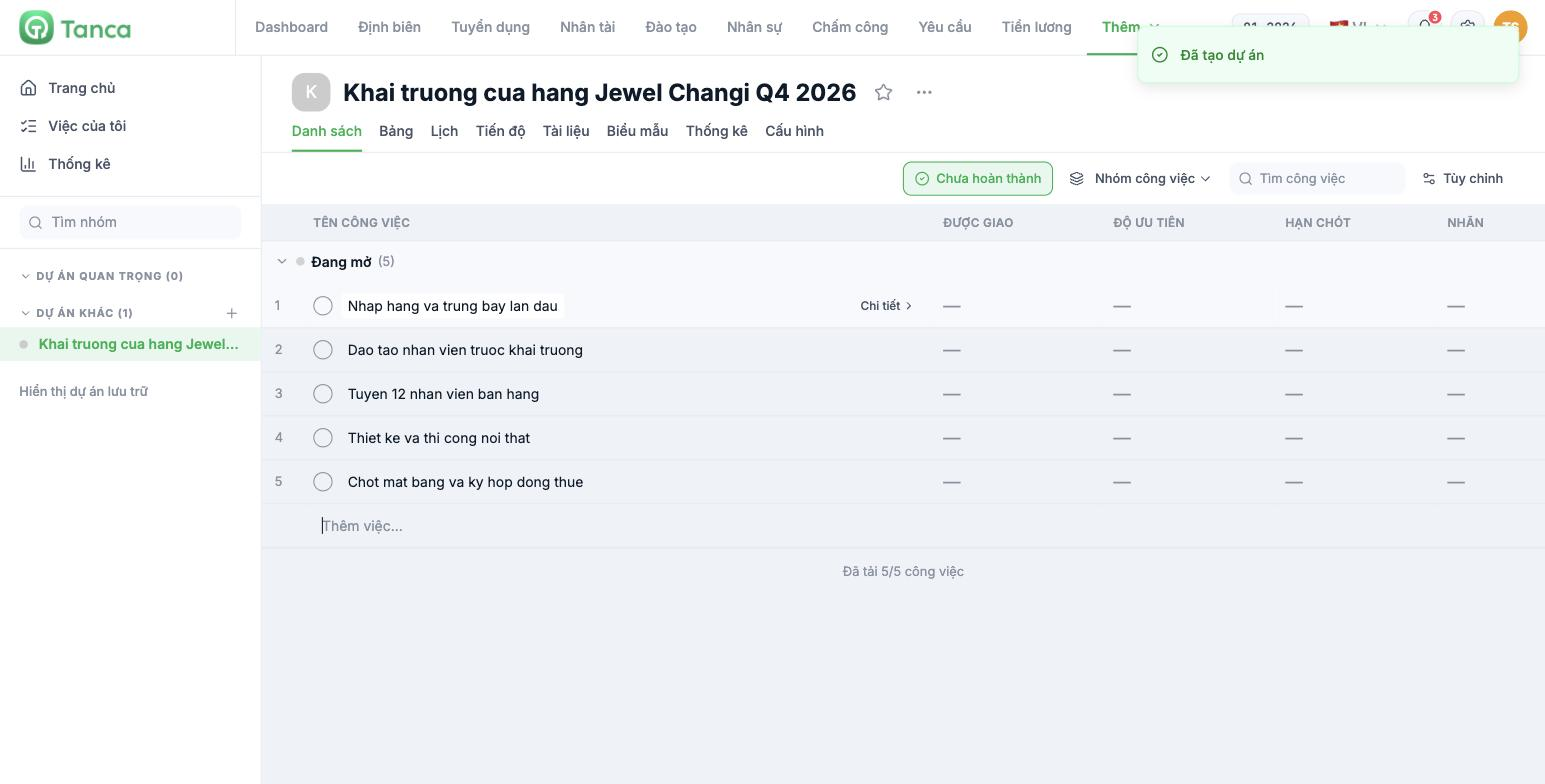
- Open the project on the List tab.
- Click the Add task… field at the bottom of a group.
- Type the task name and press Enter. The cursor stays in the input field, so you can type the next task.
This works well when breaking a meeting down into a list of action items. Don't stop to fill in details for each row — list everything first, then go back to assign people and set deadlines.
Four things every task needs
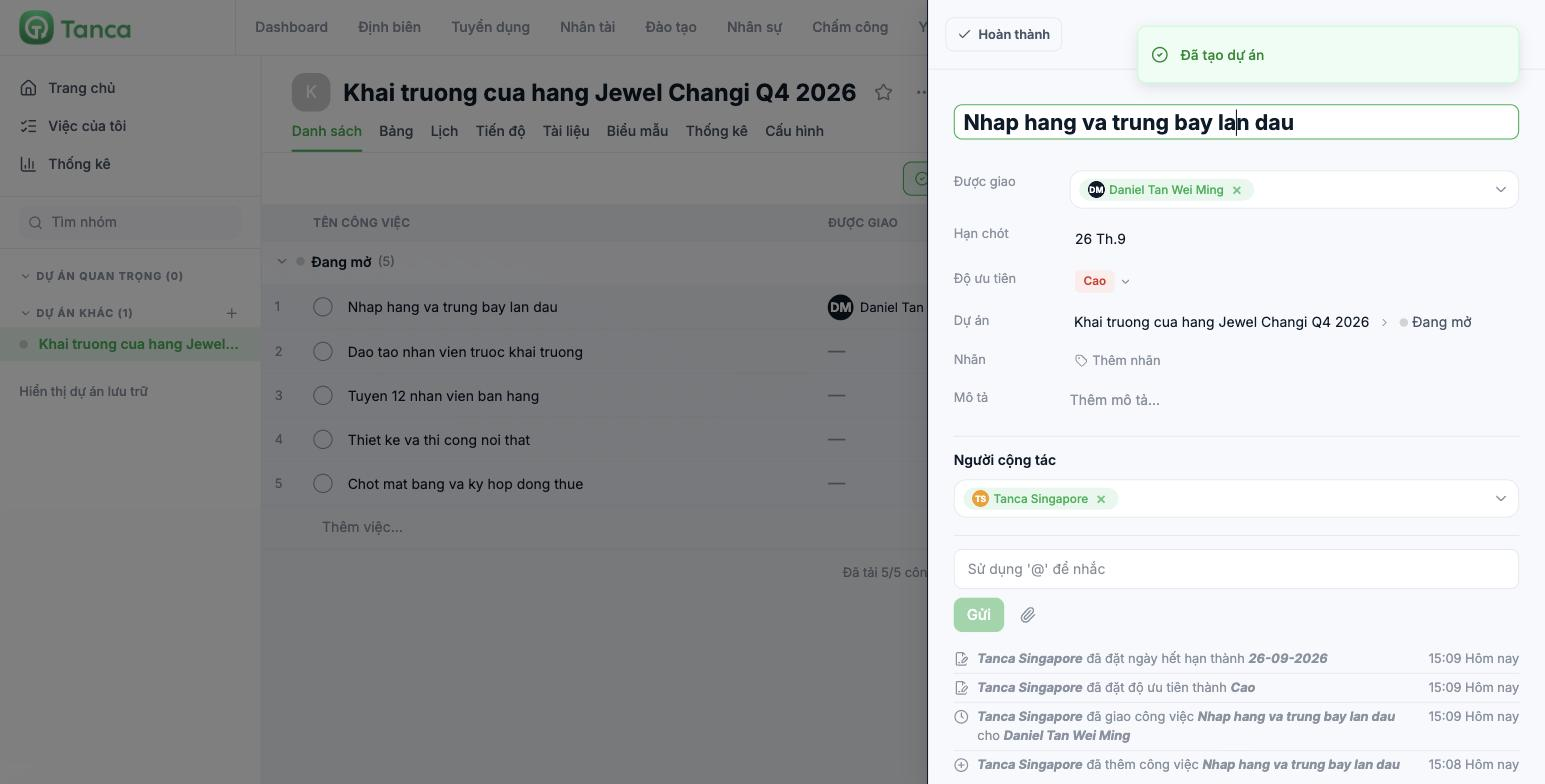
Click Details on a task row to open the panel on the right.
| Field | Why it matters |
|---|---|
| Assigned to | One person is accountable for one task. Choosing several people is a surefire way for nobody to do it |
| Due date | Tasks without a due date won't appear in My tasks › Upcoming, nor on the Progress bar |
| Priority | High · Medium · Low. If everything is High, nothing is High |
| Description | Context, completion criteria, document links |
There are also Labels (for classification, article B10-04), Project along with the current task group, and Collaborators — people who need to follow along but aren't primarily responsible.
The due date dialog has more than one date
Clicking Set due date opens a small dialog with three parts:
- Start → Due date — a time range, not just a single point. Both dates are required for the task to show as a bar on the Progress tab.
- Time to complete — estimated hours. Used to balance workload across team members (article B10-07).
- The clock and repeat icons — set reminders and turn the task into a recurring task on a schedule.
Recurring tasks are a great fit for store operations: weekend stocktake, Monday revenue report, monthly warehouse cleaning. Set it once instead of creating it manually each period.
Every change is recorded
At the bottom of the detail panel is the activity timeline: who created the task, who assigned it to whom, who changed the priority, who changed the deadline — with timestamps. When there's a dispute like "I was never assigned this task", this is where to look.
Right above it is the comment box with the hint "Use '@' to mention". Whoever you mention gets a notification, even if they're not the assignee.
Four habits of a good task assigner
- Start task names with a verb — Finalize the premises and sign the lease, not Premises.
- One person is accountable; put the others under Collaborators.
- The due date is a real working day, not the end of the month just to round things off.
- Break down tasks longer than a week — otherwise, you won't know it's stuck until it's late.

