Step 2 is where the survey takes shape. Tanca has 12 question types, on par with a mainstream form builder, plus the ability to divide a survey into sections. This article helps you choose the right type for each kind of information.
Twelve question types
| Type | Use when | Reading results |
|---|---|---|
| Multiple choice | Choose one of several answers | Bar chart with percentages |
| Checkboxes | Choose multiple answers; includes an Other option | Bar chart by number of selections |
| Dropdown | Long lists (job titles, branches) | Pie chart with legend |
| Short answer | One line, with a character limit | Lists each answer |
| Paragraph | Open-ended feedback | Lists each answer |
| Linear scale | A numeric scale with labels at both ends — used for eNPS | Distribution by score |
| Rating | An icon scale: stars, hearts, thumbs, diamonds | Average score |
| Multiple-choice grid | Multiple criteria on the same scale — choose one cell per row | Chart per row |
| Checkbox grid | Same as above, but choose multiple cells per row | Chart per row |
| File upload | You need to receive images or documents | List of files |
| Date | Pick a date | List |
| Time | Pick a time | List |
Multiple-choice grid — the most useful type that few people know about
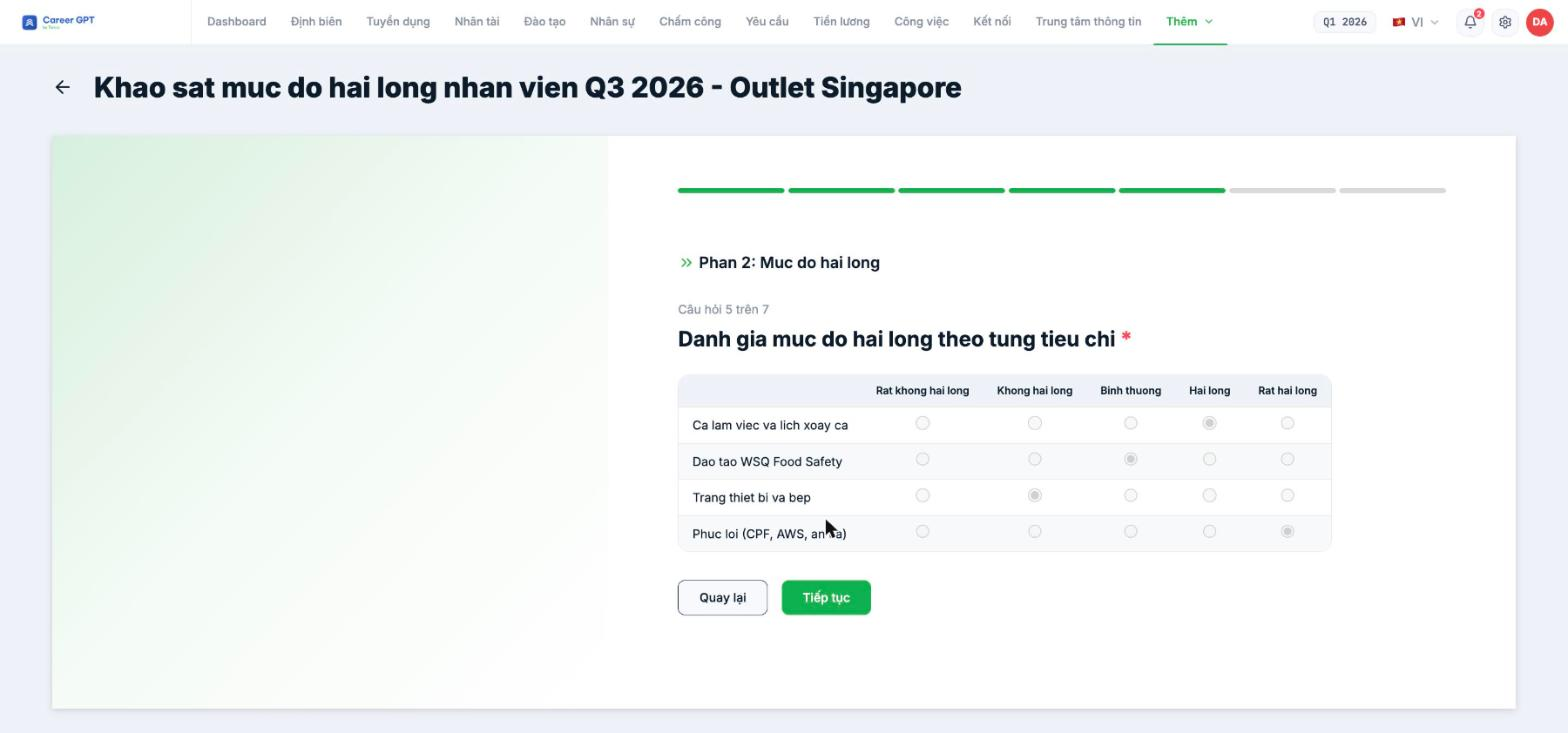
Instead of four separate questions about shifts, training, equipment, and benefits, use one Multiple-choice grid with four rows and a scale from Very dissatisfied → Very satisfied. Respondents fill it in much faster, and you can compare the four criteria side by side.
If you make this question required, the system requires every row to be filled in before moving on.
On the Statistics screen, Multiple-choice grid questions currently count one response per row — one person answering a 4-row grid is recorded as “4 Responses”. In addition, the label of the first row may not be drawn on the chart. When reporting, take the number of respondents from the Total responses card at the top of the page, not from the grid question's card.
Checkbox questions and the “Other” option
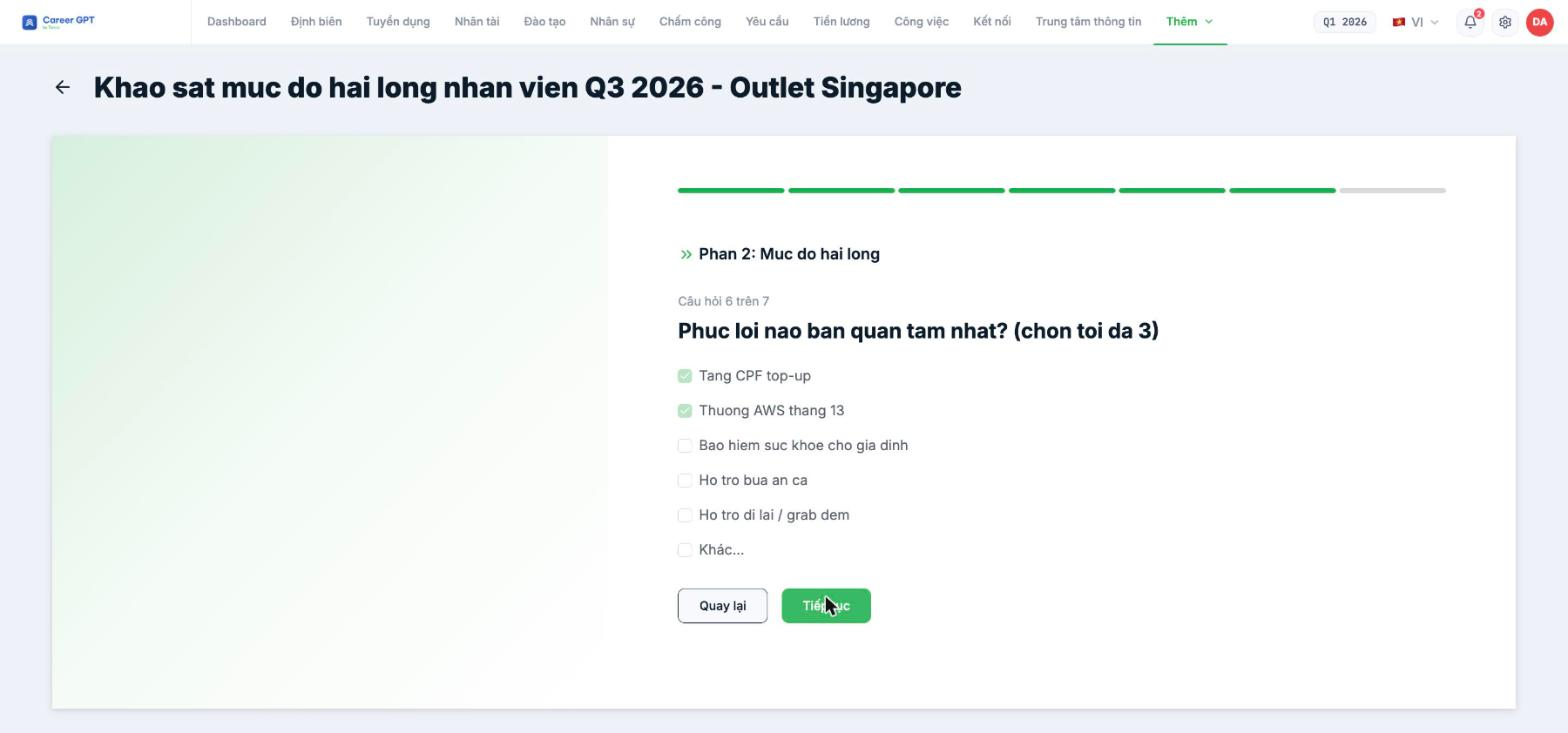
With the Checkboxes type, you can set a limit on the number of answers (choose up to 3) and turn on an Other field for respondents to type in their own answer.
Respondents can currently tick Other and leave the text blank, and in that case the Other option doesn't appear in any report — neither the charts nor the Individual tab. If the Other field matters to you, write in the question “if you choose Other, please specify”, and cross-check the total number of selections against the total number of responses.
Dividing long surveys into sections
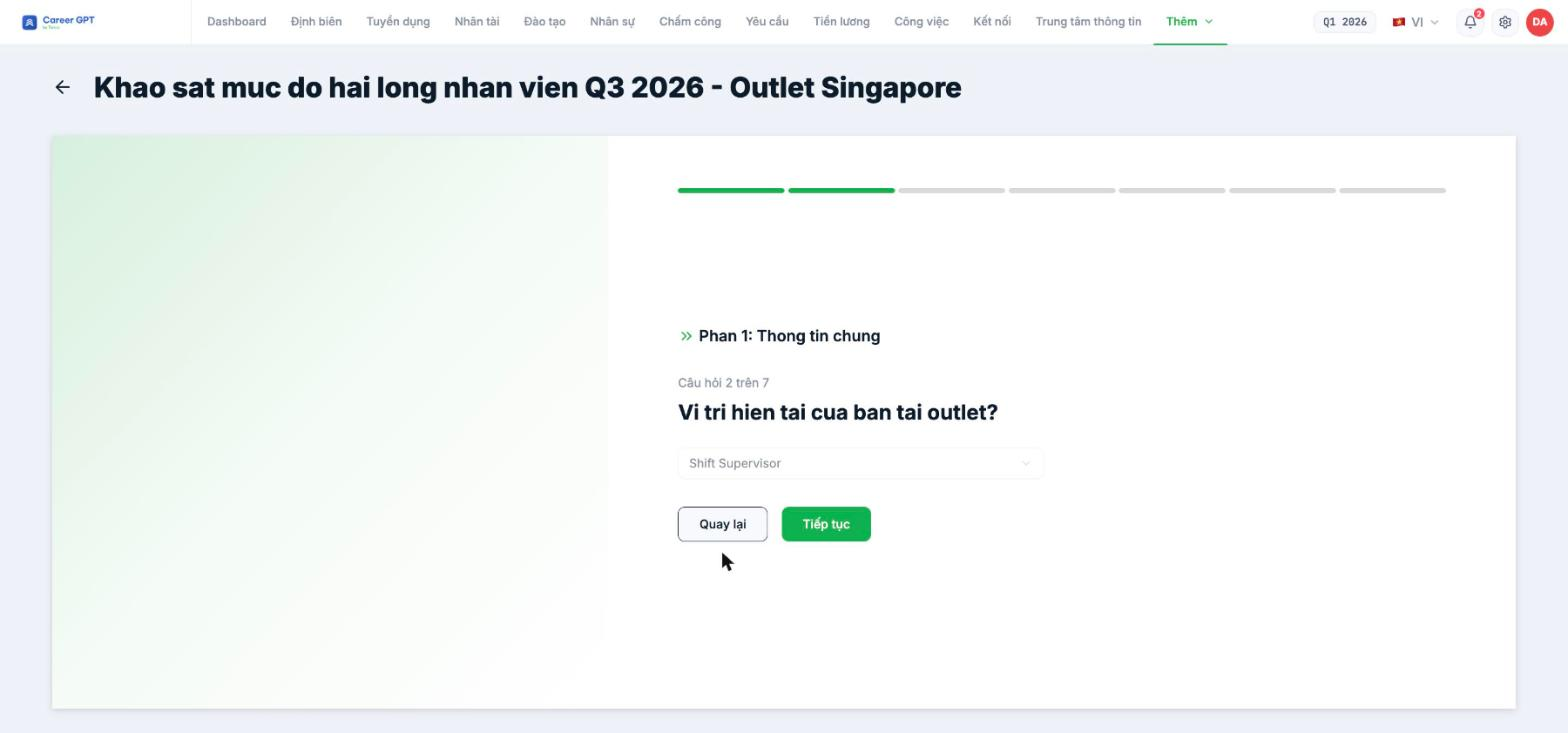
Surveys with 6–7 or more questions should be divided into sections. Once there are two or more sections, step 2 adds Collapse all and Reorder sections to make them easier to manage.
Respondents see the section name at the start of each question — for example “Section 1: General information” — so they know where they are in the form.
Sections are for grouping questions, not for conditional branching. Tanca doesn't yet have logic like “if A is selected, jump to section 3”. If your survey needs branching, split it into two surveys sent to two different groups of recipients.
Check before publishing
- Every question has question text — the system doesn't check this.
- All questions that need options have all their answers entered.
- Required questions are marked correctly; don't make open-ended feedback questions required.
- On the last question, the button still says Continue rather than Finish, so let respondents know in the description that there's one more submission screen.

