The nine-box matrix places each person into one of nine groups along two axes: current performance and growth potential. It's a tool for the board of directors to decide whom to invest in, whom to retain and whom to address.
The matrix is a separate review cycle
The matrix is not generated automatically from the competency review cycle. It's a second type of review, with its own template and its own cycle. You must build a matrix template and then run a matrix review cycle before there is data for the nine boxes.
Step 1 — build the matrix template
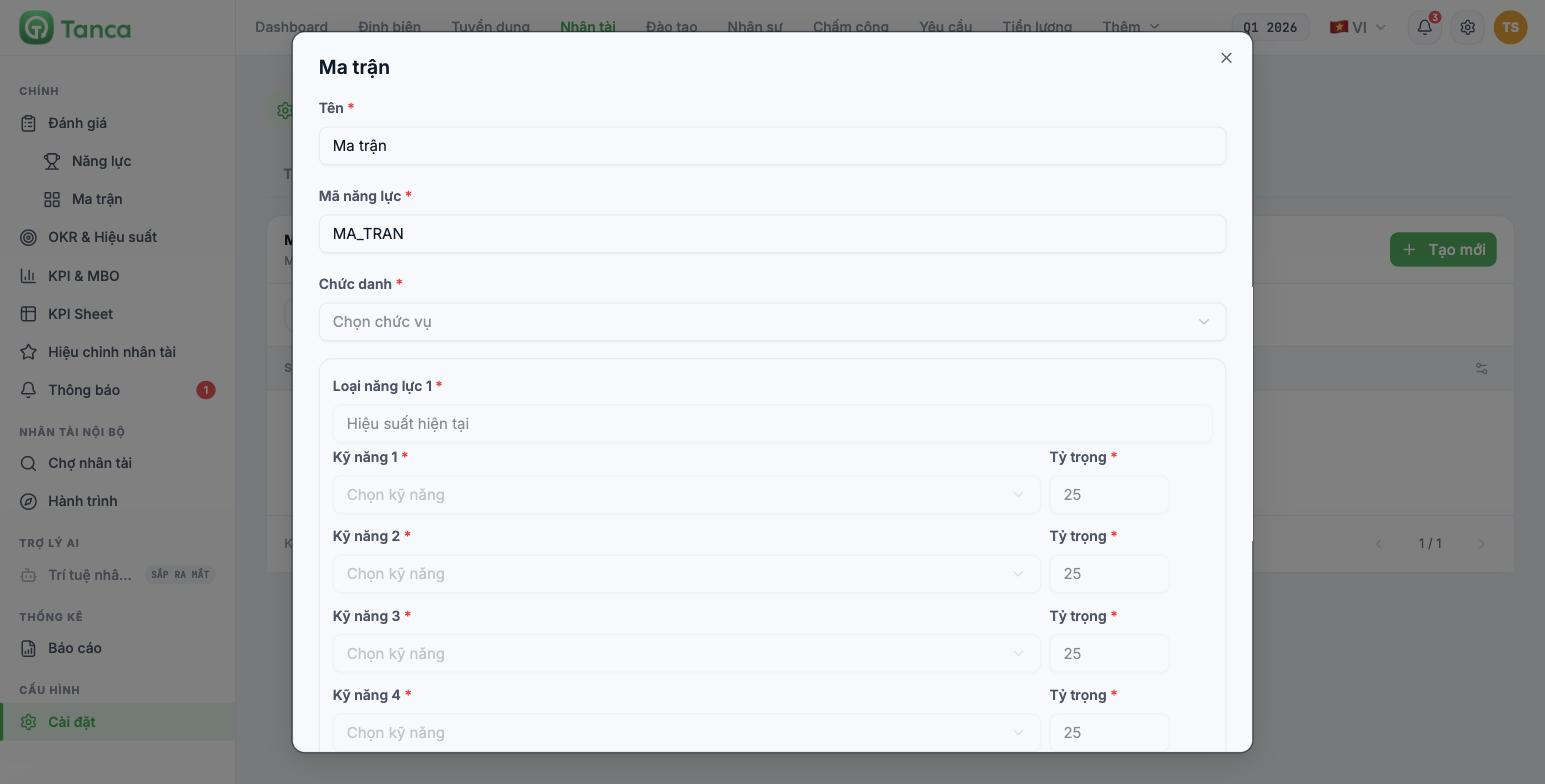
Go to Talent › Settings › Matrix tab and click Create New. The system states clearly: the talent matrix consists of 2 fixed groups per the template.
| Field | Notes |
|---|---|
| Name * | Name of the matrix template |
| Competency code * | A code without diacritics for cross-referencing |
| Job title * | Applicable job title |
| Fixed group | Number of skills | Default weight | What it measures |
|---|---|---|---|
| Current Performance | 4 | 25 per skill | How well this person does their current job |
| Growth Potential | 5 | 20 per skill | How far this person can go |
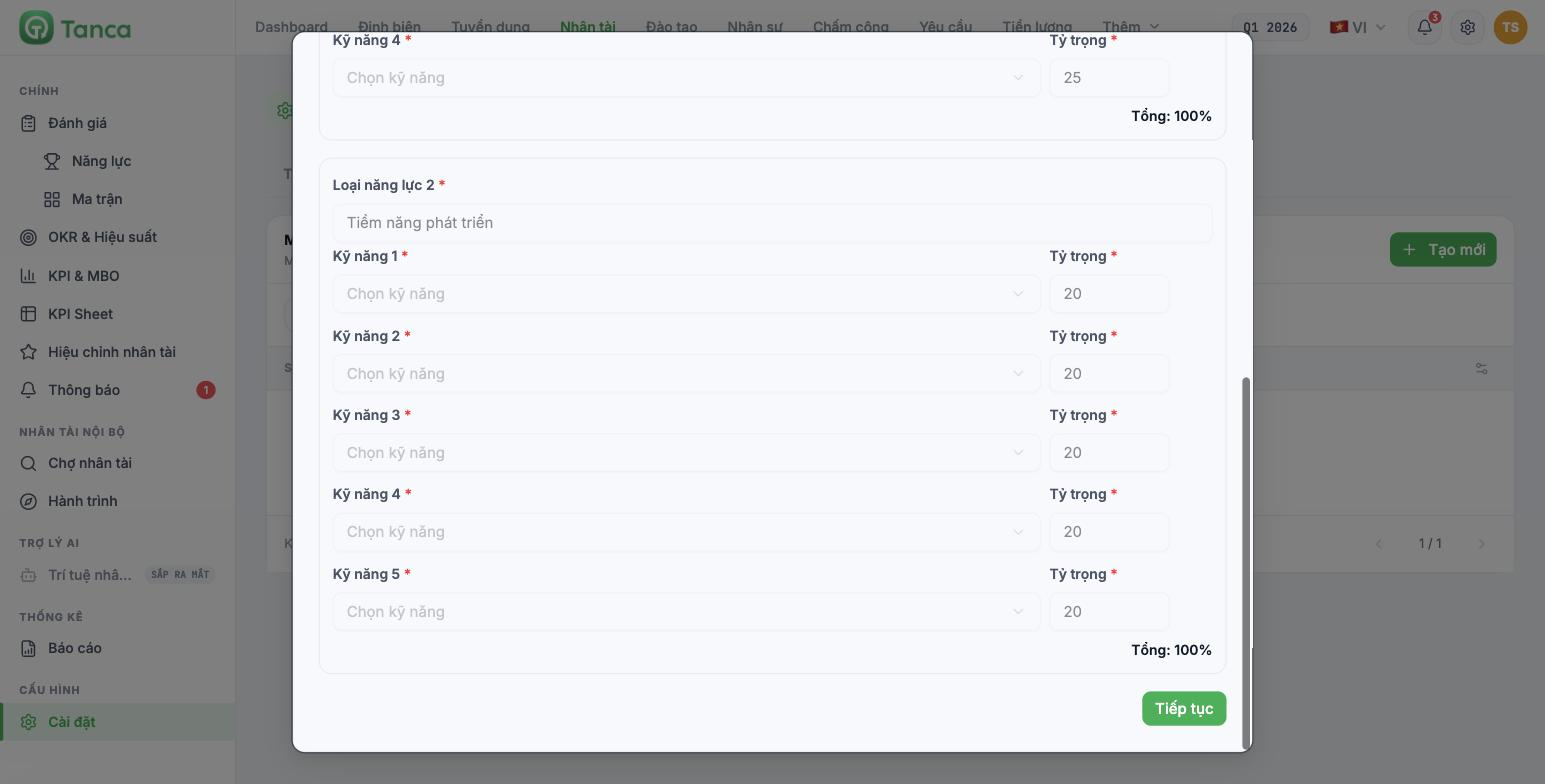
The two group names and the number of skill slots are fixed and can't be added to or removed. The total weight in each group must equal 100% — the system shows a Total row so you can check it yourself. Click Continue to move to the required level selection step, just like the competency framework (article B13-05).
All nine skills of the matrix template come from the Skill Library and must still have five behavioral levels. Choose four performance skills that describe the current work, and five potential skills that describe the ability to learn and lead — don't reuse the same ones.
Step 2 — run the matrix review cycle
Go to Talent › Reviews › Matrix › Reviews tab and click Add New. The form is identical to the competency review cycle, except for one field: select a Matrix template instead of a Competency framework. Choosing reviewers and weights works the same as in article B13-06.
Step 3 — read the matrix
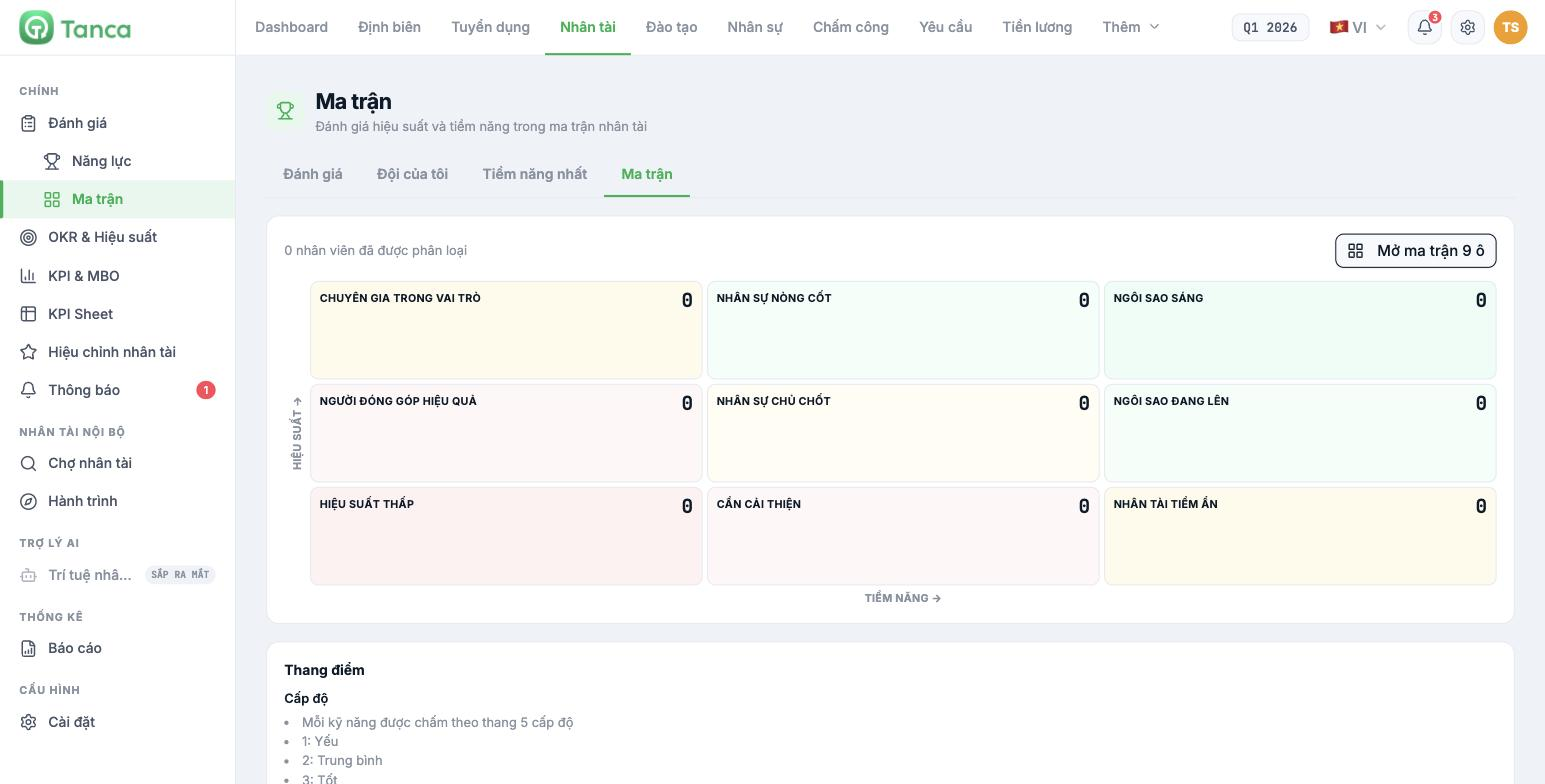
Go to the Matrix tab. The vertical axis is Performance, the horizontal axis is Potential. Each box shows the number of employees; the Open 9-box matrix button shows the details.
| Low potential | Medium potential | High potential | |
|---|---|---|---|
| High performance | Role Expert | Core Player | Bright Star |
| Medium performance | Effective Contributor | Key Player | Rising Star |
| Low performance | Low Performer | Needs Improvement | Hidden Talent |
Rating scale and classification thresholds
| Level | Name |
|---|---|
| 1 | Weak |
| 2 | Average |
| 3 | Good |
| 4 | Very good |
| 5 | Excellent |
| Classification level | Threshold — applies to both axes |
|---|---|
| High | ≥ 4.0 |
| Medium | 2.5 – 3.9 |
| Low | < 2.5 |
The system's formula: Performance = the weighted average of the skills in the Current Performance group. Potential = the weighted average of the skills in the Growth Potential group.
The 4.0 threshold for High is a high bar. On this scale, 4 means Very good — so most ordinary employees will fall into the Medium row and column. That's the correct result, not a configuration error: the nine-box matrix exists to find the few at either end, not to rank everyone.
What to do with each group
| Group | What to do |
|---|---|
| Bright Star | Retain at all costs. Give them harder work and include them in the succession plan (article B13-11) |
| Rising Star | Coach to raise performance. This is the group with the highest return on investment |
| Hidden Talent | Find the cause of low performance — usually the wrong position, not lack of ability |
| Core Player and Role Expert | Keep stable, recognize them, don't force promotion |
| Key Player and Effective Contributor | The largest group. Retain and train according to job needs |
| Needs Improvement | An improvement plan with a deadline and someone following up |
| Low Performer | The system's description: consider reassignment or termination of employment |
The Low Performer group leads to decisions with legal consequences. Matrix results are reference information, not grounds for terminating a contract. All decisions about employment relations must follow the proper legal procedures where the business operates, and must be decided by the business's legal or HR department.
Talent calibration
The Talent Calibration section in the left column shows the 9-box talent matrix from the latest matrix reviews, which can be filtered by department. This is the screen used in the meeting to balance results across departments — where department heads sit together and agree on why each person is in a given box.
The calibration session is the most important part and also the one most often skipped. Without it, each department rates with its own yardstick and the company-wide matrix can't be compared.

