I. New employee
Step 1: Create new employee
Note: On website: Tanca allows create password when creating new employee account (not required).
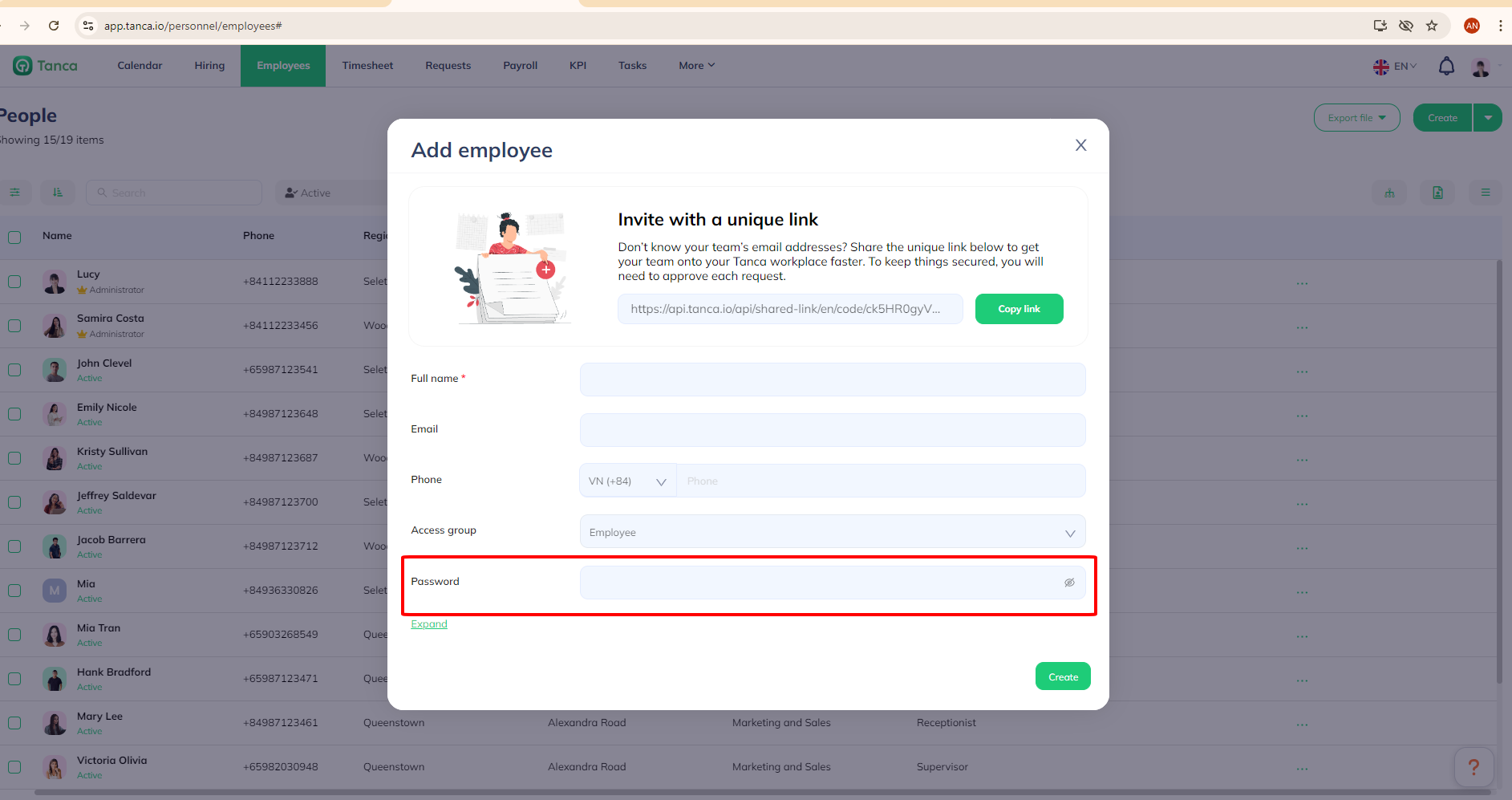
Step 2: Employee/Manager create password in case not creating password in step 1.


Note: Password must contrain at least 8 characters.
II. Current employee
Step 1: Sign in → Choose Create password in notification.


Step 2: Create password

Q&A
Question: How do I create a password for a new employee?
Answer: To create a password for a new employee, you need to log into the account management system, add the new employee’s information, and set up a temporary password. Then, send the temporary password to the new employee and ask them to log in and change it to their personal password.
Question: Are there any requirements for the new password?
Answer: The new password must meet the company’s security requirements, including a minimum length and a combination of letters, numbers, and special characters to ensure maximum account security.
Question: What should I do to update the password for an existing employee?
Answer: Existing employees are not allowed to update their passwords directly through the management system. Instead, the system will display a notification requesting them to update their password. Existing employees should follow the instructions in the notification to update their password.