After each review cycle, you can see where you stand against the requirements of your position, and how far you can go next. This article is for employees, not administrators.
Open your journey
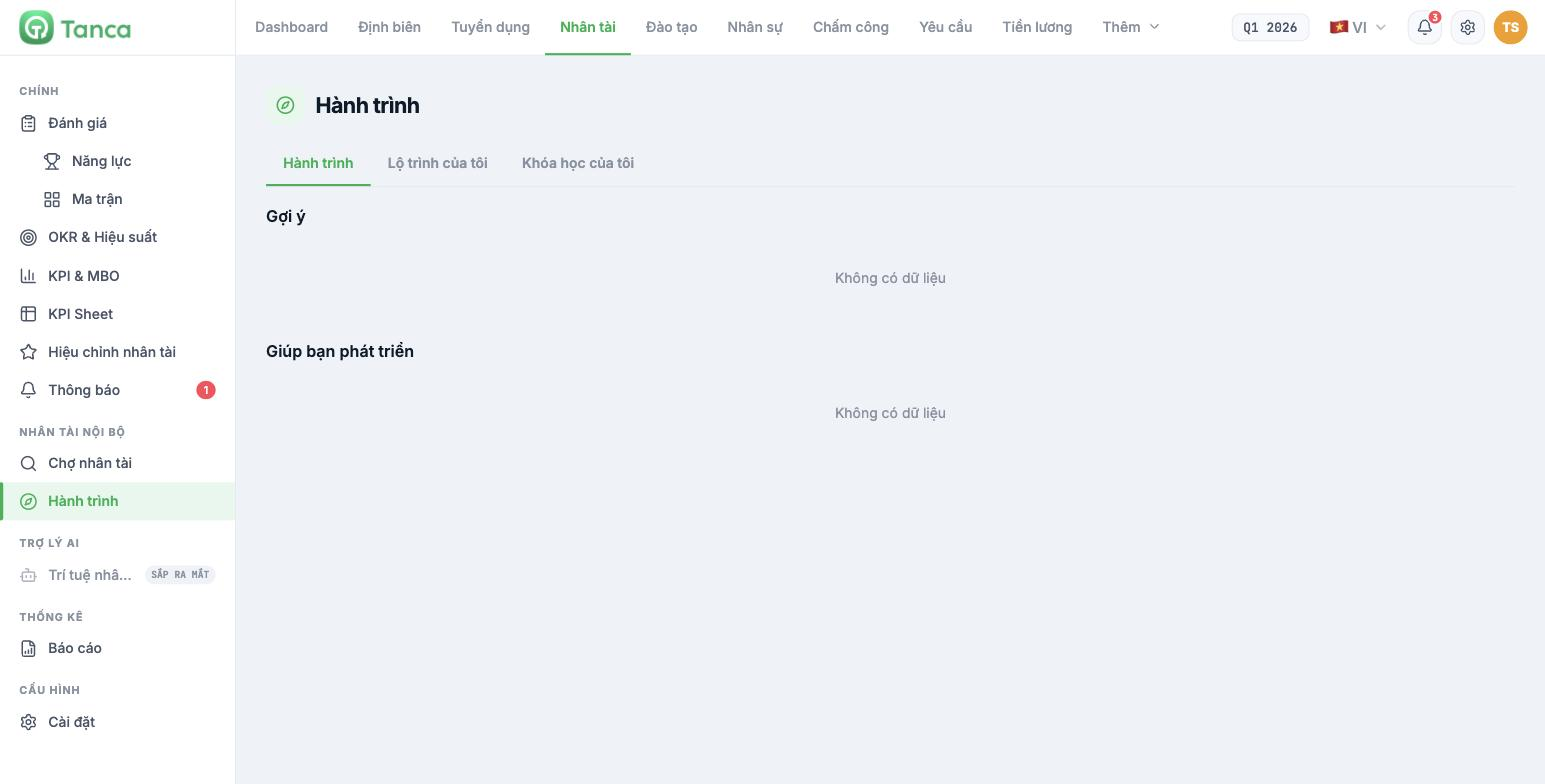
Go to Talent, and in the left column under the INTERNAL TALENT group, select Journey. The screen has three tabs:
| Tab | Content |
|---|---|
| Journey | Suggestions for you and things that help you grow |
| My Career Path | The promotion path from your current position |
| My Courses | Training courses assigned to you |
The Suggestions and Help You Grow sections only have content once the company has run a competency review cycle that includes you and has published the results. If you see No data, ask HR whether the company has run a cycle yet.
View your review results
- Go to Talent › Reviews › Competencies.
- Find the review cycle with your name in Published status.
- Open that cycle and select your name in the left column.
| Element | How to read it |
|---|---|
| Total score | Your overall score against the position's required level |
| Fit level | Two bars side by side — Employee competency is you, Target is the position's requirement |
| Bar chart per skill | Your score on a 0–5 scale for each skill |
| Radar chart | The shape of your competencies by group |
The skills where your bar is shorter than the target bar are exactly where you should focus next cycle. That's specific information to bring to a conversation with your manager, instead of asking vaguely "what do I need to improve?".
Understanding the five-level scale
| Level | Name | General meaning |
|---|---|---|
| 1 | Weak | Just learning, needs step-by-step guidance |
| 2 | Average | Can do familiar tasks under supervision |
| 3 | Good | Handles common tasks independently |
| 4 | Very good | Can handle difficult and unusual situations |
| 5 | Excellent | Is the benchmark and can teach others |
Level 3 is usually the required level for someone who does their current job well. Reaching 3 in most skills is a good result, not an average one. Don't treat 5 as a target you must reach in every skill — no one can do that.
View your career path
The My Career Path tab shows how far you can go from your current position. The full chart for the whole company is at Talent › Reviews › Competencies › Career Path tab (article B13-10), if the company gives you permission to view it.
Three things to do after you get your results
- Read carefully the two skills with the largest gap from the target.
- Schedule a conversation with your line manager and bring exactly those two skills.
- Agree on one specific action for each skill — a course, a project, or a new piece of work. Vague goals like "improve communication" won't get you anywhere.
If you feel the results don't accurately reflect the work you do, tell your line manager during the conversation. Review scores are a basis for discussion, not a final verdict, and the system has a re-review mechanism in the next cycle (article B13-07).

