Not every business assigns each person a fixed shift. Tanca has two mechanisms for flexible schedules: shift suggestions (the system proposes open shifts for employees to take) and crews (groups that rotate on a fixed cycle).
What is an open shift
An open shift is a shift that has been created but not yet assigned to anyone; it appears in the first row of the Scheduling grid. You create an open shift when you know you need more people but haven't decided who — employees register to take it, and the manager approves afterward.
Shift suggestions
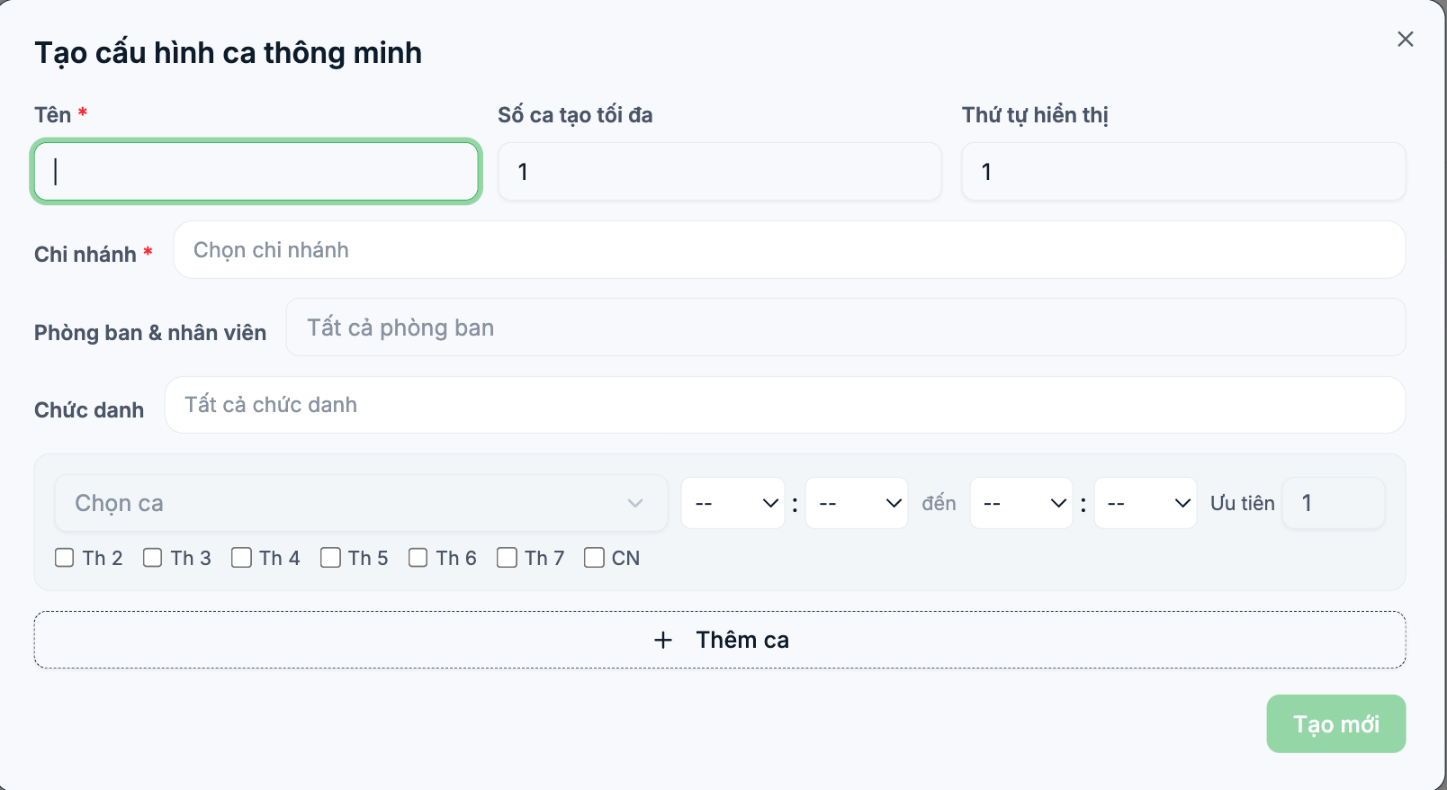
Go to Settings › Scheduling › Smart Shift Assignment, the Shift Suggestions tab, and click + Create New.
| Field | What to enter |
|---|---|
| Name | The configuration name, for example Orchard weekend shift suggestions |
| Maximum shifts created | The number of shifts the system is allowed to generate per run |
| Display order | The priority order when there are multiple configurations |
| Branch | Required. The configuration only runs for this branch |
| Departments & employees | Limits who receives suggestions. Leave blank for everyone |
| Job title | Further filter by job title |
Below are the shift rows: each row selects a shift, a time slot (from — to), a Priority number, and checks the days of the week the shift applies to. Click + Add Shift to add a row.
The Priority number determines which shift is suggested first when multiple shifts are open at the same time. A smaller number means higher priority.
Rotating crews
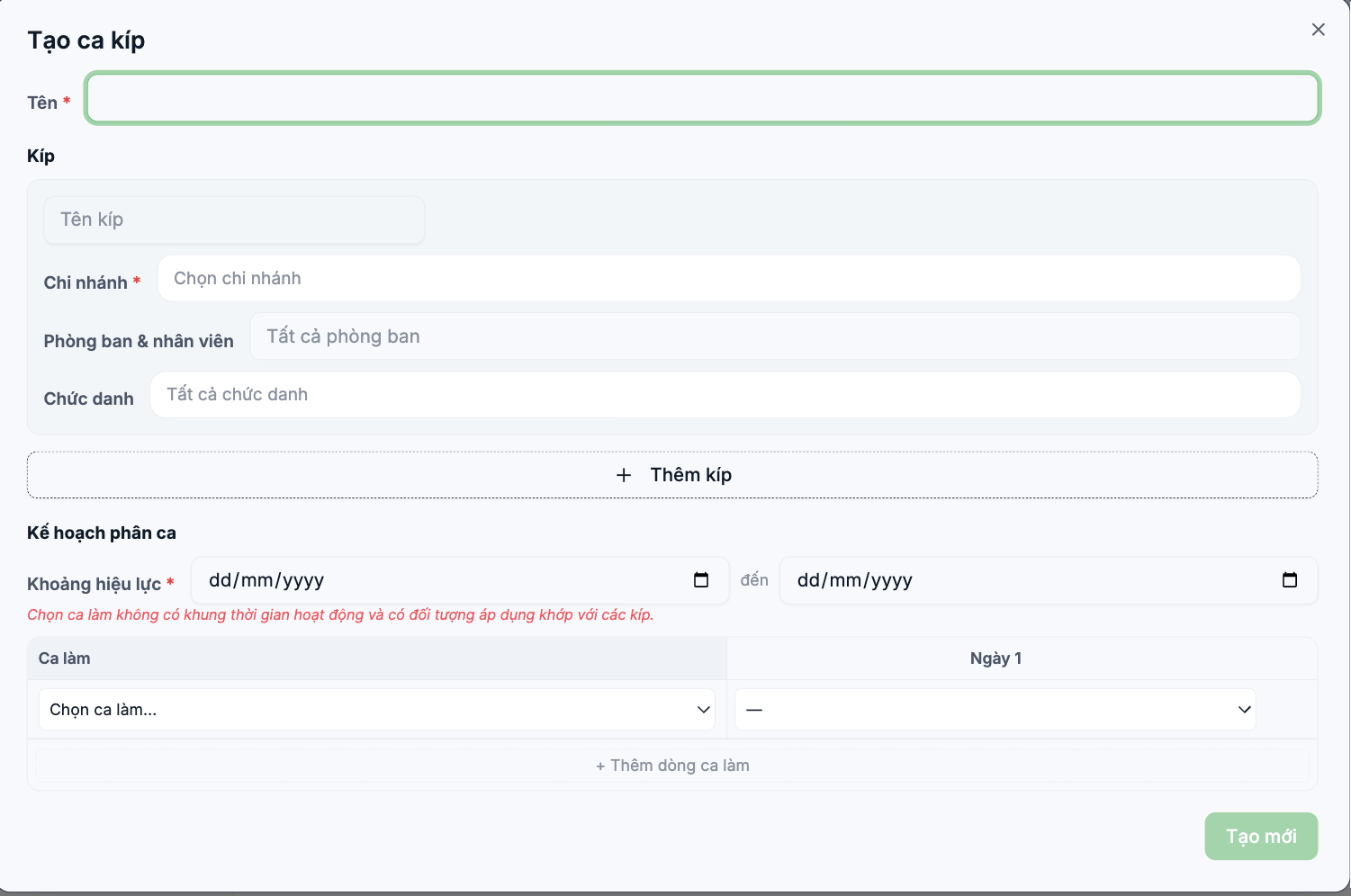
The Crews tab is designed for factory and hospital models: staff are divided into crews, and the crews rotate through morning, afternoon, and night shifts on a fixed cycle.
- Set a Name for the rotation schedule.
- Define each crew: crew name, branch (required), departments and employees, job title. Click + Add Crew to add the next crew.
- Set the Effective period — the start date and end date of the rotation schedule.
- In the Shift Plan table, each row is a shift; the columns Day 1, Day 2… make up the rotation cycle. Click + Add Shift Row to add a shift.
- Click Create New.
If the form shows "Select a shift that has no active time frame and has an applicable scope matching the crews", it means the shift template you selected has a scope that doesn't include the crew's staff. Go back to the shift template (article B7-02), expand the branch or department scope, and try again.
Which mechanism to choose
| Situation | Recommended |
|---|---|
| Fixed schedule, rarely changes | Shift assignment rules (B7-03) |
| Store needs to fill open shifts weekly, part-time employees | Open shifts + Shift suggestions + Shift registration |
| Three-shift factory, teams rotate shifts on a cycle | Crews |
| Want to optimize labor costs based on revenue | Automatic AI scheduling (B7-09) |

