One review cycle tells you where people are. Two cycles tell you which direction they're heading — and that's what really matters.
How a re-review differs from a new review
| New review | Re-review | |
|---|---|---|
| Competency framework | Choose any framework | Keep the same old framework |
| Purpose | First-time measurement | Update scores on the same yardstick |
| Comparable with the previous cycle | Not guaranteed | Yes |
Go to Talent › Reviews › Competencies, click Add New, and select Re-review — the system's description: continue reviewing with the old competency framework and update new scores.
This is why you must not edit the competency framework between cycles. Changing skills or changing weights changes the yardstick; when two cycles are measured with two different yardsticks, the difference in numbers says nothing. If you absolutely must edit the framework, treat it as a new starting point and state that clearly in the report.
Recommended re-review frequency
| Frequency | Suits |
|---|---|
| 6 months | A sensible default for most businesses |
| 3 months | Positions in accelerated training, new employees in their first year |
| 1 month | Only for a small group in a mentoring program |
| 12 months | Stable positions with little change in work |
The Repeat box in the cycle creation form has three built-in frequencies: 1 month, 3 months, 6 months. Set the frequency here so the system opens the next cycle automatically, instead of relying on HR's memory.
Reviewing too often is the surest way to make the whole company tired of the competency system. Real competency changes by quarter or by half-year, not by month.
Comparing two cycles
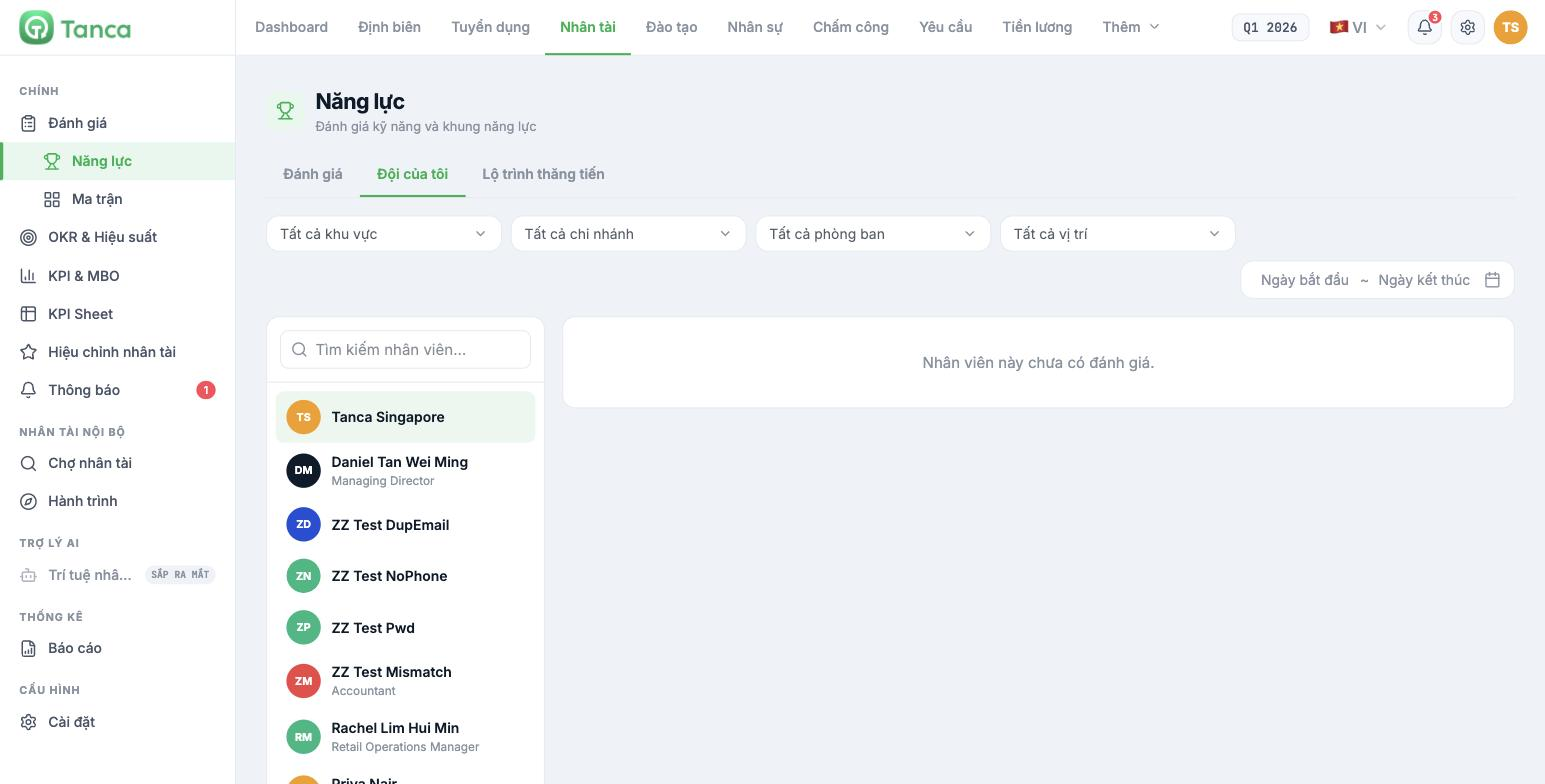
The My Team tab on the Competencies screen is where you view each person's history. Select an employee in the left column, and the right side shows that person's review cycles.
| Filter | Used to |
|---|---|
| All regions · branches · departments · positions | Narrow down the employee list |
| Start date — End date range | Limit the cycles displayed |
The system shows the results of each cycle but has no screen that puts two cycles side by side for comparison. The current approach is to use the Export File button on the Reviews tab, export the data from both cycles to Excel and compare them outside the system.
Four ways to read the difference between two cycles
| Observation | Common meaning | What to do |
|---|---|---|
| Score increased in a skill that was just trained | The training worked | Recognize it and expand that course |
| Score unchanged despite training | The training didn't match the need, or there was no opportunity to practice | Review the training content and how work is assigned |
| Score decreased | Usually due to a change of rater, or lenient rating in the first cycle | Check each rater's tab before drawing conclusions |
| The whole company increased evenly | Almost always a lenient rating effect, not a real increase in competency | Remind raters of the five-level standard before the next cycle |
Scores rising evenly across cycles is normal in every review system, because raters gradually become reluctant to give low scores. The most effective countermeasure is to go over the five behavioral level descriptions with raters right before each cycle, instead of a vague reminder to "rate strictly".

