When none of the built-in request types matches your business's process, you build your own form. No programming needed — choose a field name, choose a data type, done.
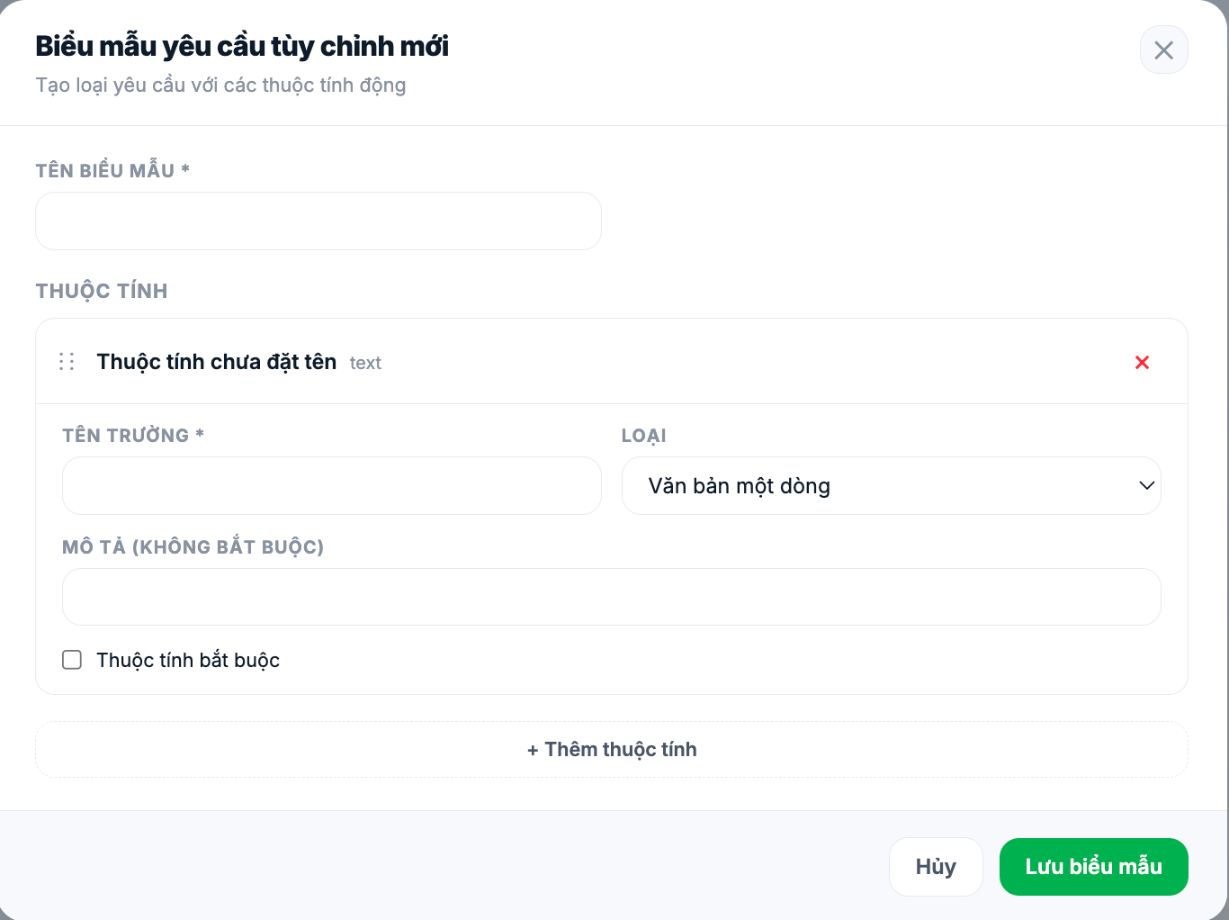
Create a form
- Go to Requests › Settings and click + New custom form.
- Fill in the Form name — this is the name employees see when choosing a request type.
- For each field: fill in the Field name, select the Type, add a Description if needed, and check Required if it cannot be left blank.
- Click + Add attribute to add the next field.
- Drag the six-dot icon on the left to reorder fields.
- Click Save form.
Nine field types
| Type | Used for |
|---|---|
| Single-line text | Names, codes, short titles |
| Paragraph | Reasons, long descriptions |
| Number | Quantities, amounts, hours |
| Dropdown menu | A fixed list of options — use instead of free text to keep data clean |
| Date | Effective dates, due dates |
| Time | Specific times |
| Attachment | Invoices, medical certificates, photos of the situation |
| Employee | Select a person in the company — used for handover recipients, beneficiaries |
| Formula | Values calculated automatically from other number fields |
Prefer Dropdown menu over Single-line text whenever the answer falls within a fixed set. Free text fields make it impossible to group data in reports later: ten people will write the same thing ten different ways.
Principles of good form design
- Only ask for what the approver needs to decide. Every unnecessary field is a reason for employees to give up halfway.
- Mark the right fields as required. Too many required fields and requests get blocked; too few and approvers have to ask follow-up questions.
- Order fields the way users think, not in database order.
- Write descriptions for fields that are easy to misunderstand — one line of explanation saves HR dozens of questions.
After creating it
- The new form appears in the Custom group in the list of request types.
- Open Configuration to set the request code prefix and rules (article B8-02).
- Open Approval workflow to set up approvers (article B8-04). Until you do, submitted requests won't reach anyone.
- Submit a test request using an employee account before launching.
Name forms in the language employees use, not the internal language of the administration office. "Leave to care for a sick child" is easier to find than "Form XN-04".

