A test is different from the questions in a lesson: it has scores, a passing score, and its results go into reports. This article walks through everything involved in building a test.
Test list
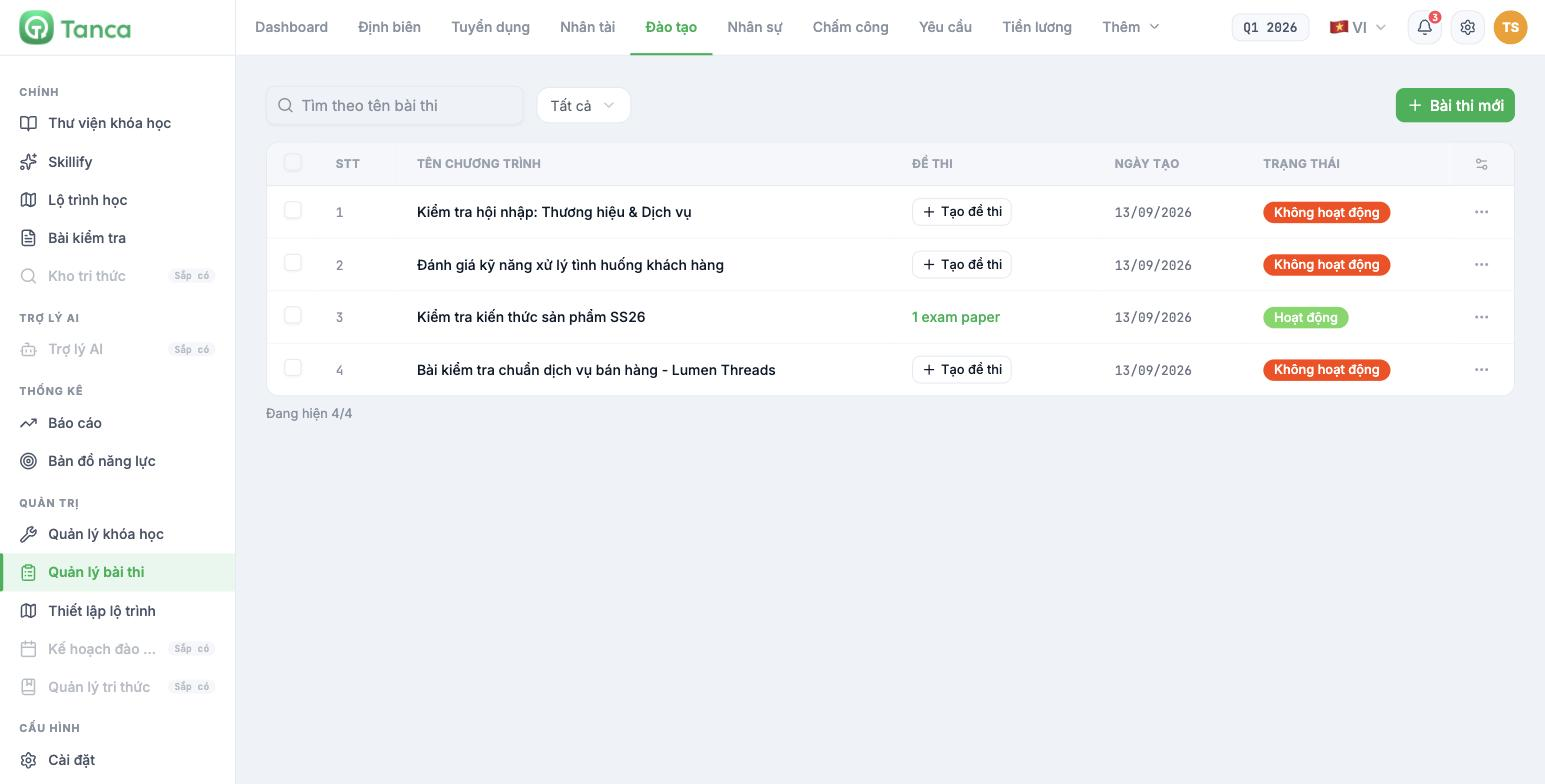
Go to Training › Test management. Each row is a test.
| Column | Content |
|---|---|
| Program name | Test name |
| Exam papers | A + Create exam paper button if there's no paper yet, or the number of existing papers |
| Created date | Date it was set up |
| Status | Active or Inactive |
A test without an exam paper can't be used yet. This is the most frequently forgotten step: you create the test, switch it to Active, but the Exam papers column still shows the Create exam paper button.
Display bug: the Exam papers column shows the paper count in English — `1 exam paper` instead of the Vietnamese 1 đề thi. This is a translation error in the interface and doesn't affect functionality. It has been logged for the product team to fix.
Step 1 — choose the grading method
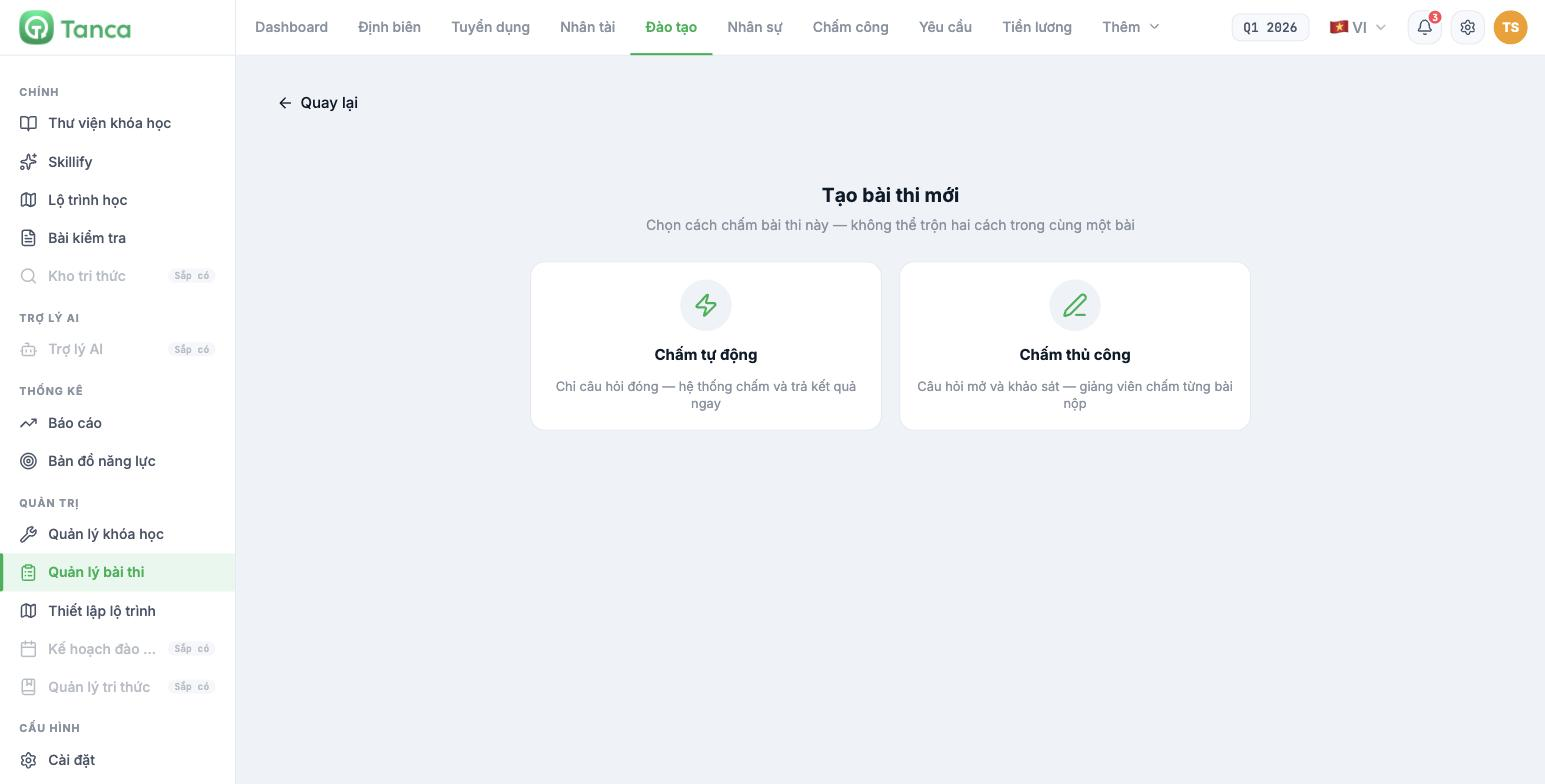
Click + New test. The system immediately reminds you: choose how this test will be graded — the two methods cannot be mixed in the same test**.
| Grading method | Meaning | Use when |
|---|---|---|
| Auto grading | Closed questions only — the system grades and returns results immediately | Testing knowledge, procedures, safety |
| Manual grading | Open questions and surveys — an instructor grades each submission | Assessing case scenarios, writing, critical thinking |
Not being able to mix means that if a test has an essay question, the entire test must be graded manually, including the multiple-choice questions. If you want both an automatic part and a manual part, split them into two separate tests.
Step 2 — enter the test information
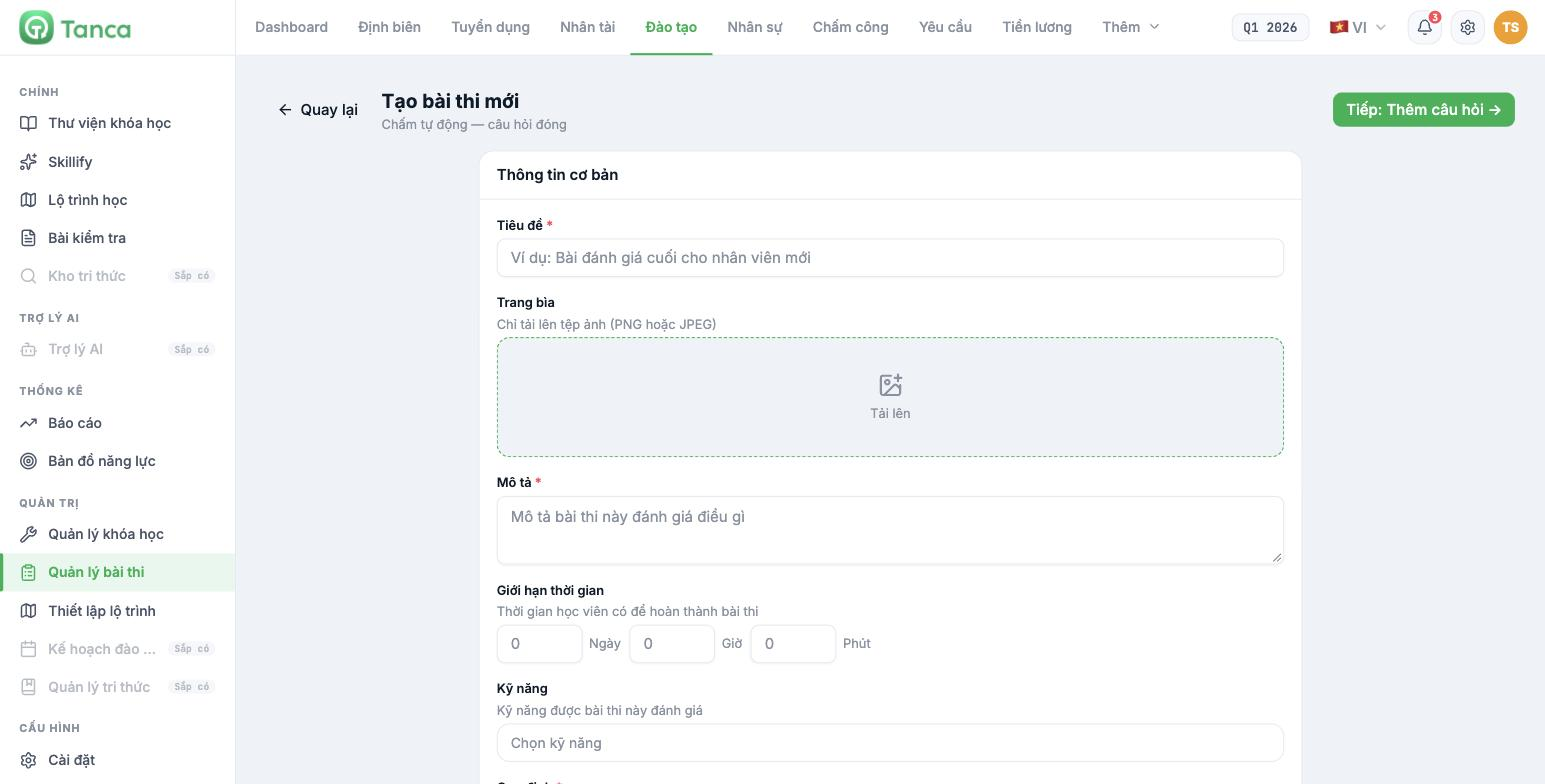
| Field | Notes |
|---|---|
| Title * | Test name |
| Cover | PNG or JPEG images only |
| Description * | What this test assesses |
| Time limit | The time learners have to complete it, entered in Days / Hours / Minutes |
| Skills | Skills assessed by this test — taken from the Skill library (article B16-04) |
| Rules * | Test rules that learners read before starting |
| Test type | Online or Offline |
| Assessment type | Pre-course · Mid-course · Final · Unclassified |
| Active | Opens this test to learners |
The Rules field is required and is where you spell out the ground rules: how many attempts are allowed, whether reference materials can be used, and what happens on violations. Be specific — this is what you'll point to if results are disputed.
Click Next: Add questions → to move on to writing the exam paper.
Step 3 — exam paper and passing score
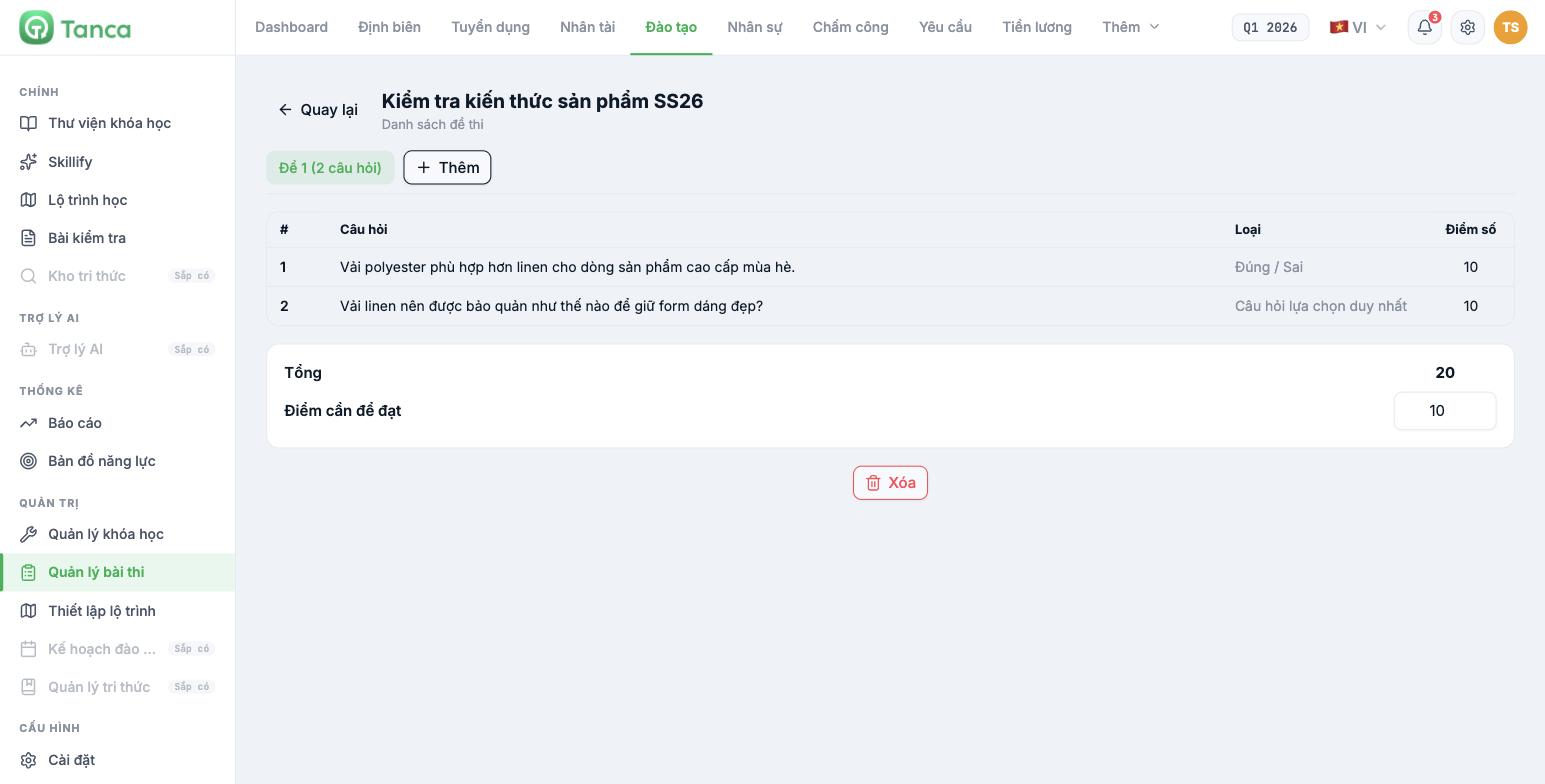
The Exam paper list screen shows the papers for this test, each as a tab. Click + Add to create a new paper.
| Column | Content |
|---|---|
| # | Question number |
| Question | Question content |
| Type | For example True / False, Single-choice question |
| Points | Points for that question |
| Field | Meaning |
|---|---|
| Total | Total points for the whole paper — calculated automatically by the system |
| Score required to pass | The minimum score to count as passing. You enter it yourself |
This is the only place to set a passing score. Question pages within lessons have no passing score — if you need a passing threshold, you must use a test (article B16-01).
Multiple exam papers for the same test
The + Add button on the exam paper screen creates another paper. This is the mechanism for creating variants of the same test.
- Use multiple papers when many people take the test at the same time in one room.
- Use multiple papers when retakes are allowed — people retaking the test won't get the exact same paper.
- Keep the total score and passing score the same across papers; otherwise results can't be compared.
Setting a sensible passing score
| Test type | Suggested passing score |
|---|---|
| Mandatory procedures, safety, compliance | High — 80% to 100% of the total score |
| Product knowledge, routine job skills | Medium — about 70% |
| Pre-course knowledge survey | Don't set a high threshold — the purpose is to measure the starting point |
Set the passing score before opening the test to learners, and don't change it midway. Lowering the threshold after seeing many people fail is the fastest way to destroy the credibility of the entire training system.

