The greatest value of OKR is seeing which company objective an employee's objective connects to. In Tanca, that connection lives in a single field: Parent objective.
Creating an objective
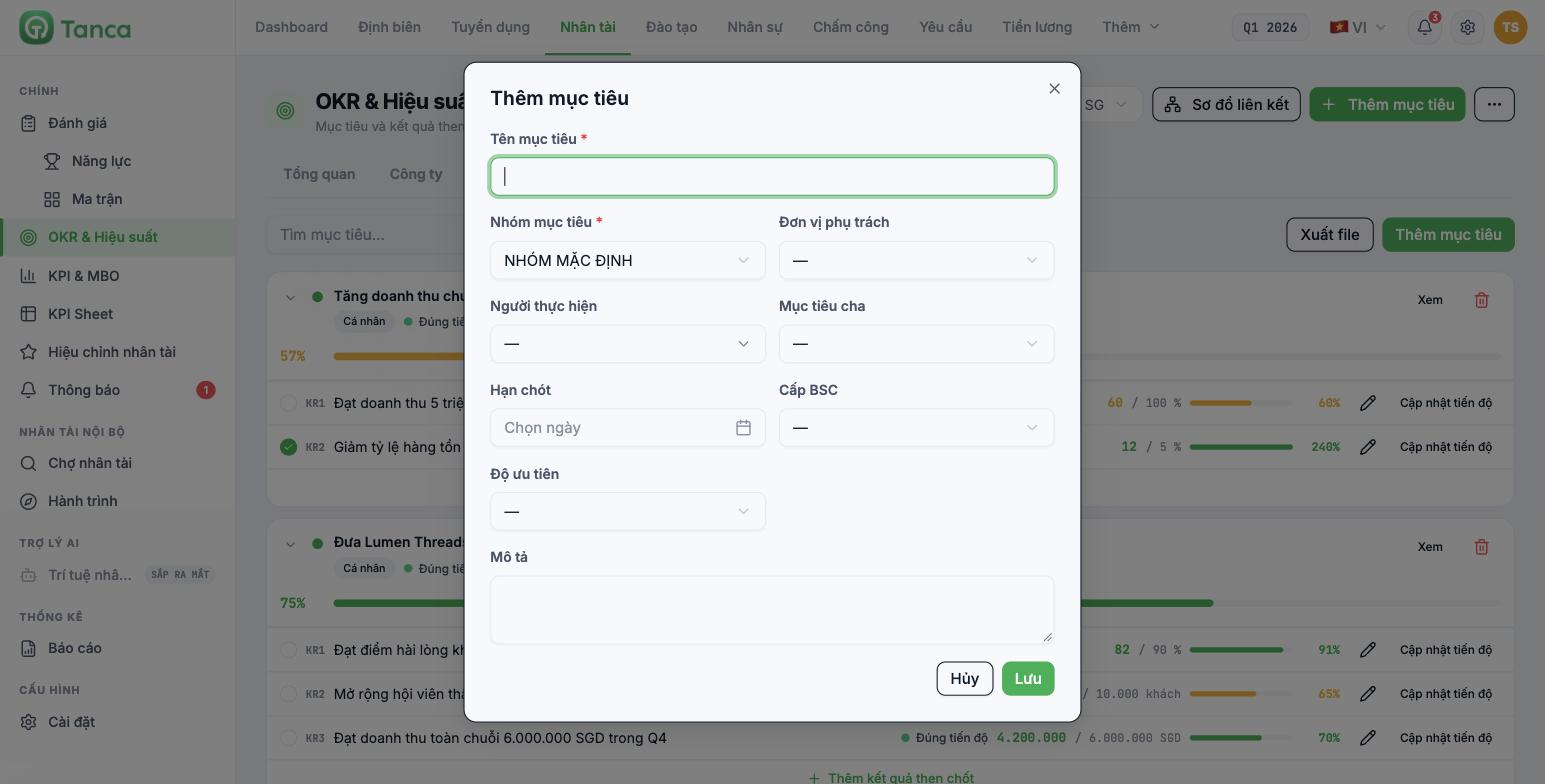
Select the correct cycle in the selector at the top of the page, then click + Add objective.
| Field | Required | Notes |
|---|---|---|
| Objective name | Yes | Write it as a statement of direction, not a number |
| Objective group | Yes | A group declared in article B11-02 |
| Responsible unit | No | Choose a department → the objective is placed at the Department level |
| Assignee | No | Choose an employee → the objective is placed at the Individual level |
| Parent objective | No | Choose a higher-level objective to create the connection |
| Deadline | No | Must fall within the cycle's time range |
| BSC level | No | A number from 1 to 5 — used for tiering, not the four BSC perspectives |
| Priority | No | High · Medium · Low |
| Description | No | Context and the reason for setting this objective |
Order for building the tree
- Create the company-level objectives first — leave both Responsible unit and Assignee blank, and leave Parent objective blank.
- Create the department objectives — choose the department as the Responsible unit, and choose the company objective from step 1 as the Parent objective.
- Create the individual objectives — choose the Assignee, and choose the department objective as the Parent objective.
- Add 2–4 key results to each objective (article B11-12). An objective with no KRs will always show 0%.
Current limitation: the form has no Scope field. The system infers the scope from the Responsible unit and Assignee, and when both are left blank the objective is placed under Individual rather than Company. As a result, the Progress by scope › Company tile on the Overview dashboard may show 0 objectives even though you have set company objectives. The parent–child tree still connects correctly; only the level label is off. Until a Scope field is available, add the prefix "[Company]" to the names of top-level objectives so the reports aren't misread.
Checking the tree with the Alignment Map
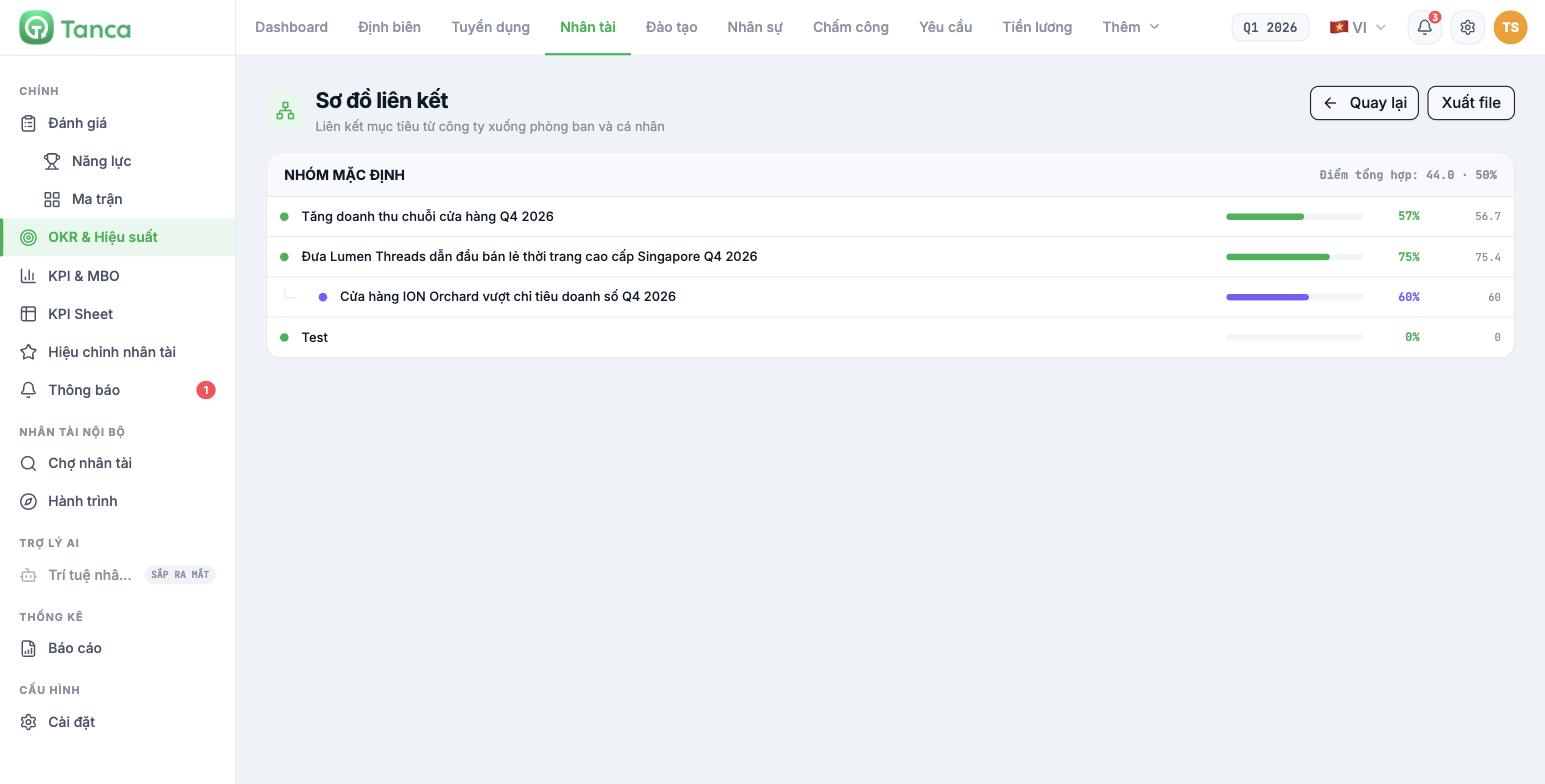
Click Alignment Map at the top of the OKR page. The screen groups objectives by objective group, with each group showing an Aggregate score and overall percentage. Child objectives are indented under their parent objective, each with its own progress bar. The Export file button downloads the map as a file for meeting materials.
If an objective that should be a child is sitting at the same level, open that objective, click Edit and choose the Parent objective again. On the objective detail page, the Child objectives block lists all direct children, each row with a ↗ mark and the parent objective's name so you can confirm the connection.

