Before you can score anyone, you need a shared library of metrics: shift revenue, number of invoices, error rate… Declare them once here, and every KPI sheet afterwards draws on them.
Three types of metrics
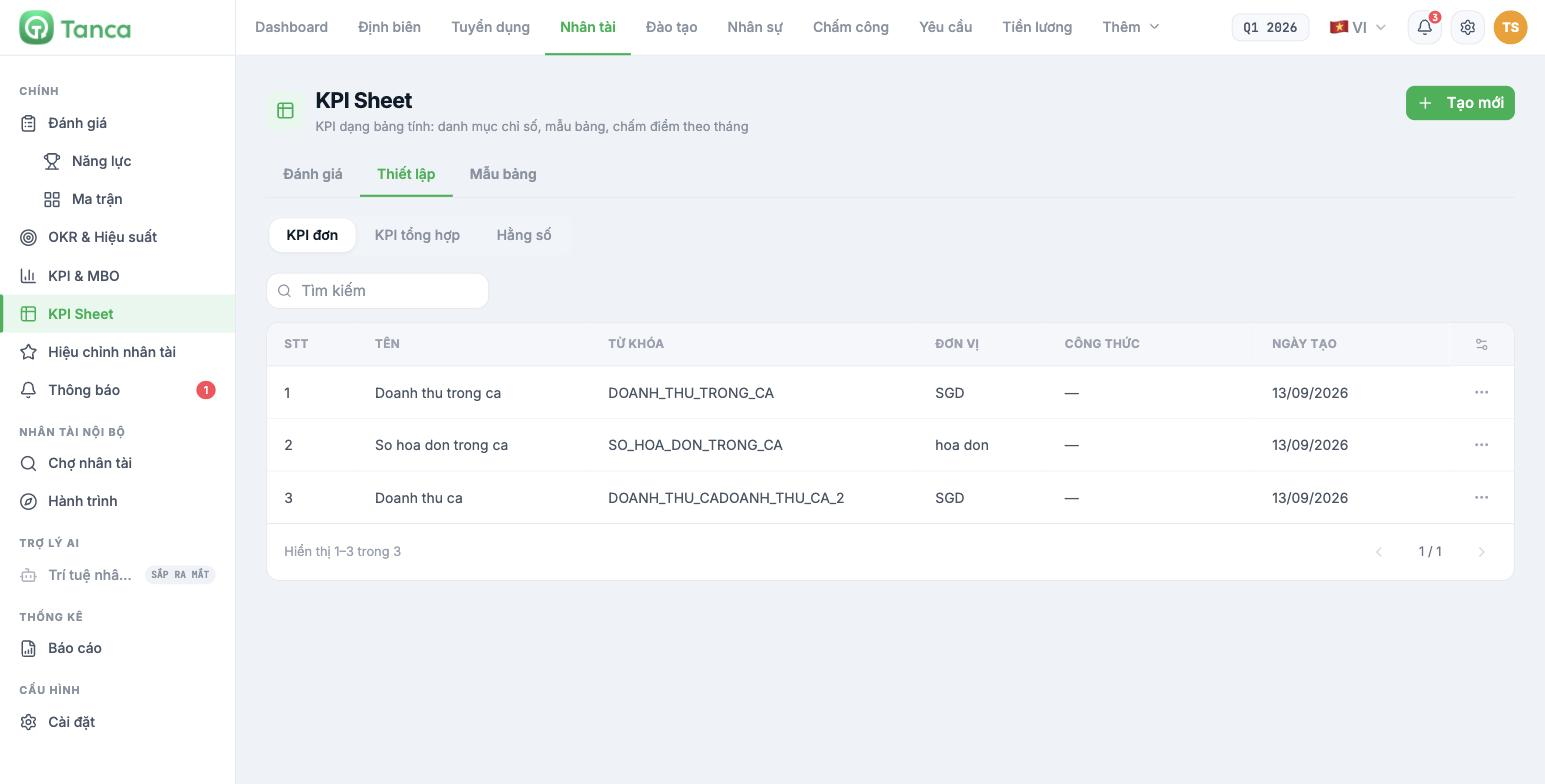
Go to Talent › KPI Sheet › Setup. There are three sub-tabs:
| Type | What it is | Examples |
|---|---|---|
| Individual KPI | A metric entered directly, not calculated from other metrics | Revenue per shift, Number of invoices per shift |
| Composite KPI | A metric calculated from individual KPIs using a formula | Average revenue per invoice = revenue ÷ number of invoices |
| Constant | A fixed value reused in formulas | Standard working hours, Conversion exchange rate |
Adding an individual KPI
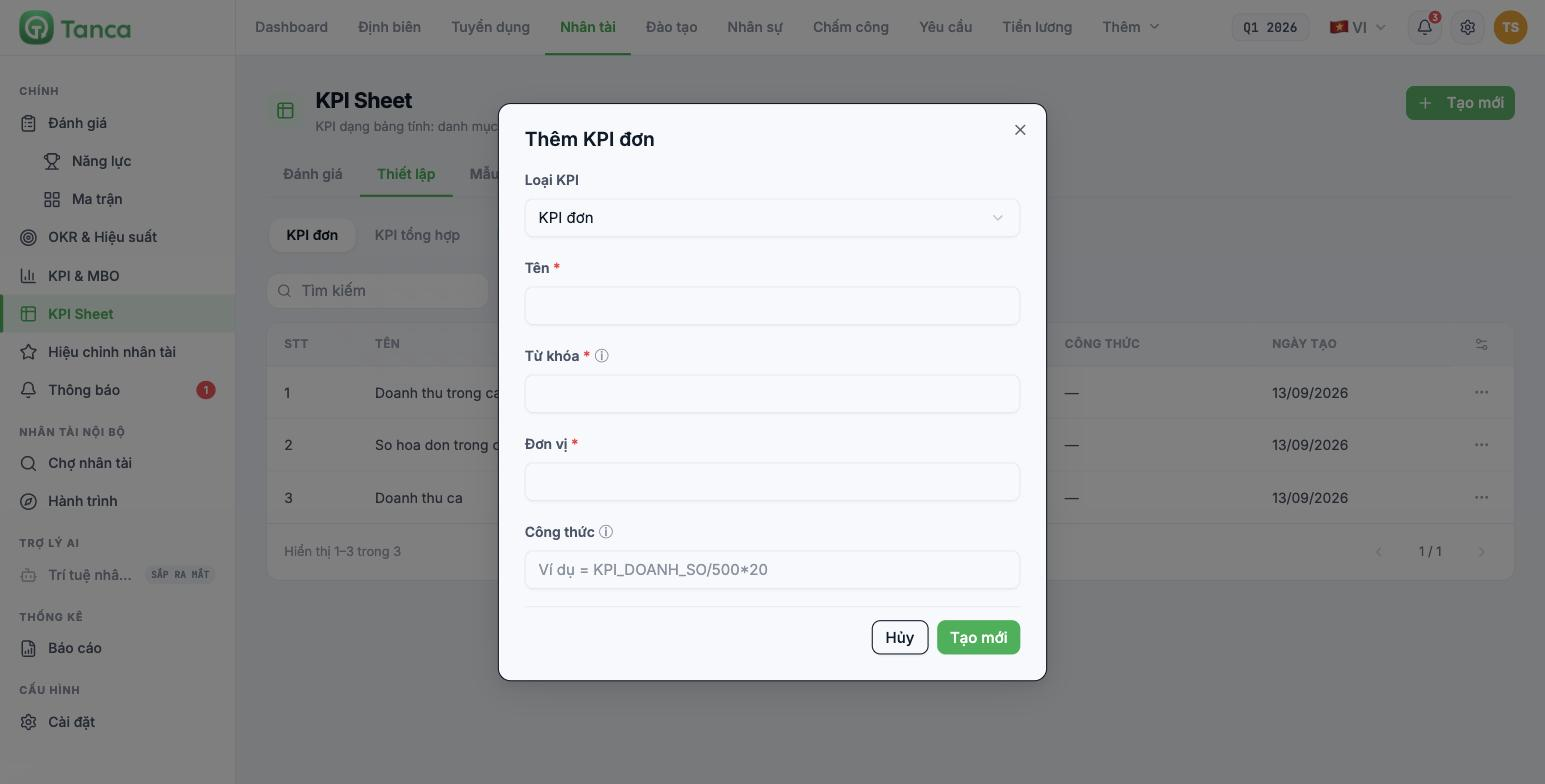
- Click + Create new in the upper-right corner.
- Keep KPI type = Individual KPI.
- Enter the Name — a readable Vietnamese name; this is what scorers see on the sheet.
- Check the Keyword — an uppercase code without diacritics, joined by underscores. The system generates it automatically from the Name, but you should review it (see the warning below).
- Enter the Unit — VND, SGD, invoices, %, hours…
- Leave the Formula field blank for individual KPIs.
- Click Create new.
The Keyword field currently auto-generates from the Name and then appends whatever you type, producing a concatenated code like `DOANH_THU_CADOANH_THU_CA_2`. Select the entire field and type over it, then double-check the code before clicking Create new. A wrong code will cause composite KPI formulas to fail to find the metric.
Adding a composite KPI
Select the Composite KPI tab, click + Create new, then fill it in like an individual KPI but with the additional Formula field. Formulas are written using the metrics' keywords, for example:
- `DOANH_THU_TRONG_CA / SO_HOA_DON_TRONG_CA` — average revenue per invoice
- `KPI_DOANH_SO / 500 * 20` — converts sales into a score scale
A formula only works correctly when every keyword in the formula is present in the KPI sheet's criteria. If a formula calls a keyword that hasn't been added to the sheet, the result will be 0 with no error message. After building the sheet template, test-score one employee to confirm the result column shows a number rather than 0.
Naming conventions to agree on from the start
- Keywords follow the structure `<BLOCK>_<METRIC>`, for example `CH_DOANH_THU_CA`, `KHO_TY_LE_LOI`.
- Each metric is declared only once for the whole company, even if several departments use it.
- Write units clearly, without arbitrary abbreviations — scorers will read the unit to know what figure to enter.

