The Tasks module is where projects and to-dos are managed in Tanca. What sets it apart isn't the Kanban board — every software has one — but the fact that it lives in the same place as your HR data.
Why use Tanca Tasks instead of a separate tool
| Differentiator | Details |
|---|---|
| Members come from your org structure | Add people to a project by selecting a department, not by inviting individual emails. New people joining the department are included automatically |
| No extra accounts | Employees who already have a Tanca account can use it right away — no need to buy licenses for a second platform |
| In the same place as time & attendance and requests | Employees don't have to open yet another app just to see their assigned tasks |
| Permissions based on company roles | Usage permissions are split into Manager and Member, matching Tanca's general permissions |
Be honest when comparing with platforms dedicated to task management: if your team needs complex task dependencies, deep automation rules, or integrations with many technical tools, a dedicated platform is still stronger. Tanca is strongest when you want a single system for both HR and tasks, for non-technical teams.
Module layout
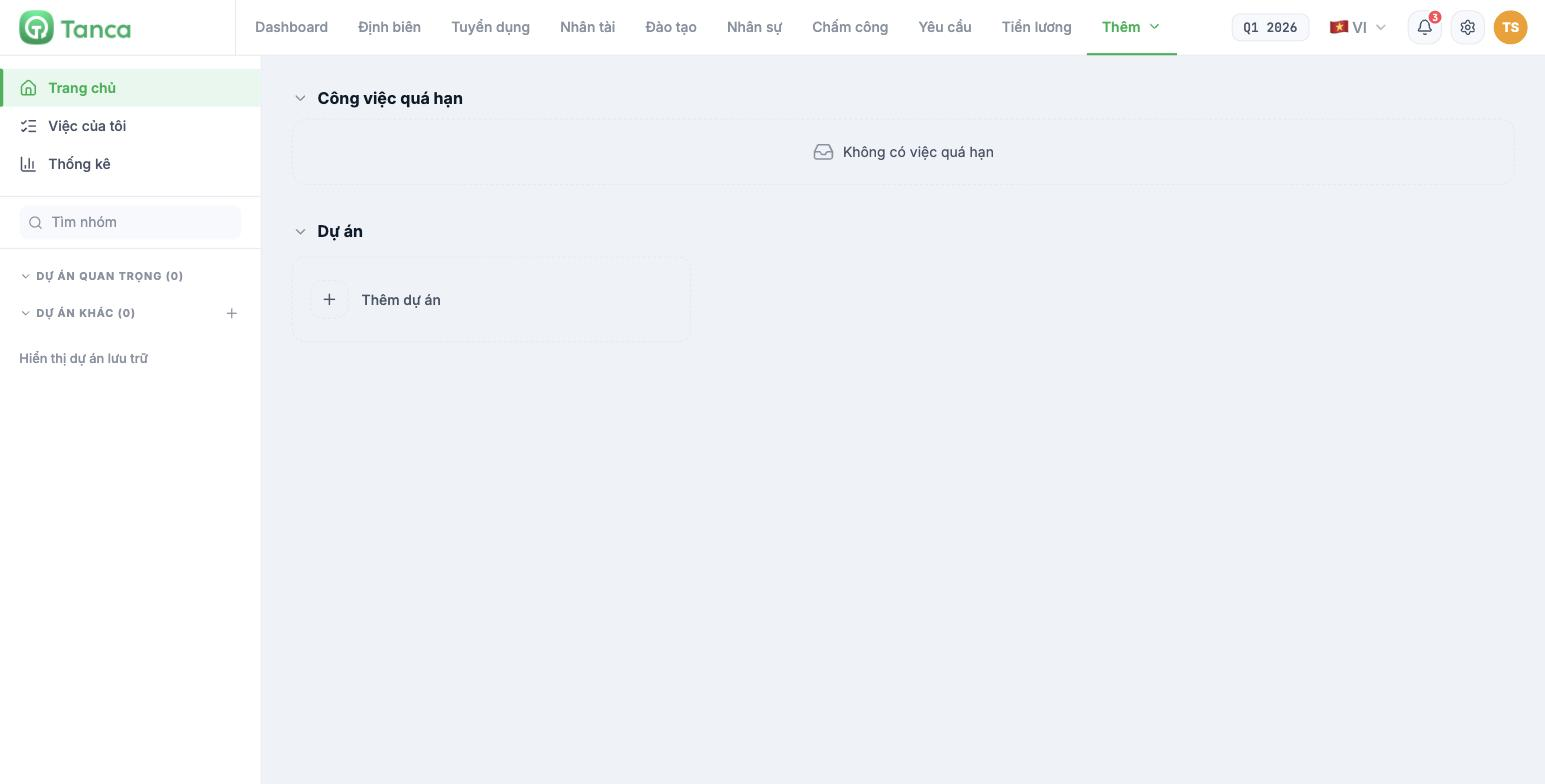
Go to More › Tasks. The left column has three sections and the project tree:
- Home — your Overdue tasks and the project list.
- My tasks — all tasks assigned to you, grouped by deadline (article B10-08).
- Statistics — a summary of all projects (article B10-07).
- Important projects / Other projects — two project groups; click the ☆ on a project to move it to the important group. The Show archived projects link opens closed projects.
Eight tabs in a project
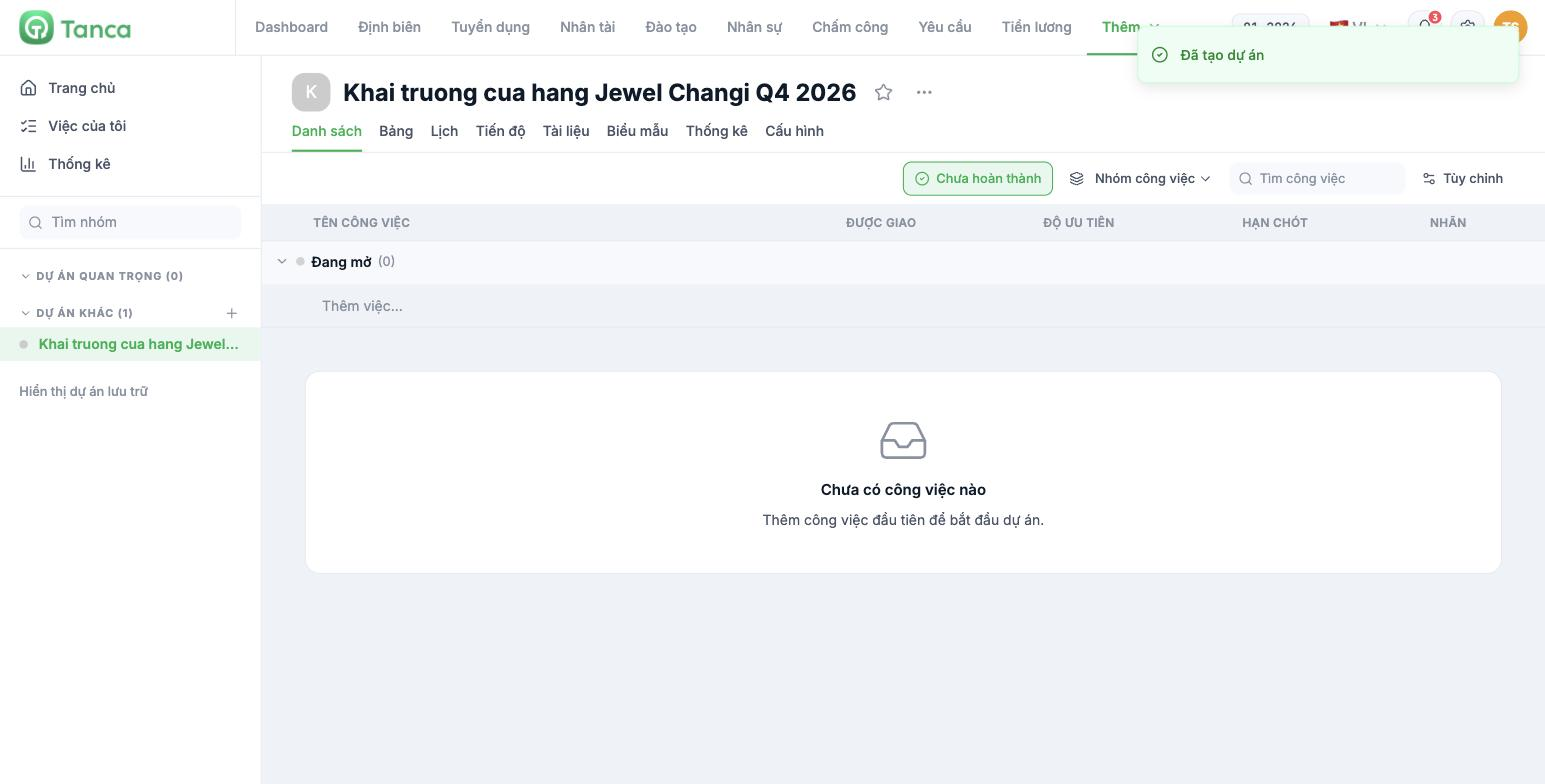
| Tab | Used for | Article |
|---|---|---|
| List | View tasks as a table, add tasks quickly | B10-06 |
| Board | Kanban by task group | B10-06 |
| Calendar | Monthly view based on due dates | B10-06 |
| Progress | Timeline / Gantt view | B10-06 |
| Documents | File attachments for each task | See the warning below |
| Forms | Create forms that collect information in a structured way | B10-04 |
| Statistics | Data for this project only | B10-07 |
| Configuration | Members, task groups, labels, permissions | B10-03, B10-04 |
Three limitations to know before a wide rollout
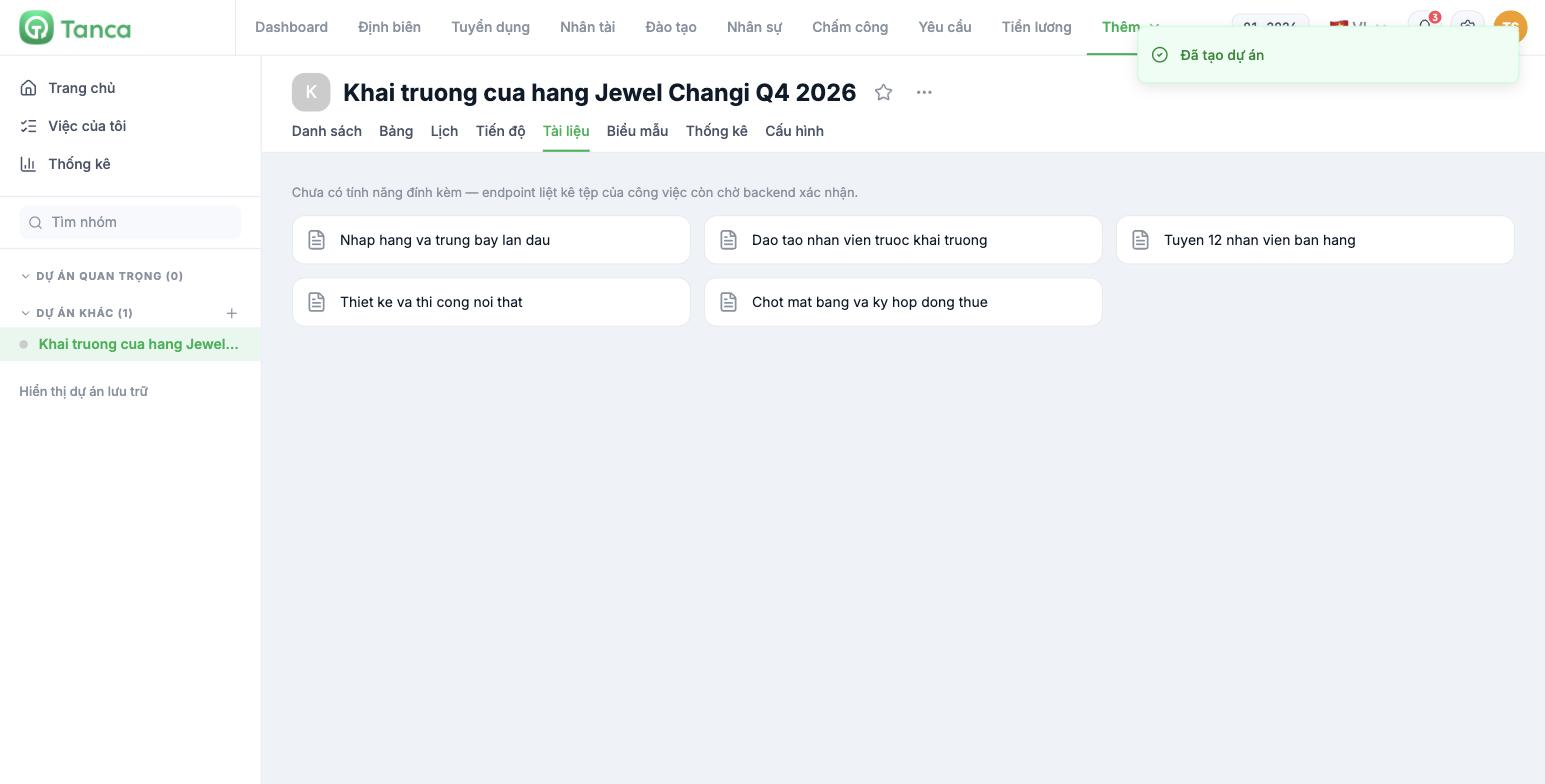
- File attachments don't work yet. The Documents tab shows the line "Attachments not available yet — the endpoint listing a task's files is awaiting backend confirmation." In the meantime, put file links in the task's Description field.
- New automation rules can't be created yet. In Configuration › Automation rules, the system states that creating new rules is waiting for the backend to publish the list of triggers and actions. Existing rules can be renamed, turned on/off, and deleted.
- The custom chart builder isn't available yet on the overall Statistics screen — the built-in metrics are still real data (article B10-07).
The three messages above are developer-facing text being shown to end users. We've noted them here so you won't be alarmed when you see them, and we've asked the product team to rewrite them in plain language.
Initial setup order
- Create a pilot project with a small group (article B10-02).
- Set up task groups that match your team's real workflow (article B10-03).
- Set up labels and review permissions (article B10-04).
- Assign a few real tasks, with due dates and priorities (article B10-05).
- Run it for two weeks, review the Statistics, and only then scale up (article B10-07).

