A picture of a person's competencies, gathered from four sources. This is the tab to use when considering promotions, transfers or planning training.
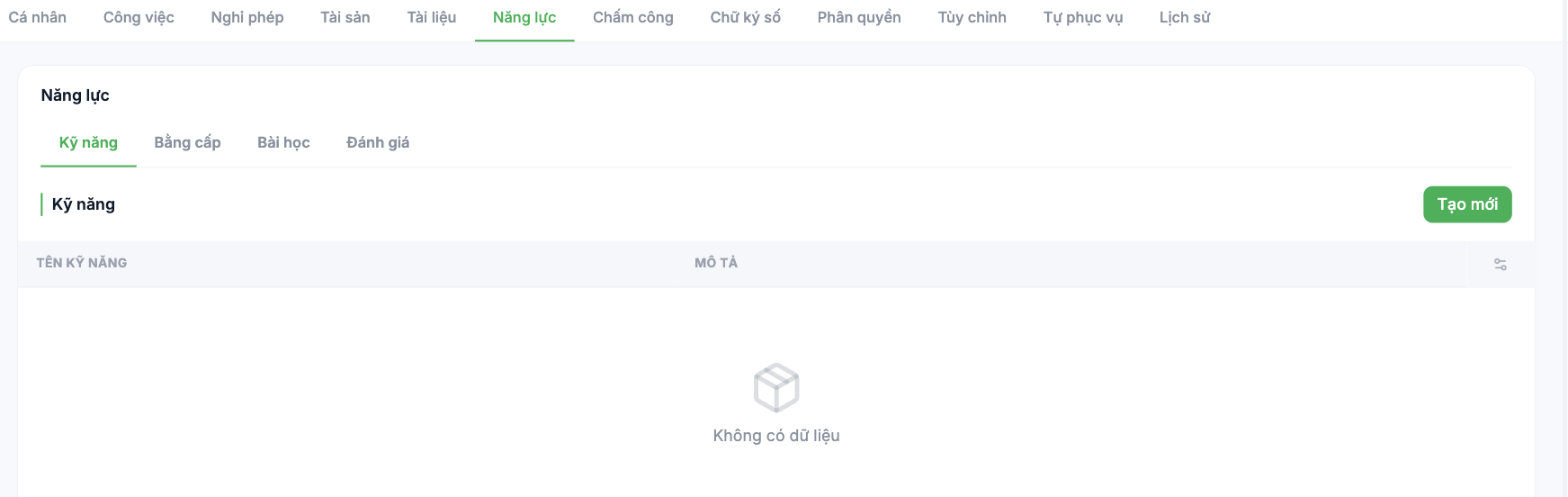
| Group | What it contains | Data source |
|---|---|---|
| Skills | List of skills and descriptions | Entered manually or taken from the job title's competency framework |
| Qualifications | Degrees, major, educational institution | Entered when creating the profile or self-declared by the employee |
| Lessons | Courses taken and progress | Automatically from the Training module |
| Reviews | Results of competency review rounds | Automatically from the Talent module |
Adding a skill manually
- Open the Competencies tab and select the Skills group.
- Click Create new.
- Enter the Skill name and Description, then save.
For companies that have rolled out a competency framework in the Talent module, do not enter skills manually here. Skills should be attached to the job title and then flow down to each person automatically — entering them by hand in each profile creates hundreds of inconsistent rows that cannot be used for the 9-box matrix.
When to use this tab
- Before a periodic review conversation — look back at completed training and the previous round's results.
- When considering a transfer or promotion — compare current competencies against the requirements of the new job title.
- When planning training — find the gap between current competencies and the requirements.

