The company profile shared across contracts, reports, and bank transfer files. The two format fields at the bottom of the page affect how the entire system displays information.
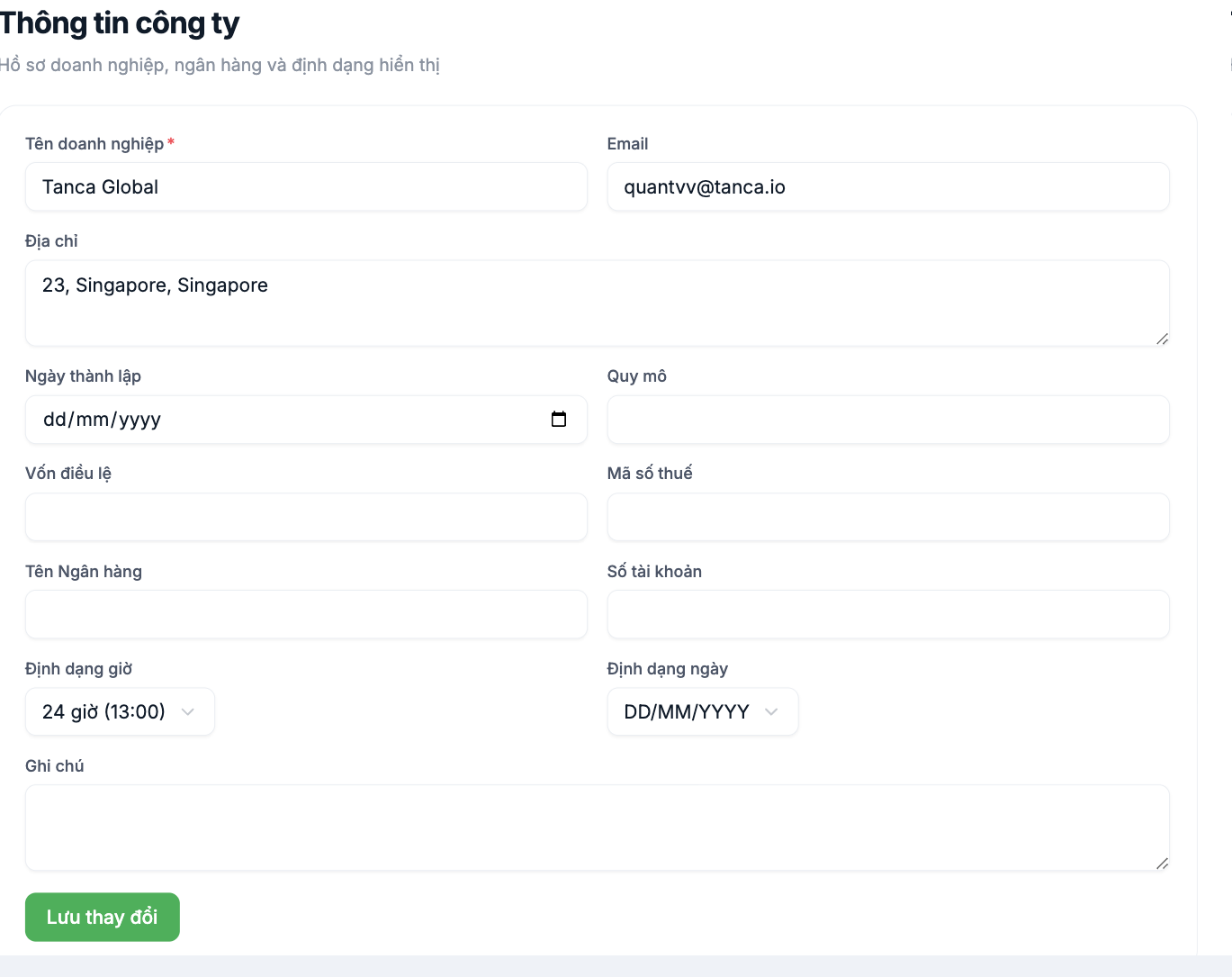
Fields
| Field | What to enter | Where it's used |
|---|---|---|
| Company name * | The full name as on the business registration certificate | Employment contracts, reports, payslips |
| The company's primary contact email | Emails sent by the system | |
| Address | Headquarters address | Employment contracts |
| Founding date · Size · Charter capital | As on the business registration certificate | Company profile |
| Tax ID | The company's tax identification number | Personal income tax reports, contracts |
| Bank name · Account number | The company account used to pay salaries | Bank transfer files for salary payments |
| Time format | 24-hour (13:00) or 12-hour | All timesheets, shifts, and time & attendance |
| Date format | DD/MM/YYYY for Vietnam | The entire system and all exported files |
| Notes | Any internal information | Not shown to employees |
Finalize the Date format and Time format right at setup and don't change them again. Changing them after attendance data exists doesn't corrupt the data, but it causes users to misread figures during the transition, and previously exported Excel files will no longer match the format.
Only Company name is required, but…
Only the Company name field has a red asterisk. However, the Tax ID is needed before preparing personal income tax reports, and the Bank name and Account number are needed before exporting the bank transfer file for the first payroll period. Filling everything in from the start saves you a trip back.
Steps
- Click the gear icon in the top right corner.
- In the left column, in the Organization group, select Company Information.
- Update the necessary fields.
- Click Save Changes.

