Workplace Rules is a separate screen in the Communication module, for documents employees refer to over the long term rather than read once and forget: labor rules, salary and bonus regulations, the employee handbook.
How Workplace Rules differ from Announcements
| Announcements | Workplace Rules | |
|---|---|---|
| Purpose | News to read right away | Documents for long-term reference |
| Recipients | Selected by region / branch / department | Whole company — cannot be selected |
| Read acknowledgment | Yes | No |
| Sorting | By created date | By the Display order you set |
| Status | Visible once posted | Draft or Published |
Create a workplace rules document
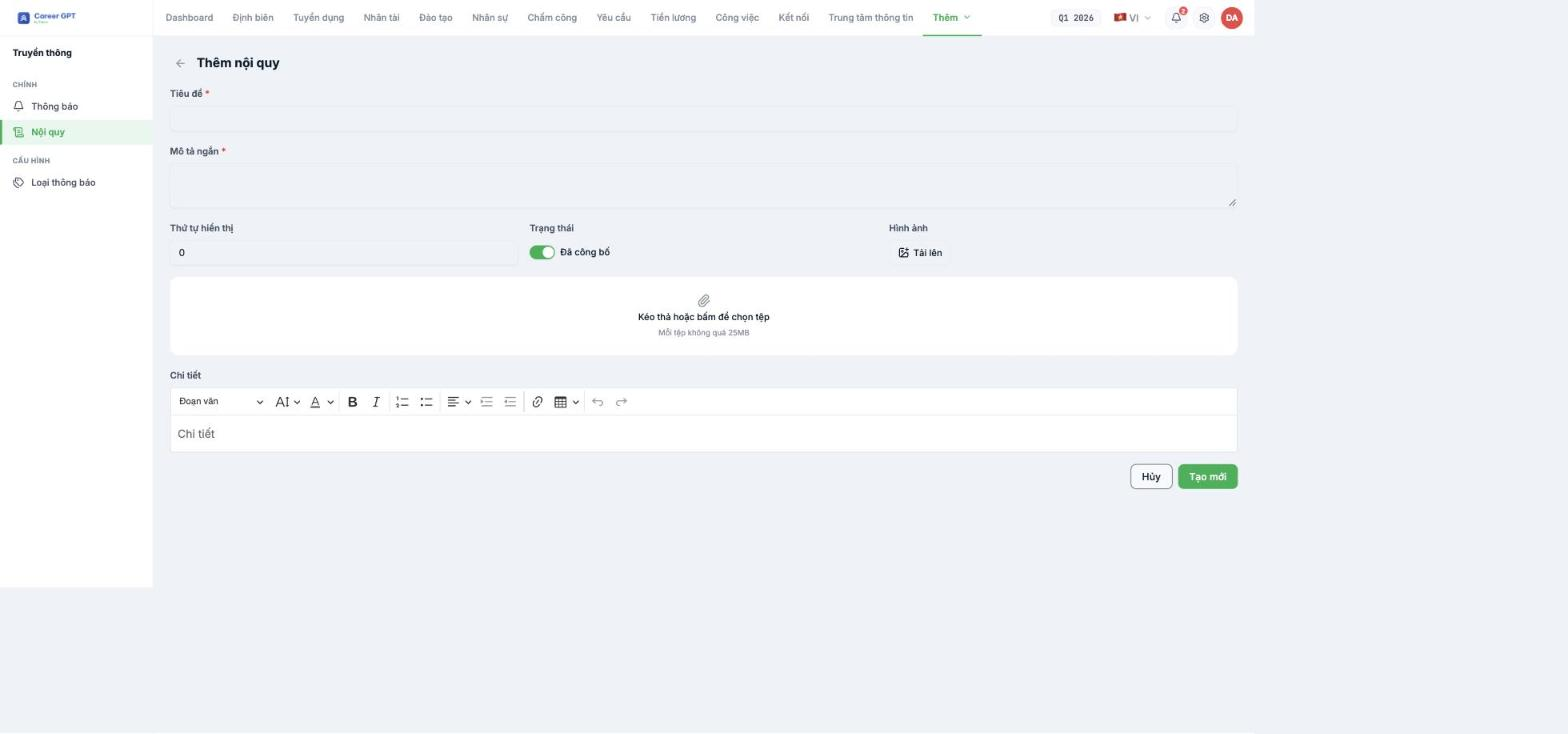
- Go to Communication › Workplace Rules and click Add workplace rules.
- Title (required) — the document name with its effective year, for example Labor Rules 2026.
- Short description (required) — one or two sentences so employees know what the document is about before opening it.
- Display order — an integer from 1 upward; smaller numbers appear first.
- Status — switch to Published when ready, leave as Draft if still awaiting legal review.
- Image — the cover image shown in the first column of the list.
- Attach the original PDF — each file must not exceed 25 MB.
- Details — the full content, composed the same way as an announcement.
- Click Create.
The Display order field has a `min = 0` limit but still accepts negative numbers when you type or paste them. Use integers from 1 upward.
Current status of the Workplace Rules screen
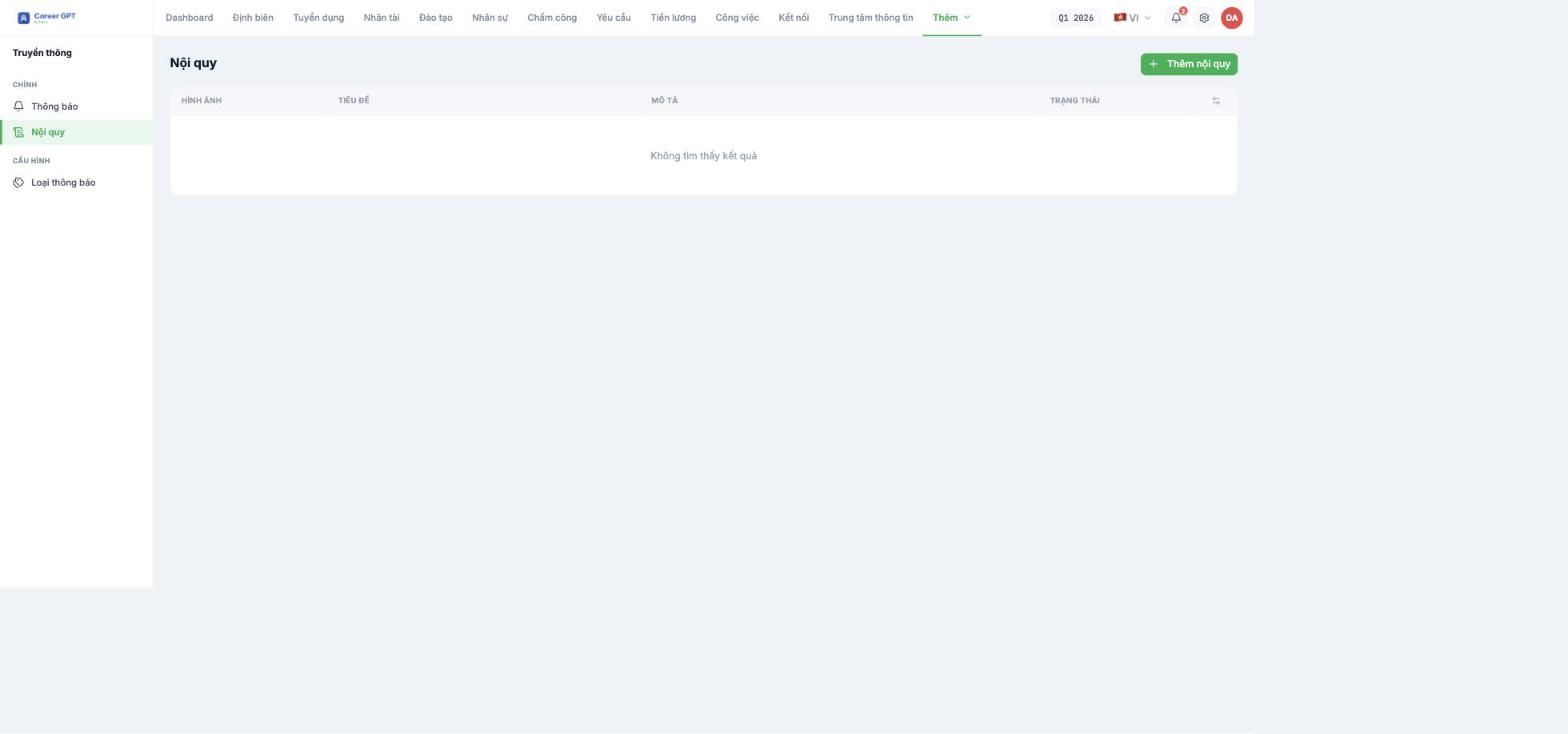
The Workplace Rules screen currently cannot create records. During testing on September 5, 2026, the Create action failed in all four attempts with different content: the server returned a 503 error and the interface only showed “Network Error”. The error has been passed to the development team and is awaiting a fix; as of September 17, 2026 the list was still empty. In the meantime: put your workplace rules, regulations, and employee handbook into the Information Center (B20-01), then send an Announcement with Require read acknowledgment enabled (B18-04) linking to that document. This approach is even better in one respect: you have evidence of who acknowledged it, which the Workplace Rules screen does not provide.
About scheduled sending and reminders
Tanca's Help Center structure planned an article on scheduling announcements and sending reminders. The product does not yet have these two features: the Add announcement form has no field for choosing a send time, and there is no mechanism to automatically remind people who haven't read it.
A practical workaround: create the announcement at exactly the time it needs to be sent, and use the Employees who acknowledged list (B18-05) to remind those still missing yourself through a separate channel. If your business needs scheduled sending, submit a feature request to Tanca — this request has been logged many times.

