This article is for employees: where to find courses, how to study, how to take tests, and how to track your progress.
Four screens you need to know
| Screen | Used for |
|---|---|
| Course library | Find and open company courses |
| Learning path | View mandatory courses, courses you added yourself, and skill-based recommendations |
| Tests | Tests your company has assigned to you |
| Skillify | External course library — article B16-08 |
Course library
Go to Training › Course library. There are two tabs, Company courses and My library, a search box, and a Categories button for filtering. The page is divided into four blocks:
| Block | Content |
|---|---|
| Continue learning | Courses you're partway through — check here first every time you open Tanca |
| Recently viewed | Courses you just opened |
| Other programs | The remaining courses |
| This week's courses | Courses you should take this week |
Your learning path
Go to Training › Learning path. There are three sections:
| Section | Meaning |
|---|---|
| Mandatory courses — Assigned by the company | Courses you must complete. Prioritize finishing this section first |
| Sections I added | Groups of courses you arrange yourself for your own goals. Click Add section to create one |
| Recommended from your skills | The skills linked to your position, leading to the matching courses |
The Recommended from your skills section only has content once your company has run a competency review cycle that includes you (article B13-13). If it's empty, ask HR whether the company has run one yet.
Take a course
- Open the course from the Library or from your Learning path.
- Follow the order chapter → page. Each page is a lesson, a question, or a content table.
- Answer the question pages placed between lessons. There is an answer explanation — read it even when you answer correctly.
- Go through all the pages for the course to count as completed.
If the course has Answer required turned on, you must answer every question for it to count as completed — skip one question and the course stays in progress.
Pay attention to the Completion deadline of mandatory courses. The deadline appears in the course information; if you miss it, your name will appear in the company's mandatory training completion report.
Take a test
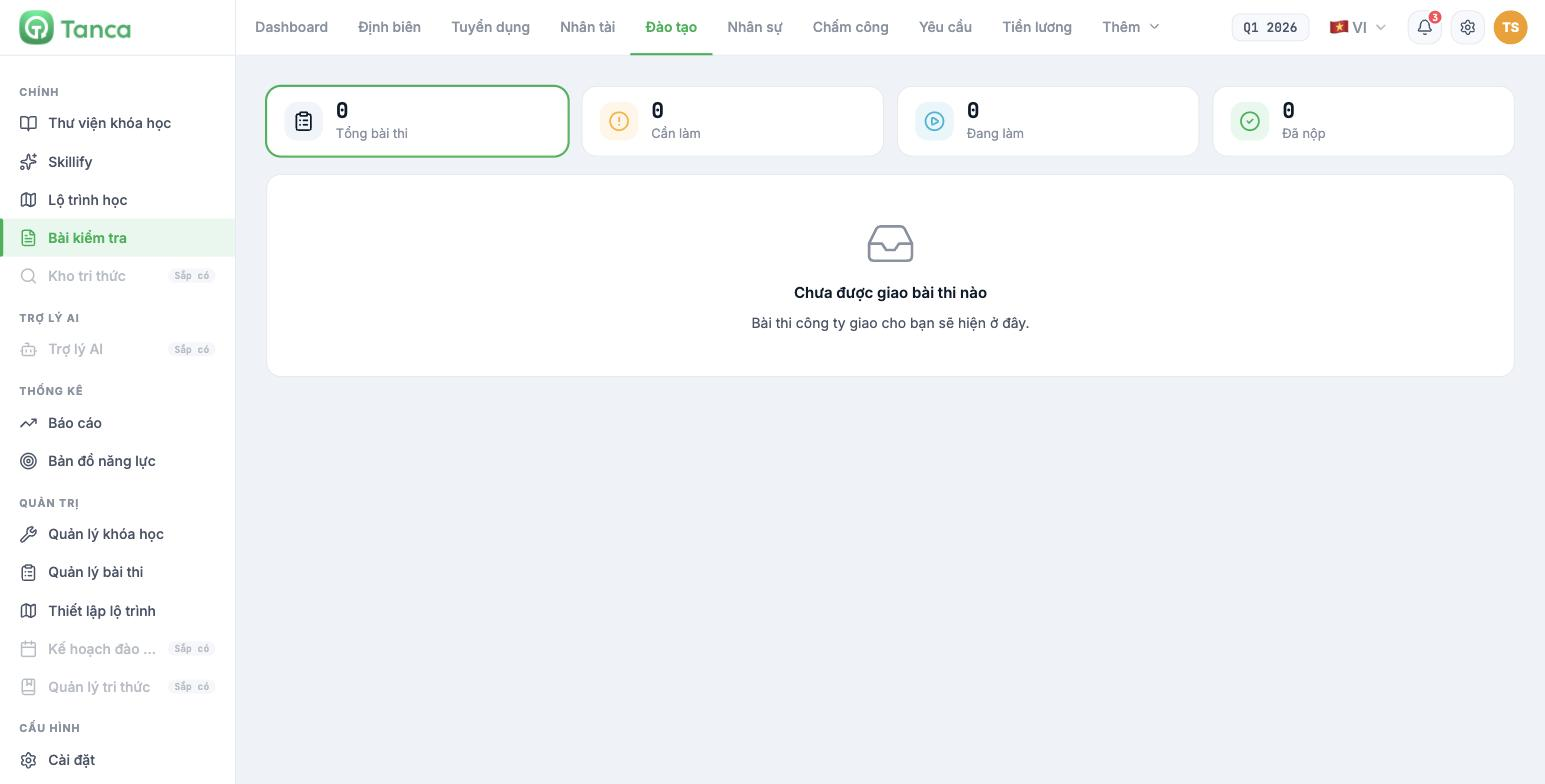
Go to Training › Tests. There are four counters at the top of the page:
| Counter | Meaning |
|---|---|
| Total tests | Total number of tests assigned to you |
| To do | Not started |
| In progress | Started, not submitted |
| Submitted | Submitted |
- Read the Rules section carefully before clicking start — it states how many attempts you have and whether you can use reference materials.
- Watch the Time limit if the test has one. When time runs out, the test ends automatically with what you've completed.
- Finish everything before submitting.
Auto-graded tests return results immediately after submission. Manually graded tests must wait for the instructor to grade them — not seeing your score right away doesn't mean the system is broken.
Three things you should do
- Open your Learning path once a week and handle the Mandatory courses section first.
- Use the Recommended from your skills section together with your competency review results (article B13-13) — the two skills furthest from your target are the two to study first.
- Study on your phone between shifts if the lessons are short; save the long ones for when you're at a computer.

