In Tanca, a "multi-step workflow" is built with task groups. Each group is a step; dragging a card from one group to another is what moves the task forward.
Set up the steps
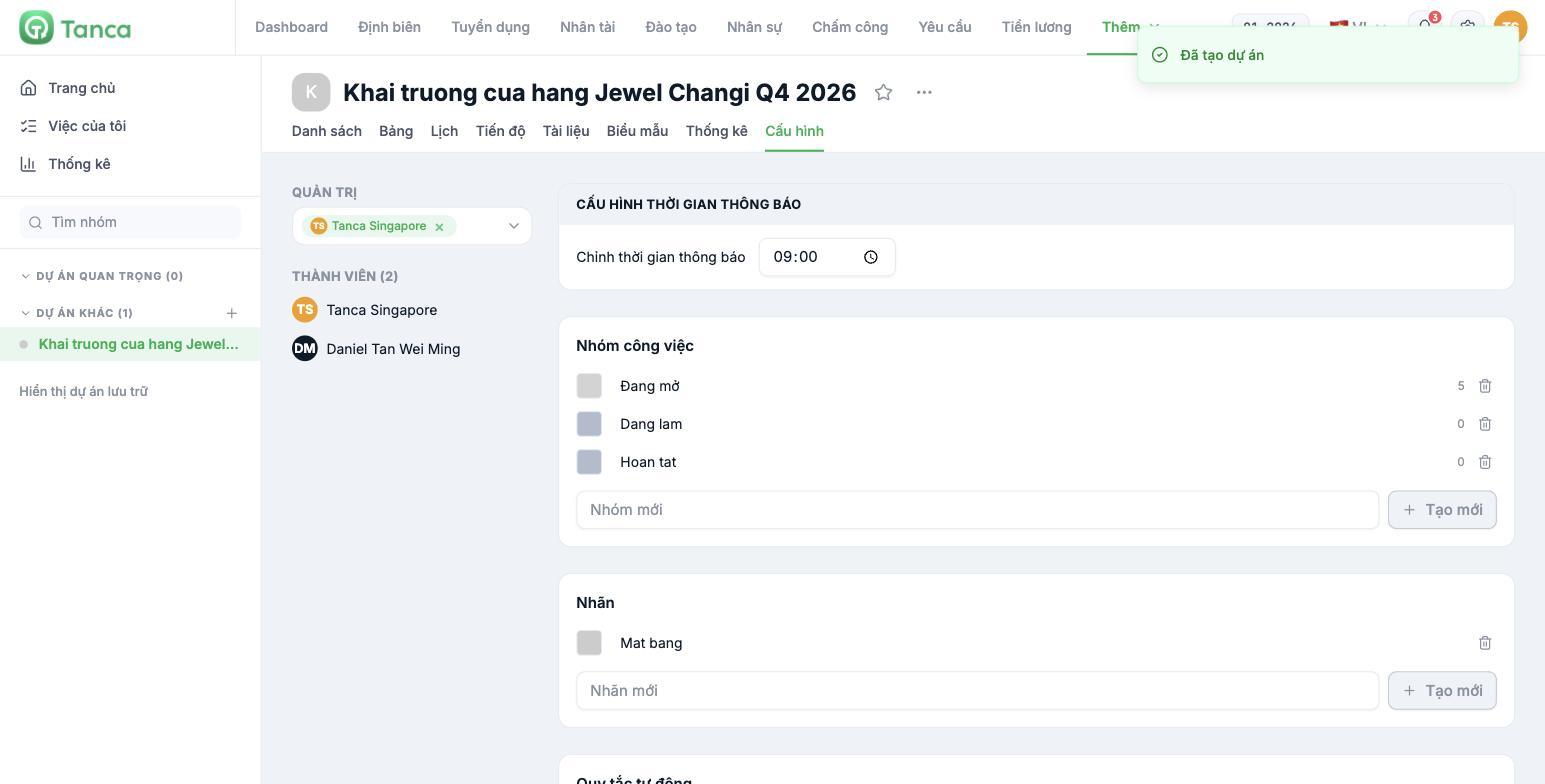
- Open the project and go to the Configuration tab.
- In the Task groups block, type the step name into the New group field and click Create.
- Repeat for each step. Each group has a color swatch on the left and shows the number of tasks currently in the group on the right.
- Use the trash icon to delete groups you don't use.
New projects always come with a group called Open. You can rename it to the first step of your real workflow (for example Intake) instead of leaving it as is and creating a new parallel group.
Three sample workflows to start with
| Task type | Suggested steps |
|---|---|
| General operations | Intake → In progress → Awaiting approval → Done |
| Employee onboarding | Before day one → First day → First week → End of probation |
| Opening a new store | Premises → Construction → Staffing → Merchandise → Grand opening |
Keep the number of steps at 4 to 6. Fewer than 4 and the board won't tell you where work is stuck; more than 6 and nobody bothers dragging cards, so the data stops reflecting reality after a few weeks.
Working on the Kanban board
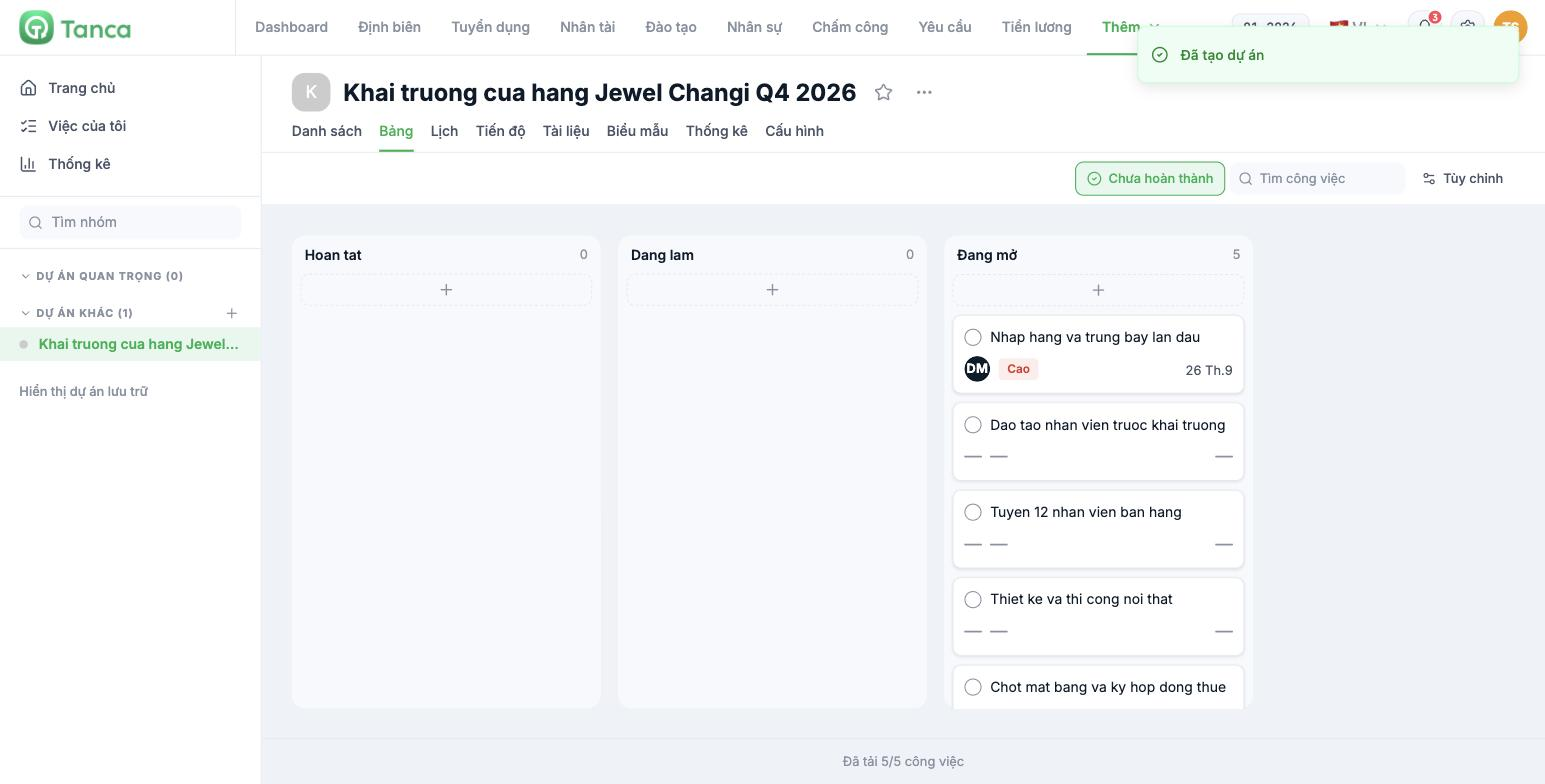
Go to the Board tab. Each task group becomes a column, with the task count at the top. Drag a card to another column to change its step. Each card shows the task name, assignee, priority, and due date. The + button at the top of each column adds a task directly to that step.
Columns are currently ordered with the most recently created group first. If you want the board to read left to right in the actual flow of work, create the groups in reverse order — create the last step first and the first step last.
Three things to do after building the workflow
- Name steps with completed-state verbs — Approved is clearer than Approve, because it describes the state of the task, not a person's action.
- Agree on the conditions for moving between steps in writing. The system doesn't block dragging cards, so the convention lives with the team, not the software.
- Decide who can change task groups in the permission table (article B10-04) — if everyone can drag cards, the board loses its meaning.

