Before building formulas, you need to declare which pay items your company has. Each item you declare automatically generates a keyword — the variable name used in formulas. This is the foundational step; if it is done carelessly, fixing it later is very costly.
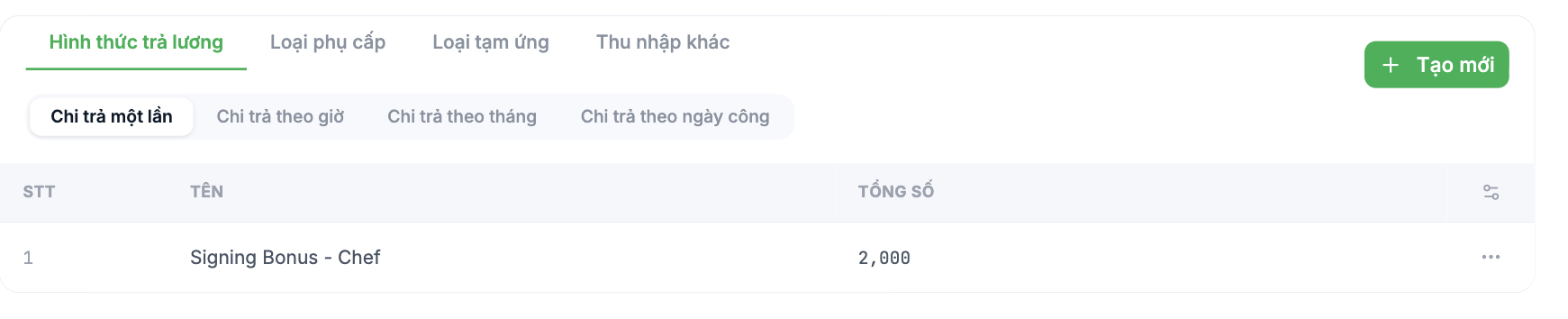
Four groups of items
| Group | What it contains | Examples |
|---|---|---|
| Payment types | Base pay rates by payment method | Monthly salary, hourly wage, signing bonus |
| Allowance types | Recurring add-on amounts | Meal allowance, fuel allowance, phone allowance, night shift allowance |
| Advance types | Amounts paid in advance, to be deducted from salary | Salary advance, emergency advance |
| Other income | Non-recurring amounts | Project bonus, commission |
Four payment types
| Type | Used for |
|---|---|
| One-time payment | A single one-off payment — signing bonus, project bonus |
| Hourly payment | Workers paid by the hour |
| Monthly payment | Fixed monthly salary — the most common |
| Payment by working days | Workers paid by actual days worked |
There is no built-in piece-rate payment type. Companies that pay piece-rate wages build it with a dedicated formula column in the payroll template — see article B9-08.
Declaring an allowance type
- Go to Payroll › Settings › Salary Grades and select the Allowance types tab.
- Click + Create new.
- Enter a Name — this name appears on the payroll and on the employee's payslip.
- Set the Order to control the column position.
- Save. The system automatically generates a keyword in the form `PHUCAP_<NAME_IN_UPPERCASE>`.
| Allowance name | Auto-generated keyword |
|---|---|
| Meal Allowance | `PHUCAP_MEAL_ALLOWANCE` |
| Transport Allowance | `PHUCAP_TRANSPORT_ALLOWANCE` |
| Night Shift Allowance | `PHUCAP_NIGHT_SHIFT_ALLOWANCE` |
Name each allowance correctly the first time. The keyword is generated from the name, and the formulas you write will reference that keyword. Renaming it later risks breaking formulas.
Allowances included in or excluded from the insurance base
The keyword library has four built-in variables that classify income for insurance purposes: Allowances subject to social insurance, Allowances not subject to social insurance, Bonuses subject to social insurance, Bonuses not subject to social insurance. Use them to separate the insurance contribution base from total income.
Whether an item counts toward the insurance contribution base is a legal matter, not a technical choice. In Vietnam, the formal requirements are very strict: for an allowance to be excluded, it must be written as a separate item in the employment contract; if it is lumped into the salary item, it is still counted. Have your legal or accounting team finalize the list before configuring. See also article B9-07.
Keyword library
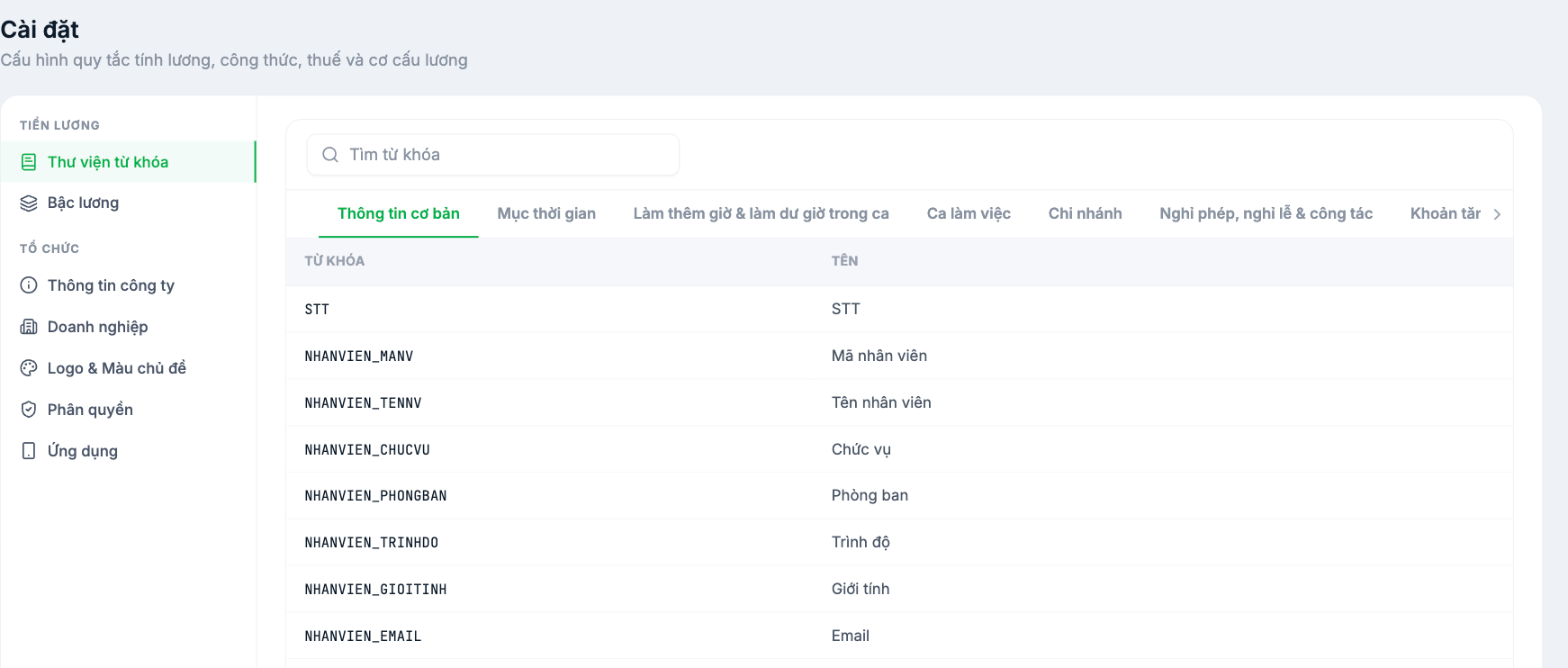
The Keyword Library screen lists every variable available for use in formulas, grouped by category and with a search box. This is your reference when writing formulas (article B9-05). The list is read-only — new variables are created when you declare additional items under Salary Grades.

