Every OKR objective belongs to a cycle. Without a cycle you can't create objectives, and there is nothing to compare this quarter against last quarter. This is the first thing you need to do.
Opening the settings screen
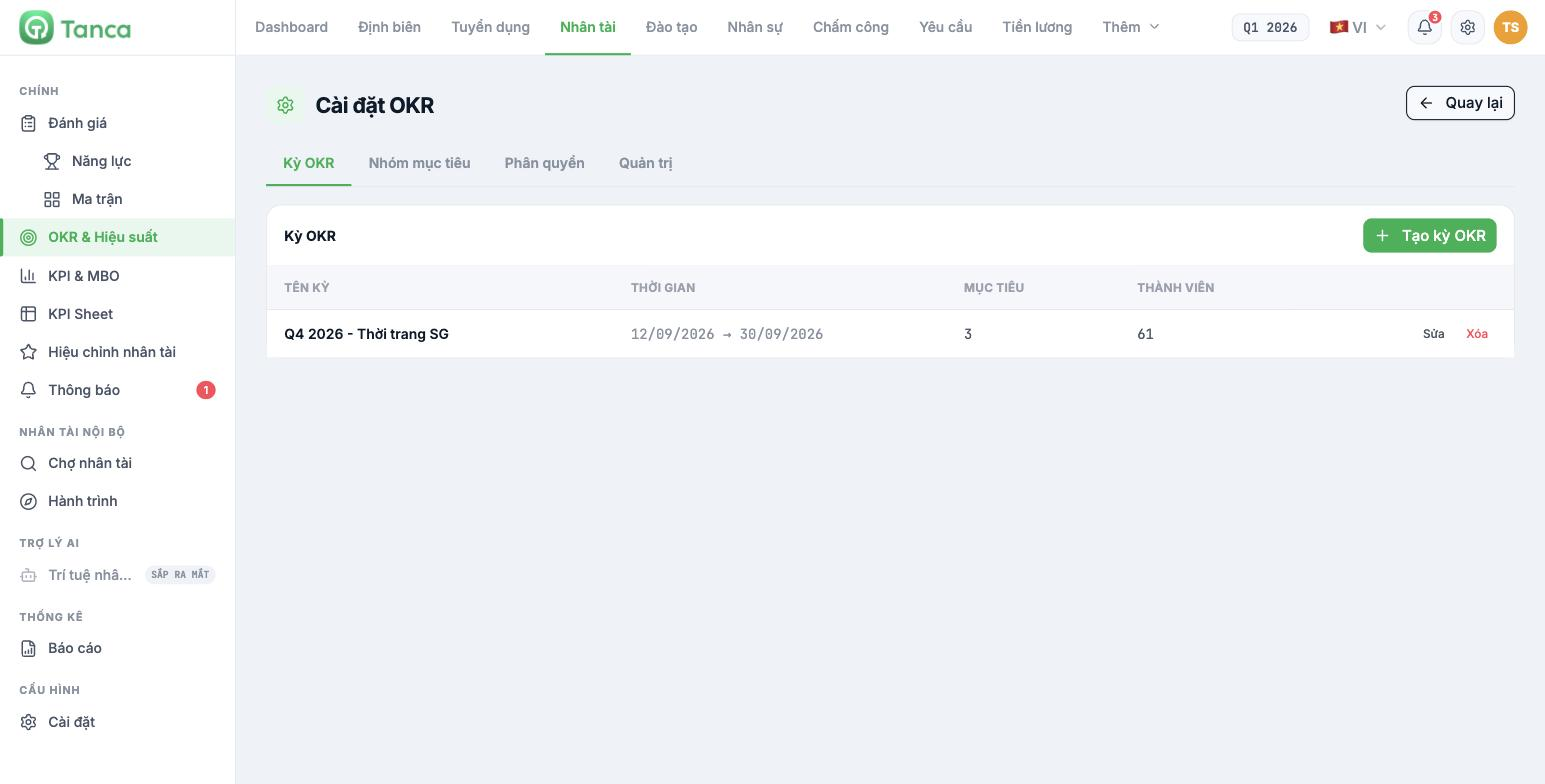
- Go to Talent › OKR & Performance.
- Click the ⋯ button in the upper-right corner and select OKR Settings.
- The screen has four tabs: OKR Cycles · Objective Groups · Permissions · Admin. You are on the first tab.
Creating an OKR cycle
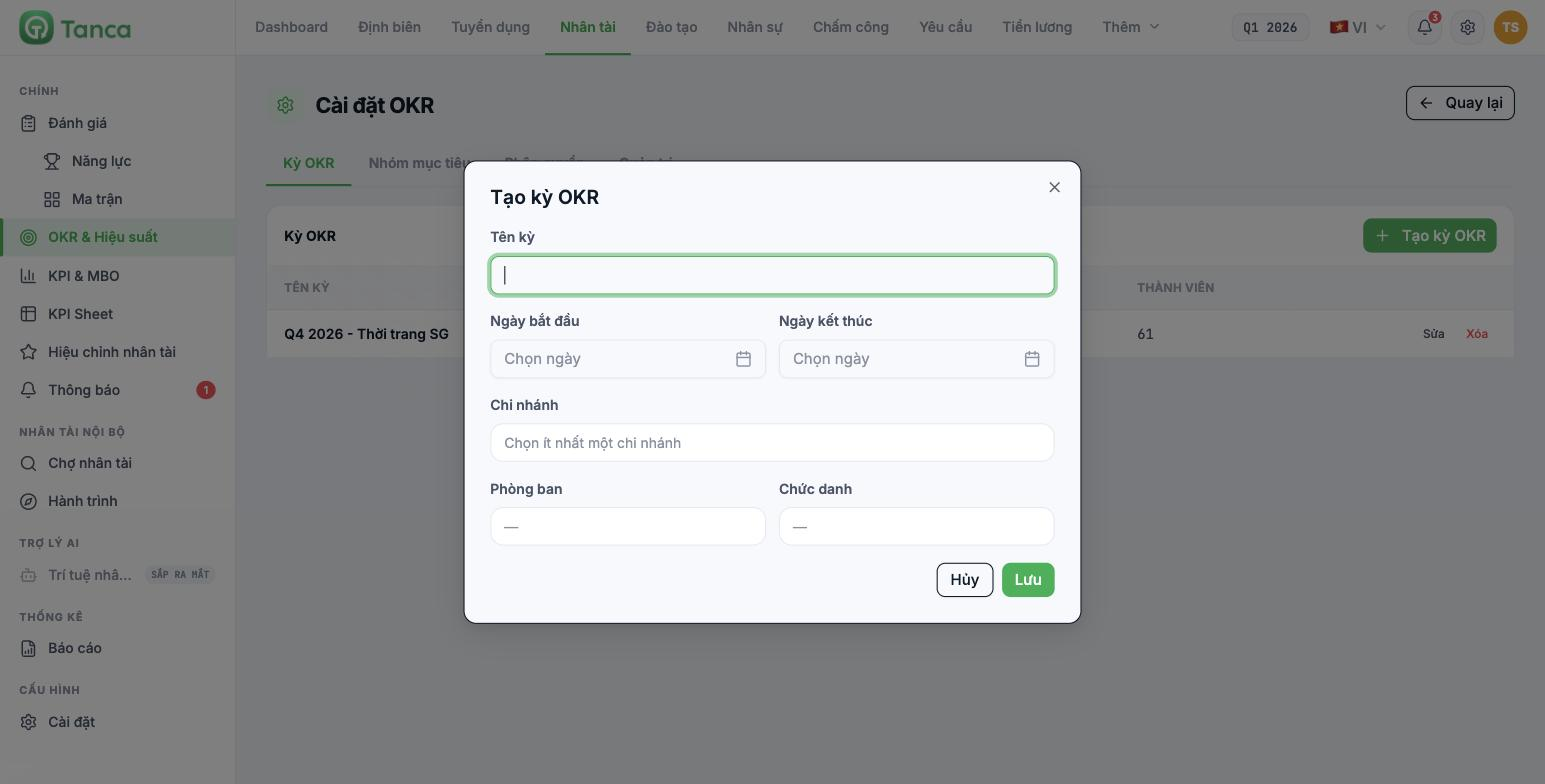
| Field | Required | Notes |
|---|---|---|
| Cycle name | Yes | Include the quarter and year in the name, e.g. Q4 2026 — Store Chain. This name appears in the cycle selector at the top of every OKR screen |
| Start date / End date | Yes | The cycle's time span. Each objective's deadline must fall within this range |
| Branch | Yes | You must select at least one branch — this is the condition for the system to gather members into the cycle |
| Department | No | Leaving it blank means all departments of the selected branches |
| Job title | No | Filter further by job title if the cycle is only for a group of positions |
Click Save. The new cycle row appears with the number of Objectives and the number of Members the system has gathered. If the Members column is 0, you have almost certainly not selected a branch, or the department / job title filter is too narrow — click Edit to broaden it again.
Declare objective groups before opening the cycle to employees
Go to the Objective Groups tab. By default there is only the DEFAULT GROUP. Click Create new to add groups by operating division, for example Store Division, Operations Division, Marketing Division. Each group has its own color, and the overview dashboard will split Progress by objective group by exactly these groups.
Declare the groups before employees start entering objectives. The Objective group field is required when creating an objective, so if there is only the default group, everything will pile into it and reporting by division will be meaningless.
Risk threshold
The Overview dashboard has an At-risk objectives tile with the line Risk threshold: 50%. Any objective with progress below this threshold is flagged. Currently the threshold only considers the completion percentage, not the time remaining in the cycle — so newly created objectives (0%) are flagged immediately. Treat this flag as a list to review, not a conclusion.
Editing and deleting cycles
Each cycle row has Edit and Delete. Deleting a cycle also deletes all objectives and key results belonging to it. For a cycle that already has real data, Export file the objective list first (article B11-10) before deleting.

