Stores employees' signature templates for use when signing electronic employment contracts and other documents in the system.
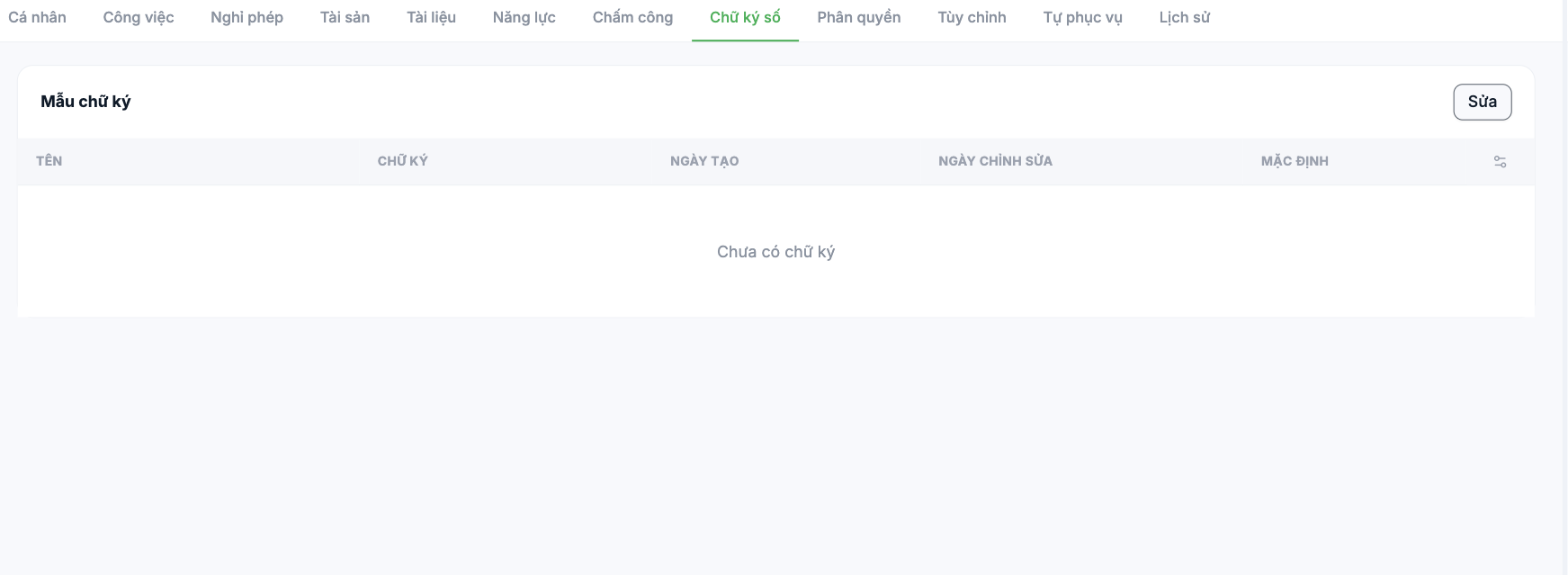
Reading the table
| Column | Meaning |
|---|---|
| Name | A memorable name for the signature template |
| Signature | The signature image |
| Created date | The date the template was created |
| Modified date | The most recent update |
| Default | The template used automatically when signing |
Adding a signature template
- Open the Digital Signature tab and click Edit.
- Create a new signature template.
- Give it a name and mark it as Default if it is the main template.
Signatures should be created by the employees themselves on their own accounts, not created by HR on their behalf. A signature created and used by someone else may invalidate the legal standing of an electronic contract.
Notes
- One person can have multiple templates, but only one Default template.
- Changing a signature does not affect documents signed previously.
- If your company does not yet use electronic contracts, it is fine to leave this tab empty.

