KPI & MBO is a review cycle flow with an approver for each KPI. This article describes the setup sequence and clearly states the current limitations, so you don't waste time on a half-finished build.
Limitation to know before you start. At the time of review (09/15/2026) on v2, step 2 of the wizard cannot be saved: clicking Save and continue returns a server error, for both MBO KPI and BSC KPI. As a result, no cycle leaves the Draft status, and the module's Reviews tab and Dashboard are always empty. If you need to score this month, use KPI Sheet (article B11-05). The content below describes the fields so you can prepare your data for when the error is fixed.
Module layout
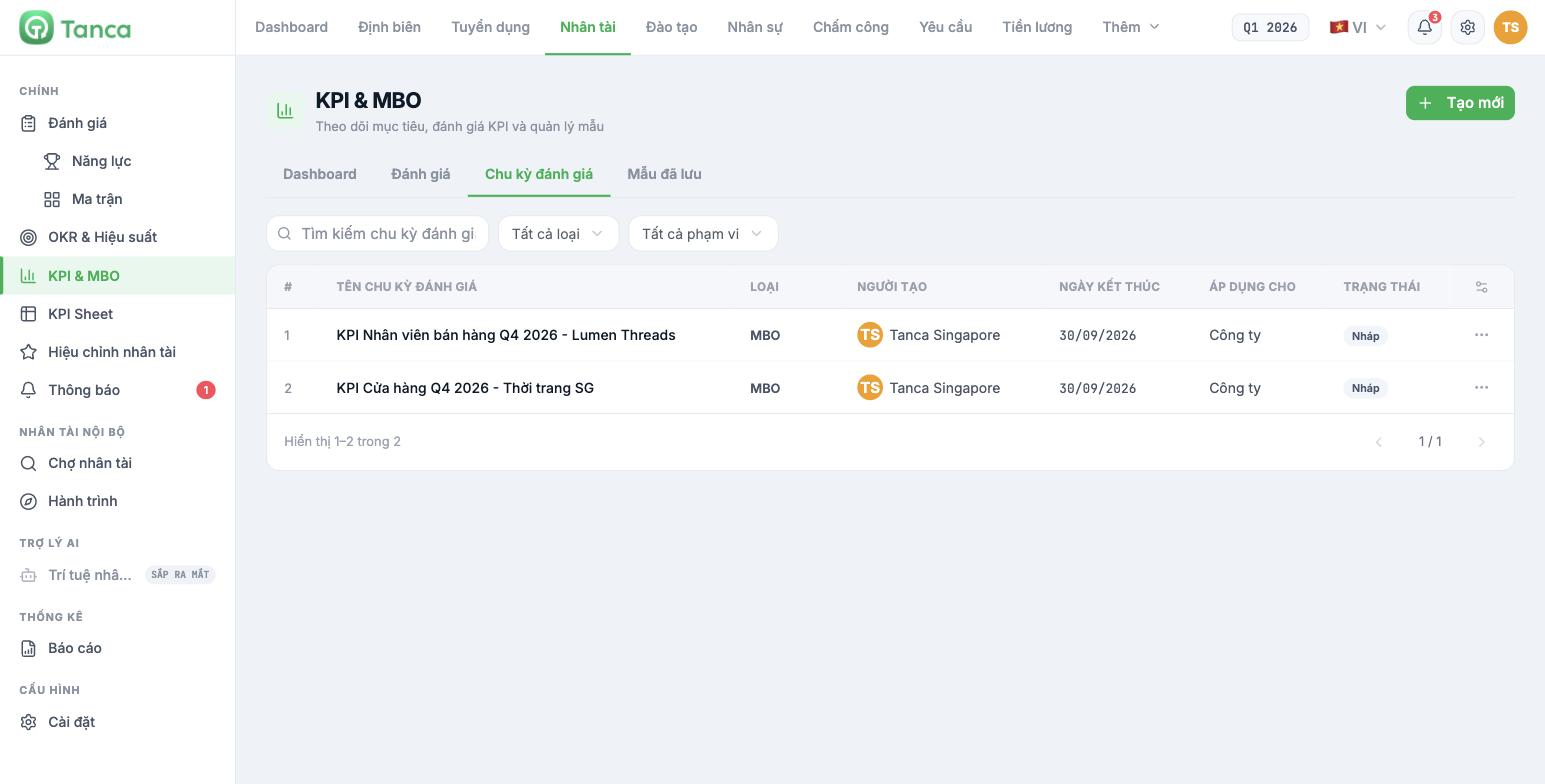
- Dashboard — Total objectives, Completed, In progress, Overdue, with a trend chart and completion rate by department.
- Reviews — where scoring takes place once a cycle is running.
- Review Cycles — the list of cycles, with columns Type (MBO / BSC), Creator, End date, Applies to, Status.
- Saved templates — a template library for quickly creating new cycles.
Step 1 — General information
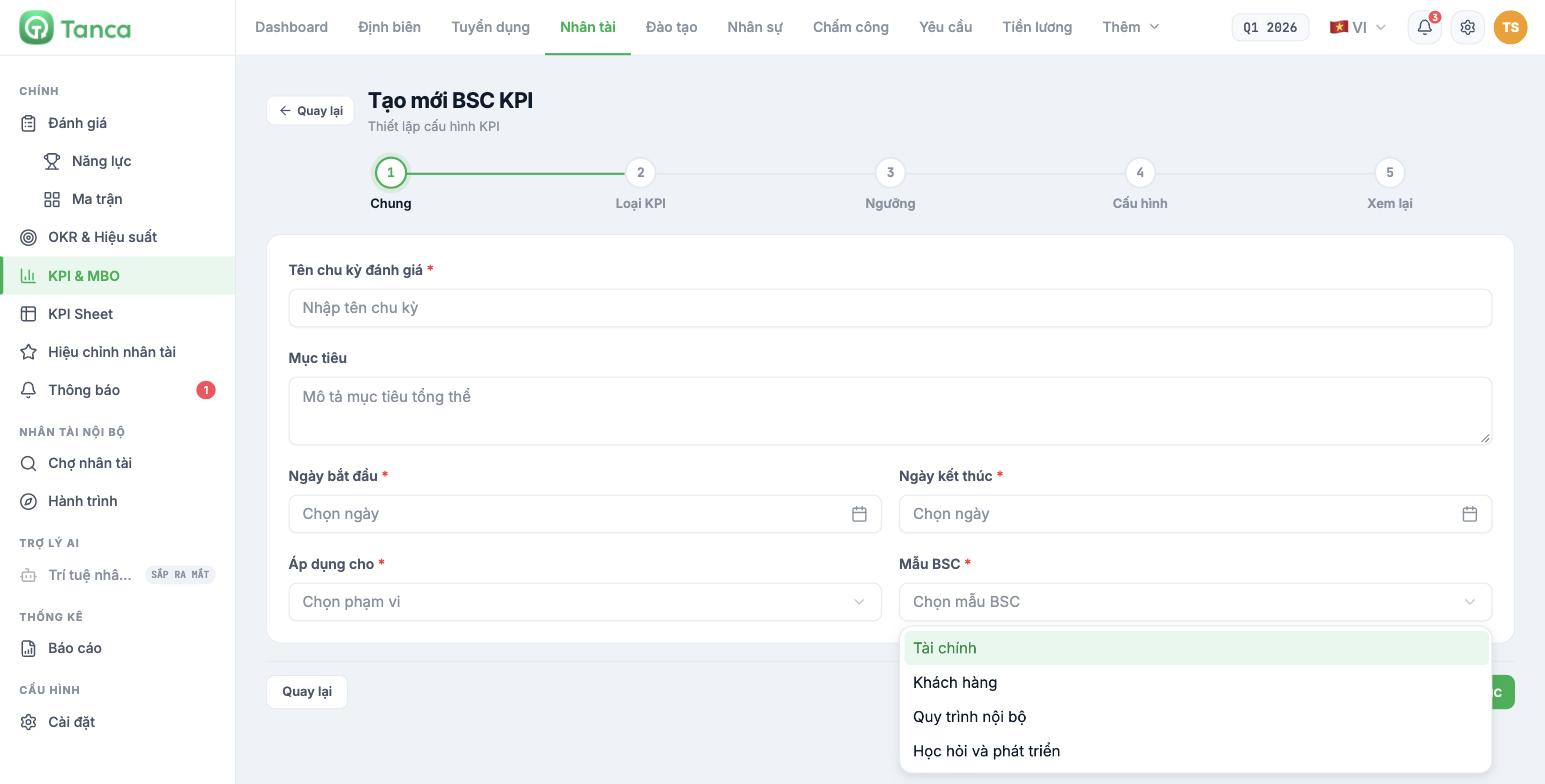
Click + Create new and choose MBO KPI (or BSC KPI / Choose template). The wizard has five steps: General → KPI Type → Thresholds → Configuration → Review.
| Field | Required | Notes |
|---|---|---|
| Review cycle name | Yes | For example Store KPI Q4/2026 |
| Objective | No | Describes the overall objective of the cycle |
| Start date / End date | Yes | The cycle's time span |
| Applies to | Yes | Company · Department · Individual |
| BSC template | BSC KPI only | Financial · Customer · Internal Process · Learning and Growth — choose one |
Step 2 — Declaring each KPI
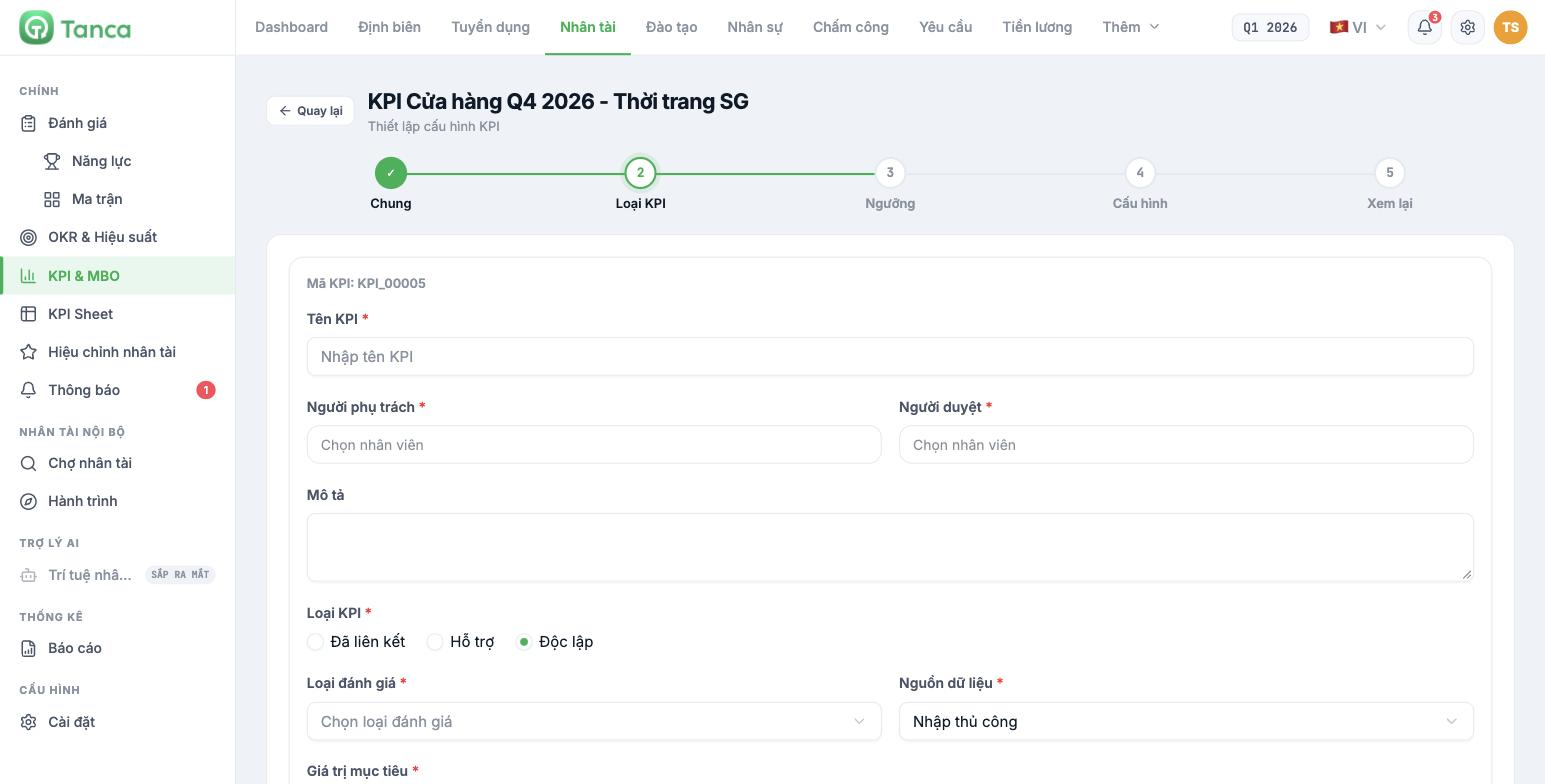
Each KPI is a card. Click + Add KPI to declare more. The fields on a card:
- KPI code — generated automatically by the system, in the form `KPI_00001`.
- KPI name, Owner, Approver — all three are required.
- KPI type — Linked (connected to a main KPI) · Supporting · Independent (default).
- Evaluation type — Data · Currency · Rating scale (1-5) · Category · Date.
- Data source — currently only Manual entry works; Google Sheets and Other are locked.
- Target value and Unit.
With Evaluation type = Currency, the unit is fixed to VND and cannot be changed to a foreign currency. Companies with foreign legal entities should use Data and enter the unit themselves, or use KPI Sheet, where units can be declared freely.
The remaining three steps
The Thresholds step declares pass / fail levels for each KPI. The Configuration step sets the cycle's options. The Review step summarizes everything before publishing. These three steps currently cannot be reached because of the limitation described at the top of this article — detailed content will be added once the flow works end to end.
TO BE CONFIRMED BY THE COMPANY before publishing: the specific options in the Configuration step and the conditions for a cycle to move from Draft to Running.

