The configuration section of the Recruitment module has twenty items. Filling them all in takes a few days, but posting your first job only requires three. This article tells you which items are required and which can wait.
Open the configuration section
- Go to Recruitment.
- In the left column, under the CONFIGURATION group, select Settings.
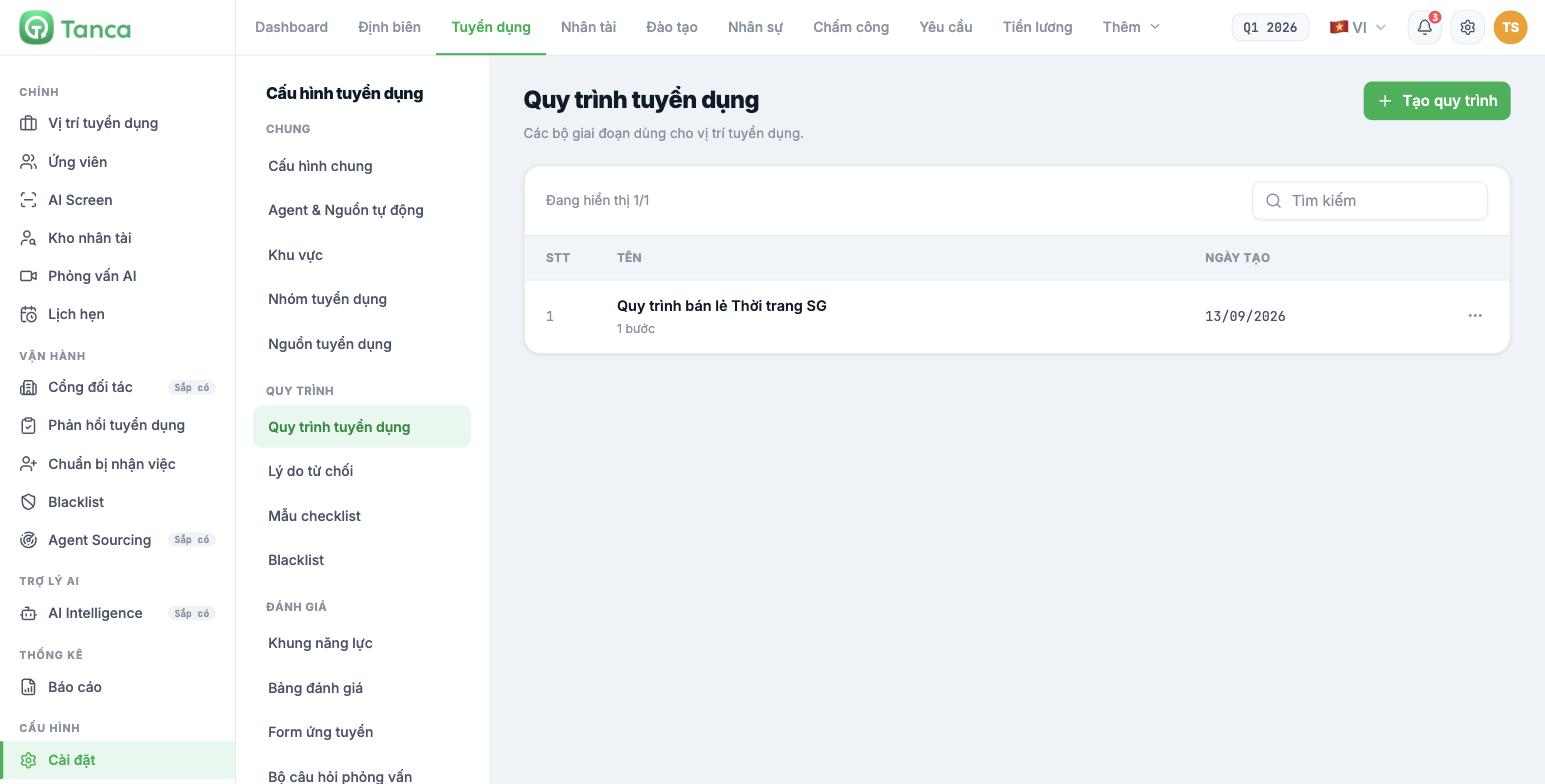
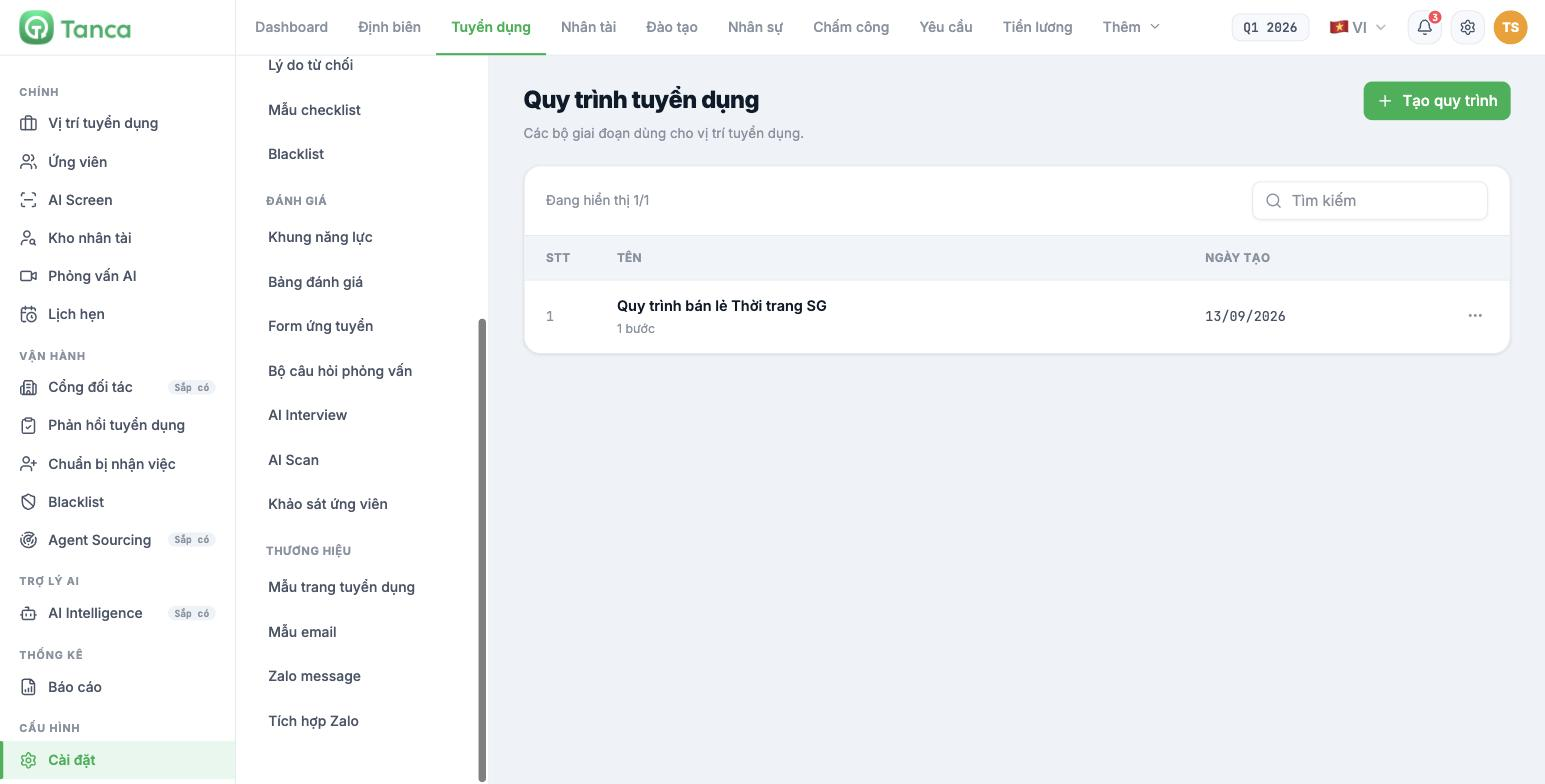
Twenty items, four groups
| Group | Item | Article |
|---|---|---|
| General | General configuration | B15-02 |
| Agent & Automatic sources | B15-03 | |
| Regions | B15-03 | |
| Recruitment groups | B15-03 | |
| Recruitment sources | B15-03 | |
| Workflow | Recruitment workflow | B15-04 |
| Rejection reasons | B15-04 | |
| Checklist templates | B15-04 | |
| Blacklist | B15-04 | |
| Evaluation | Competency framework | B15-05 |
| Scorecards | B15-06 | |
| Application form | B15-06 | |
| Interview question sets | B15-06 | |
| AI Interview | B15-07 | |
| AI Scan | B15-07 | |
| Candidate survey | B15-07 | |
| Branding | Careers page templates | B15-08 |
| Email templates | B15-08 | |
| Zalo message | B15-08 | |
| Zalo integration | B15-08 |
The three minimum items to post your first job
- Recruitment workflow — at least one workflow with a few stages. Without a workflow, the candidate board has no columns.
- Recruitment sources — so you know where candidates come from. The system already has a default list; you only need to review it.
- Careers page templates — choose a template so the public careers page can be displayed.
With these three items you can already post jobs and receive applications. The remaining seventeen items can be set up gradually as needed.
Setup order for multi-branch businesses
- Regions — divide by geographic area or store cluster.
- Recruitment groups — who can see which positions and applications.
- Recruitment sources — review the default list and remove sources you don't use.
- Recruitment workflow — build the stages.
- Rejection reasons — so candidate rejection data is consistent.
- Email templates — review the six default templates and adjust them to match your company's voice.
- Careers page templates — choose a template.
- Only then move on to the Evaluation group: competency framework, scorecards, question sets, AI.
Four items not yet usable
| Item | Status |
|---|---|
| Zalo integration | Labeled Zalo integration coming soon. The Zalo OA/ZNS connection is under development |
| Zalo message | You can compose and save message templates, but cannot send them yet — sending and template approval are currently done manually on the Zalo portal |
| Candidate survey | You can compose questions and choose when to send, but the page clearly states "being saved while waiting for the backend to connect the sending flow" |
| AI Scan | The description page mentions routing score thresholds and data consent rules, but in reality there is only a notification toggle — see article B15-07 |
The module's main sidebar also has three items labeled Coming soon: Partner Portal, Agent Sourcing and AI Intelligence. Do not plan your operations around these three items.

