Company News is a lightweight announcement channel placed right in the Newsfeed so employees read it while browsing. This article explains how to post and how to use Tag — and clarifies a common misunderstanding: tagging does not restrict who can see the post.
Post a Company News item
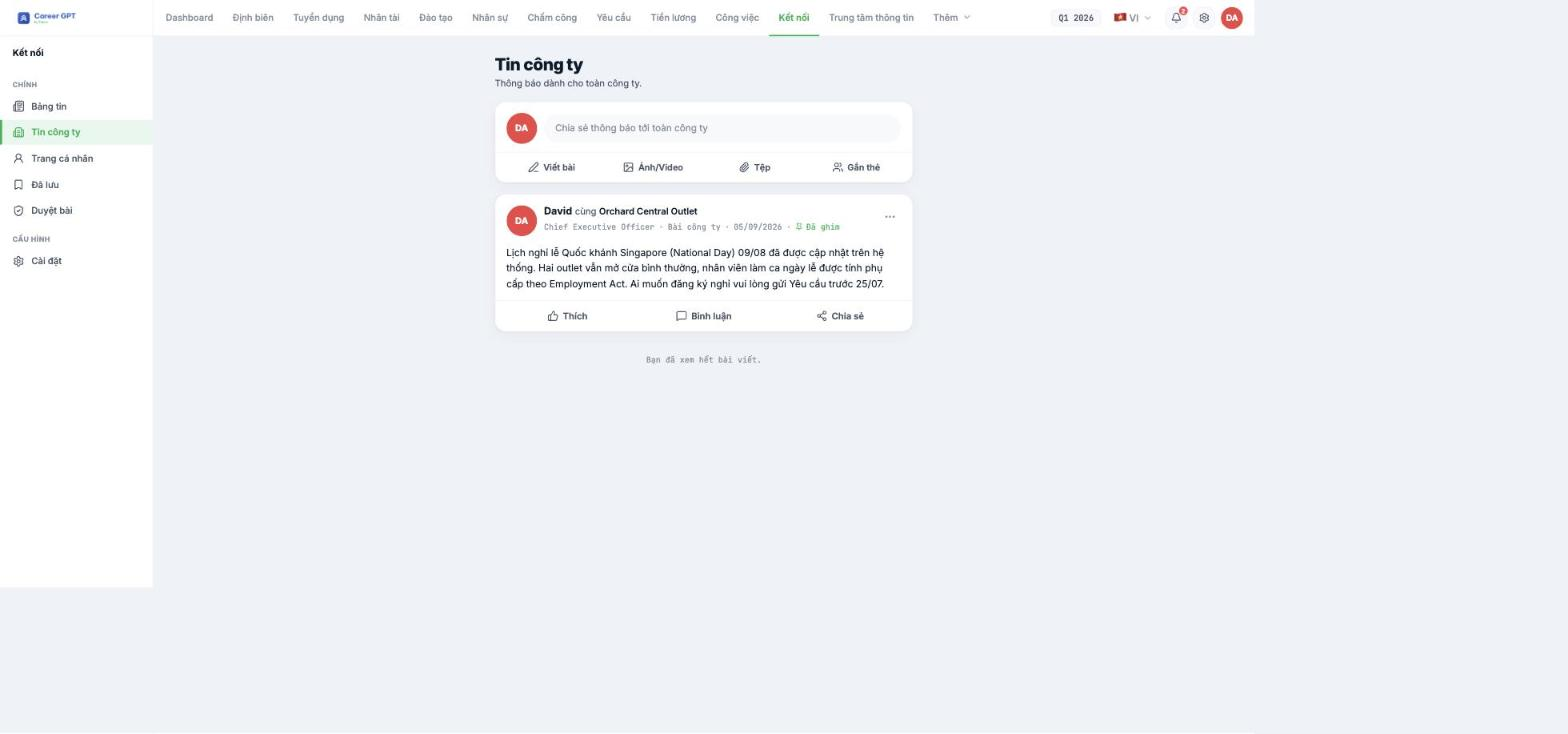
- Go to Connect › Company News.
- Click Write a post in the composer at the top of the page. The Post to Company News dialog opens.
- Compose your content. The toolbar has bold, italic, numbered lists, bulleted lists, link insertion, undo and redo.
- If needed, add Photo/Video, Tag, Emoji.
- Turn on Pin post if this is an announcement that needs to stay at the top of the Newsfeed.
- Click Post.
Tag: select branches, departments or individual employees
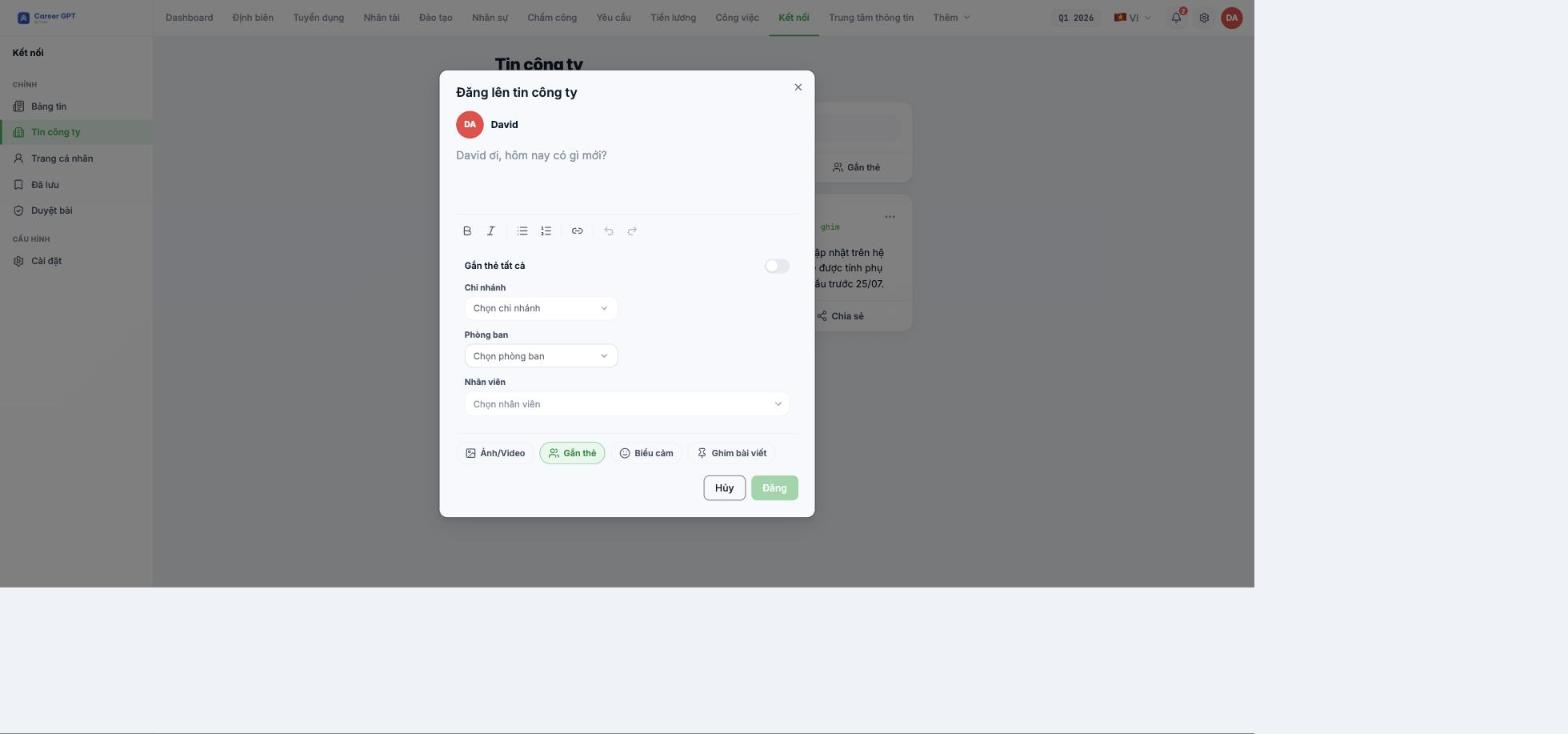
Click Tag in the dialog, and a selection panel opens with a Tag all toggle and three fields: Branch, Department, Employee. After posting, the names of the tagged entities appear on the post card as “David with Orchard Central Outlet”.
Tagging is a mention, not an audience restriction. Company News is shown to the whole company; tagging only highlights the relevant entities on the post card. If you need an announcement that goes only to a specific branch or department, use the Communications › Announcements module (B18-02) — there, Region / Branch / Department are real recipient filters. TO BE CONFIRMED BY THE COMPANY before publishing (needs a developer to confirm the actual visibility scope of tagged Company News).
Personal posts can only tag employees
The Tag panel for personal posts also shows all three fields, but if you select a Branch or Department and click Post, the system rejects it with the generic message “Could not publish post” — the real cause is that the server only allows personal posts to tag people. For personal posts, use only the Employee field.
This is an interface bug logged during the 09/05/2026 QA round and is awaiting a fix. Workaround: compose the content elsewhere if the post is long, so you don't lose it if it gets rejected.
Company News or internal Announcement?
| Situation | Use |
|---|---|
| Good news, activities, thank-yous, event photos | Company News (Connect) |
| Send to only one branch or one department | Announcements (Communications) |
| Need to know who has read it and require confirmation | Announcements (Communications) — see B18-04 |
| Need to attach process files, SOPs, forms | Announcements (Communications) — supports files up to 25 MB |

