An engine that scans attendance data for signs of fraud and anomalies that are hard for the human eye to spot when looking through thousands of records.
Four things the AI does
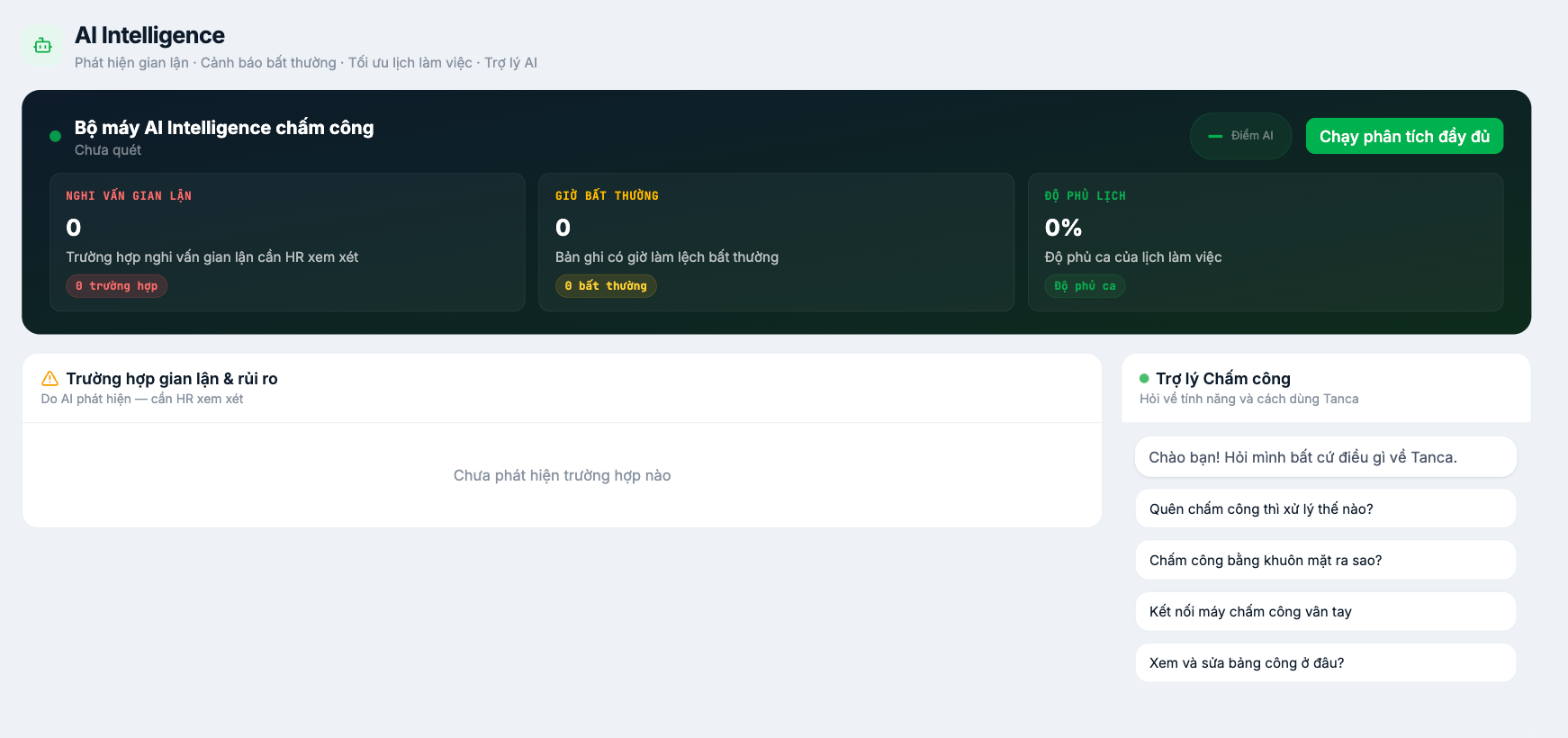
The description line at the top of the page states clearly: Fraud detection · Anomaly alerts · Schedule optimization · AI Assistant.
Three metrics
| Metric | Meaning | How to handle it |
|---|---|---|
| Suspected fraud | Cases that HR needs to review | Open each case and cross-check it against attendance photos and the source data |
| Unusual hours | Records with abnormally deviating working hours | Check whether it's a device error or a real issue |
| Schedule coverage | Percentage of shifts that have been staffed | Below 100% means some shifts are understaffed |
Run the analysis
- Go to Time & Attendance › AI Intelligence.
- The initial status reads Not scanned.
- Click Run full analysis.
- The results appear in the three metric boxes and in the Fraud & risk cases block.
The AI suggests cases to review; it does not conclude that anyone has committed fraud. Each case must be verified by an authorized person using the source data — attendance photos, location, edit history — before any action is taken against an employee. Using AI results as grounds for discipline without verification is a legal risk for the business.
Attendance Assistant
The panel on the right is a Q&A assistant about Tanca's features and how to use them, with suggested questions such as What do I do if I forget to clock in?, How does face clock-in work?, Connect a fingerprint attendance machine, Where do I view and edit the timesheet?. Use it when you need a quick lookup without leaving the screen.
Recommended usage cadence
- Run the analysis once a week, or before closing the period.
- Resolve all suspected cases before locking the timesheet.
- Record a conclusion for each case — even when the conclusion is that there is no problem.
- If the number of suspected cases spikes, review the attendance configuration before questioning employees' conduct.

