Tanca reminds you to clock in and notifies you when a request is approved, when a new payslip is available, and when the company posts an announcement. Turn notifications off and you lose all of those reminders.
On iPhone
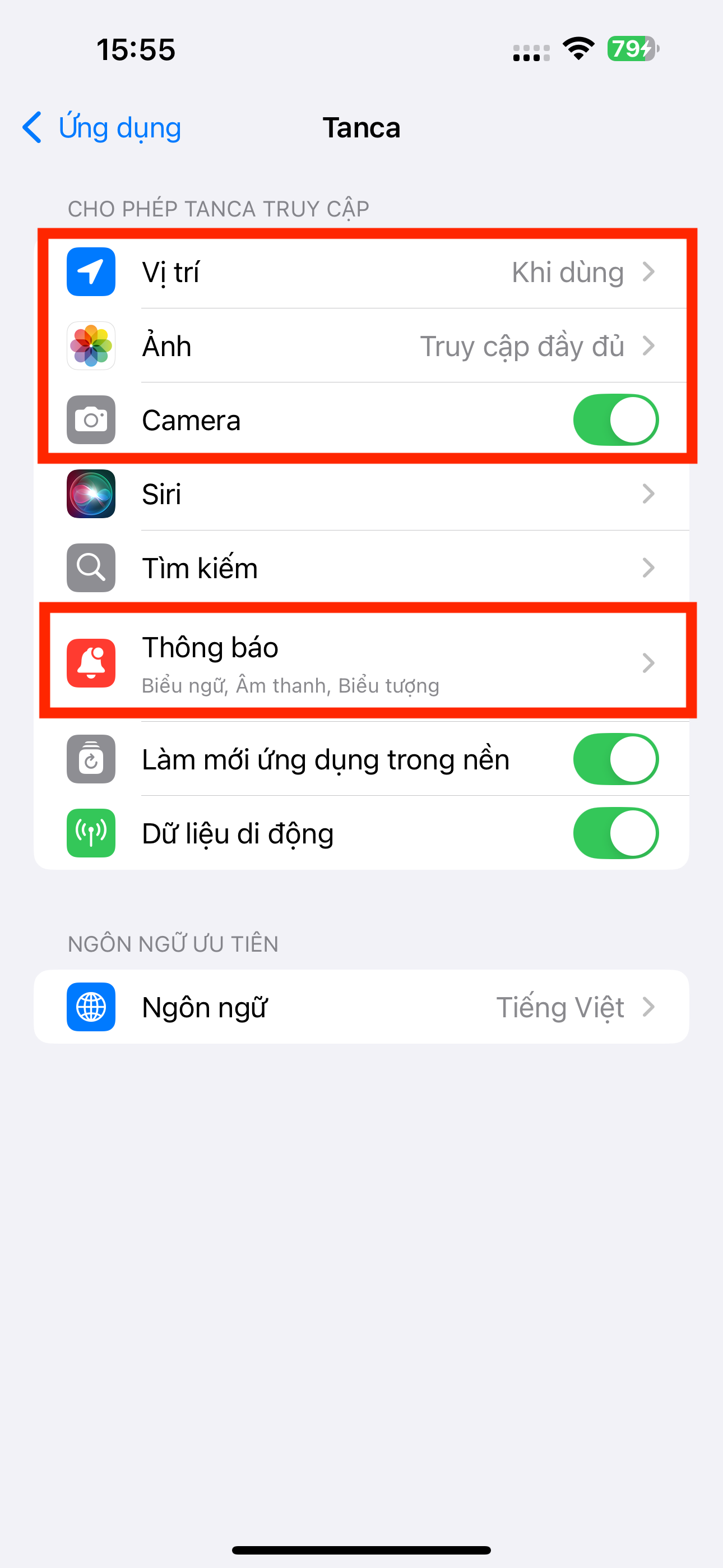
- Open your phone's Settings and find the Tanca app.
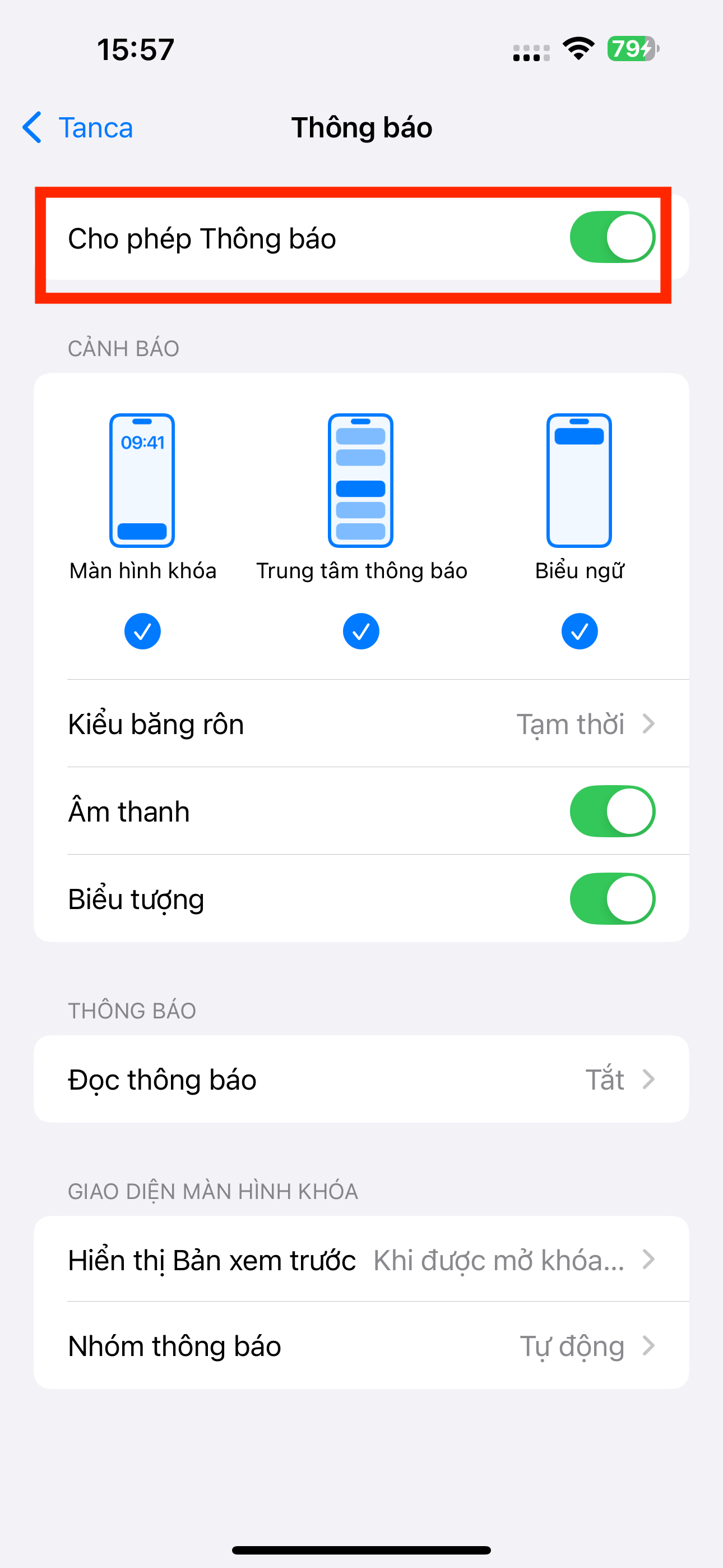
- Turn on Notifications, and also turn on Badges, Sounds, and Banners.
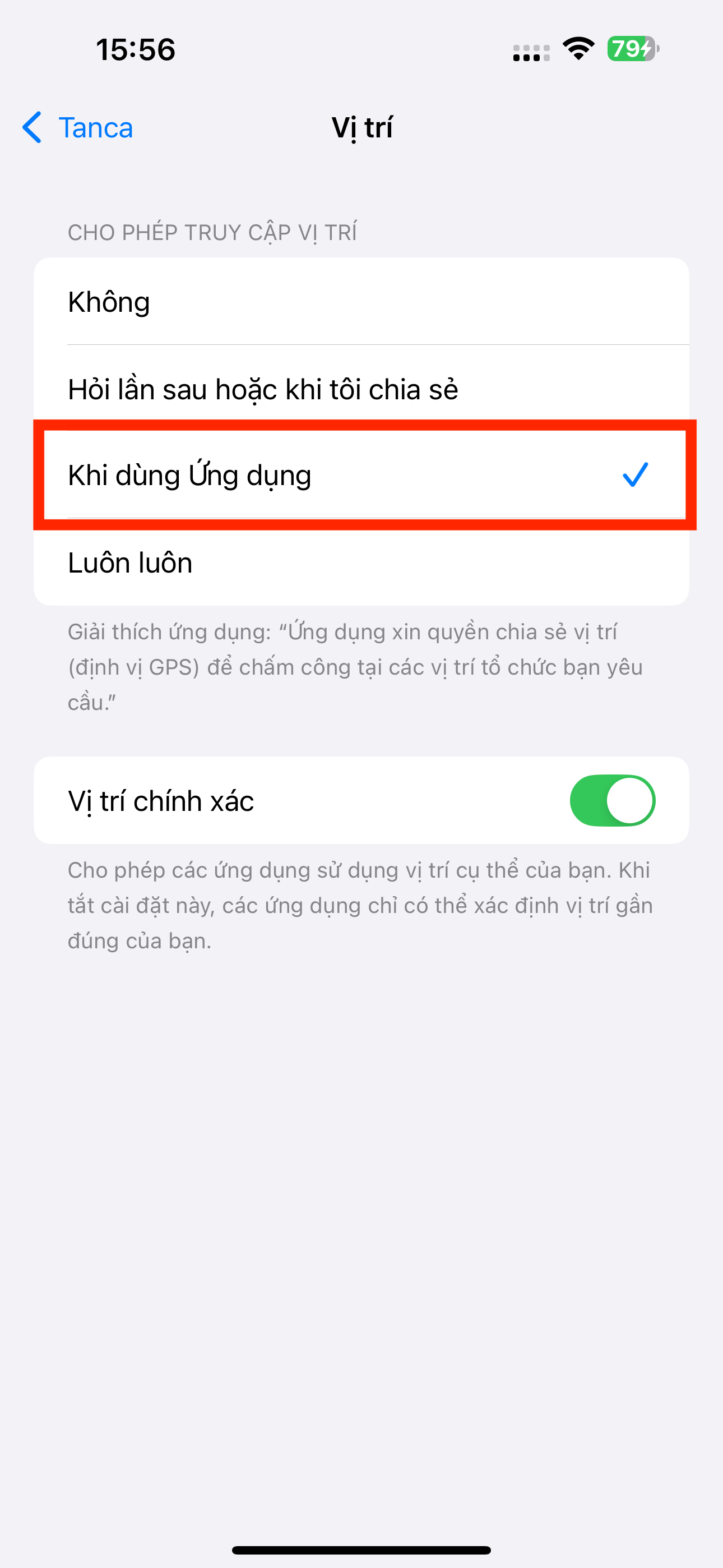
- Under Location, select While Using the App so GPS clock-in works.
- Turn on Camera if your company uses face recognition for time & attendance.
On Android
- Open your phone's Settings, go to Apps, and select Tanca.
- Turn on Notifications.
- Go to Permissions and turn on Location and Camera.
- Important: go to Battery and select Unrestricted, or turn off battery optimization for Tanca. Otherwise, the operating system will block notifications while the app is running in the background.
The battery optimization step on Android is the most common reason employees don't receive clock-in reminders. Many phone models popular in Vietnam enable very aggressive battery saving by default.
If you still don't receive notifications
- Check whether your phone is in Do Not Disturb mode.
- Sign out of the app and sign back in once.
- Check that the app is updated to the latest version.
- If it still doesn't work, see article D1-03 or contact the support team.

