The final day, and the real acceptance test. If the payroll run on Tanca matches your old calculation method, the previous six steps were done correctly. If it's off, the discrepancy will point straight to what's wrong.
Three screens to know
| Screen | Role |
|---|---|
| Payroll templates | A set of formulas reused every period. Build it once, use it forever. |
| Payroll periods | One payroll run for a specific period of time |
| Payslips | The detailed breakdown for each employee, sent individually to that person |
Task 1 — Build the payroll template
Go to Payroll › Payroll Templates and click + Create New.

- Name and Keyword: the keyword is written in uppercase without diacritics and is used for referencing in formulas.
- Branch · Department · Job Title: the scope of application. Leave it as All if the whole company uses the same pay structure.
- If branches have different pay structures, create a separate template for each branch instead of cramming conditions into one template.
Put your most recent month's Excel payroll next to you and rebuild it column by column: base salary, allowances, deductions, insurance, personal income tax. Don't invent a new structure in the first period — the goal of this step is to be able to reconcile.
Task 2 — Create a payroll period
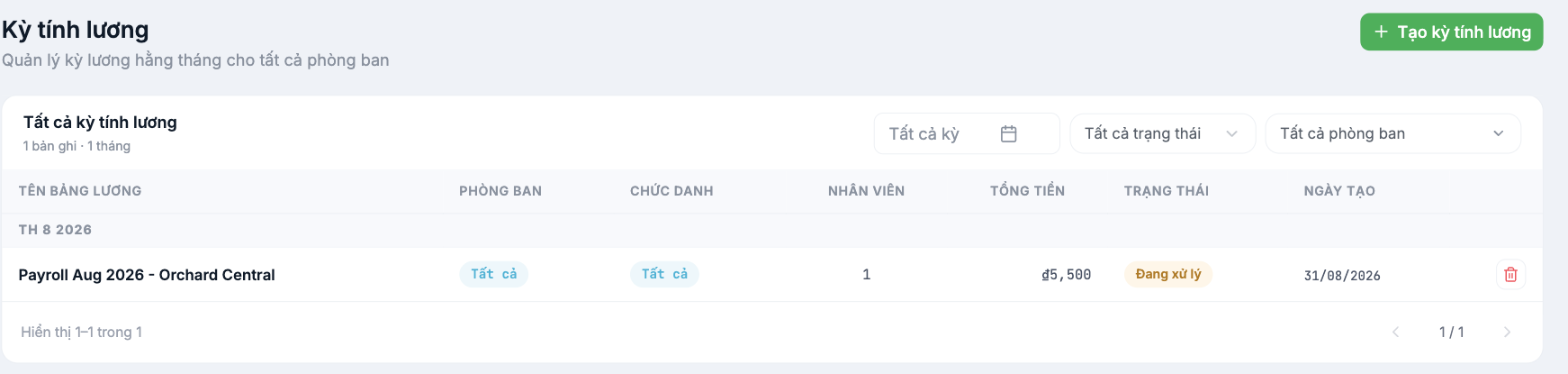
- Go to Payroll › Payroll Periods and click + Create Payroll Period.
- Select the month, the payroll template, and the employee scope.
- The system pulls working-day data from the timesheet closed in step 5 and the requests approved in step 6.
Task 3 — Reconcile
| Check | Passes when |
|---|---|
| Number of people in the payroll period | Matches the number of people in the old payroll |
| Total payroll | Differs by less than 1% from the old calculation method |
| The three trickiest profiles | Pick someone with a lot of overtime, someone who took leave mid-month, and someone who joined mid-month — check line by line |
| Insurance and tax deductions | Match the amounts paid last month |
If it doesn't pass, don't edit the payroll — go back and fix the cause. If working days are off, the problem is in step 5; if leave days are off, the problem is in step 6; if allowances are off, the problem is in the payroll template.
Notes
- Payroll periods have statuses (for example Processing). Only send payslips once the period has been approved and locked.
- The first period should run in parallel with the old calculation method; don't pay salaries based on Tanca yet.
- Payroll data is the most sensitive data in the system — check payroll viewing permissions before inviting more people in.
Next step
A2-09 Pre-Go-Live Acceptance Checklist.

