Each overtime type has its own rate and limits. This section directly touches labor law regulations, so it needs to be confirmed by an authorized person before saving.
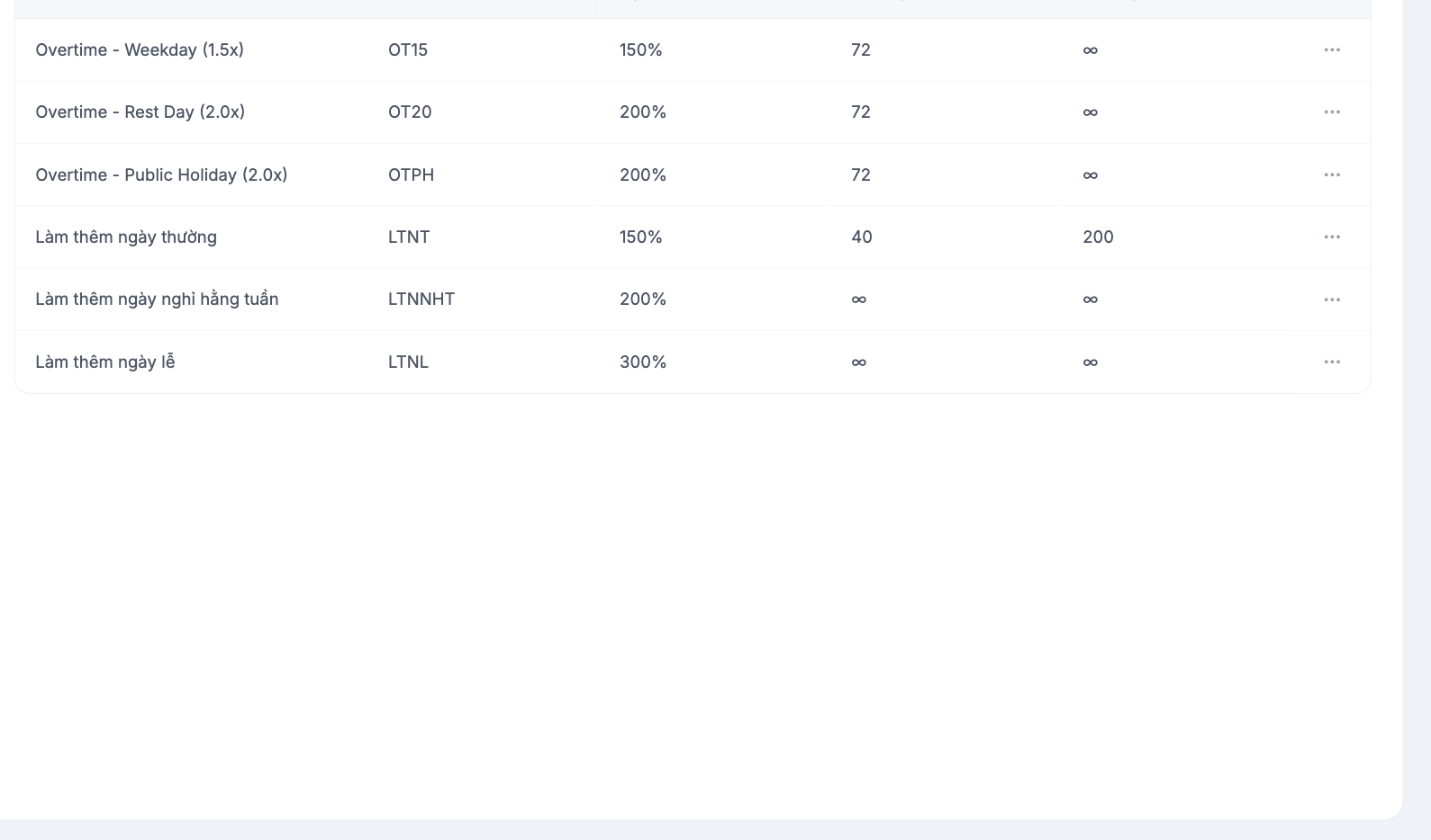
Columns
| Column | Meaning |
|---|---|
| Name | The overtime type name shown to users |
| Symbol | A short code used on the timesheet and in payroll formulas |
| Rate | Percentage of the standard hourly wage, for example 150%, 200%, 300% |
| Monthly limit | Maximum overtime hours in a month; the ∞ sign means no limit |
| Yearly limit | Maximum overtime hours in a year |
Three common overtime groups
| Group | Commonly used rate | Applies when |
|---|---|---|
| Regular days | 150% | Working beyond the standard shift hours on a workday |
| Weekly days off | 200% | Working on a weekly day off according to the employee's schedule |
| Public holidays | 300% | Working on a statutory public holiday |
Overtime rates and overtime hour limits are set by labor law. The numbers in this article are only common levels, not legal recommendations. Have your legal department or HR lead confirm them before saving, and record the confirmation date.
What the monthly and yearly limits are for
The two limit columns help the system warn you when an employee is about to exceed the overtime cap. Businesses are obligated not to exceed the cap, so setting them correctly here is a layer of compliance protection, not just reference data.
Steps
- Go to Time & Attendance › Settings, in the OVERTIME & LEAVE group, select Overtime.
- Review the existing types. Use the … button at the end of the row to edit or delete.
- Add a new type if your business has a form of overtime not yet in the list.
- Cross-check each rate against your workplace rules and legal regulations.
Notes
- The symbol appears on the timesheet and in payroll formulas — once finalized, keep it unchanged.
- Businesses with branches in multiple countries need a separate set of overtime types for each location, because regulations differ.
- Employees register overtime through the Overtime request in the Requests module — see the B8 article group.

