eNPS is a single question, run regularly, that gives you a number you can track over time. Tanca doesn't have a ready-made eNPS template, but building one with the Linear scale question type takes just a few minutes.
The standard eNPS question
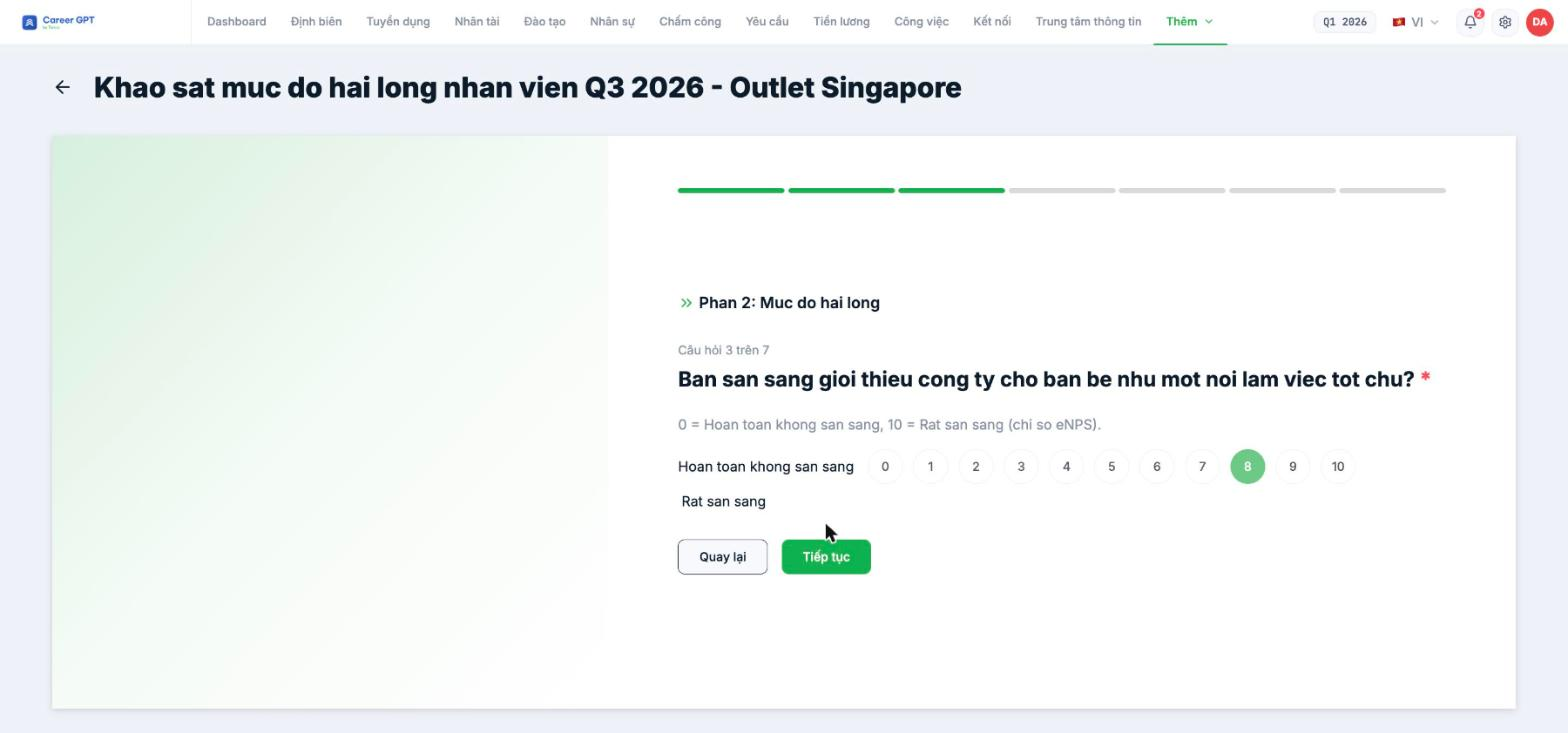
Use the Linear scale type with a 0 → 10 scale and labels at both ends:
| Field | Value |
|---|---|
| Question | How likely are you to recommend the company to a friend as a good place to work? |
| Description | 0 = Not at all likely, 10 = Extremely likely |
| Scale | 0 to 10 |
| Low-end label | Not at all likely |
| High-end label | Extremely likely |
| Required | Yes |
On the response page, the high-end label currently wraps to the next line and sits on the left instead of on the right after the number 10, so respondents can easily read both labels as belonging to the low end. So write the scale convention in the question's Description field as shown in the table above — that's where it displays correctly. The layout bug has been logged and is awaiting a fix.
Calculating the eNPS score
Tanca shows the score distribution but doesn't calculate the eNPS index automatically. Export the file and calculate using the standard formula:
| Group | Score | Calculation |
|---|---|---|
| Promoters | 9–10 | % of total responses |
| Passives | 7–8 | Not included in the formula |
| Detractors | 0–6 | % of total responses |
| eNPS | — | % promoters − % detractors, giving a number from −100 to +100 |
Suggested engagement survey — 6 questions, 3 minutes
- Section 1 — Context: branch (Multiple choice) · position (Dropdown). These two questions let you slice the data later.
- Section 2 — Metrics: the eNPS question above (Linear scale) · satisfaction with line manager (5-star Rating).
- Section 3 — Details: a Multiple-choice grid with 4–5 criteria × a 5-point scale (shifts, training, equipment, benefits) · one open-ended question for feedback.
Six questions is the amount respondents are willing to answer regularly. Don't add questions in later rounds — adding even one question means losing the ability to compare across periods.
Cadence and keeping response rates up
- Once a quarter is the right cadence for most businesses. Monthly, and employees stop responding; once a year is too late to react.
- Use Duplicate for the next round: keep the same question set, and only change the title and end date.
- Include the period in the title: “Engagement Survey Q4 2026” — so the list sorts itself chronologically.
- Turn on Anonymous, but read B19-03 first and instruct employees to turn on the Submit anonymously toggle on the submission screen.
- Share the results back along with one specific action you'll take. This is the deciding factor in the next round's response rate, more than any reminder.

