A mandatory course is a course that appears in an employee's learning path labeled "must complete". This article shows how to turn it on and explains an important limitation of the current version.
Turn on mandatory courses
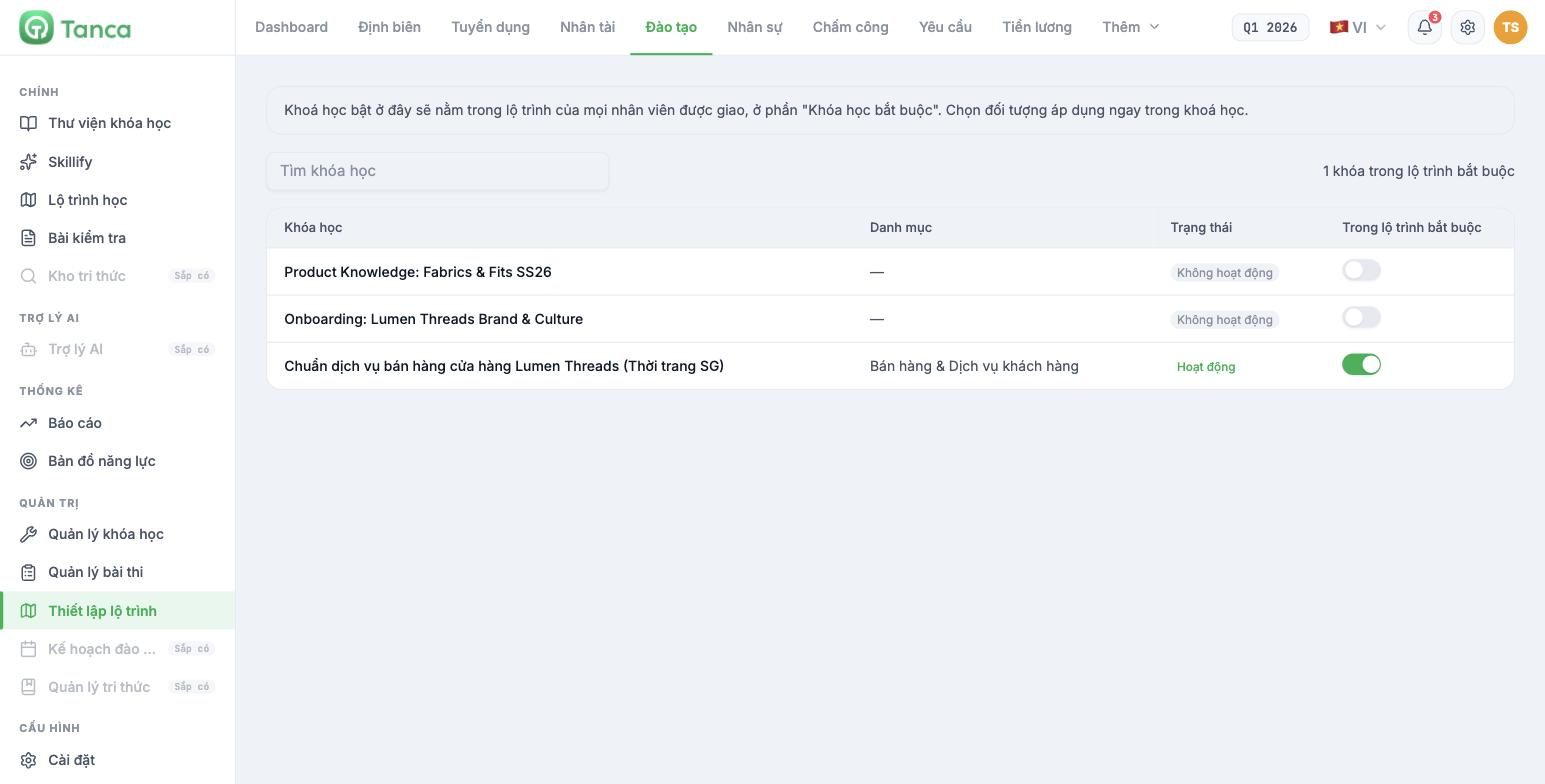
- Go to Training › Learning path setup.
- Find the course in the list.
- Turn on the toggle in the In mandatory path column.
The system explains: courses turned on here will appear in the learning path of every assigned employee, in the Mandatory courses** section. The table shows the course name, category, status, and toggle; the top-right corner counts the number of courses currently mandatory.
*A course must be in Active status for learners to access it. Turning on In mandatory path for a course that is Inactive* means the course still won't reach anyone. Check both columns.
A limitation you need to know
In the current v2 version, the course creation and editing screens have no field for selecting the target audience — there's no place to choose job titles, departments, or branches — even though the guidance text in Learning path setup mentions "select the target audience right in the course". This means you can't yet assign a mandatory course to a specific group of job titles. This has been logged for the product team to confirm and add.
In the meantime, here's the practical approach:
- Only make courses mandatory if the whole company needs them — rules, safety, culture, security.
- For position-specific courses, don't make them mandatory; instead, attach the right skills for that position (article B16-04) and let learners find them through the Recommended from your skills section.
- Track who has completed them using Reports › Mandatory training completion (article B16-09).
- For new hires, add the list of required courses to the onboarding checklist template in the Recruitment module (article B15-14).
The learning path from the employee's side
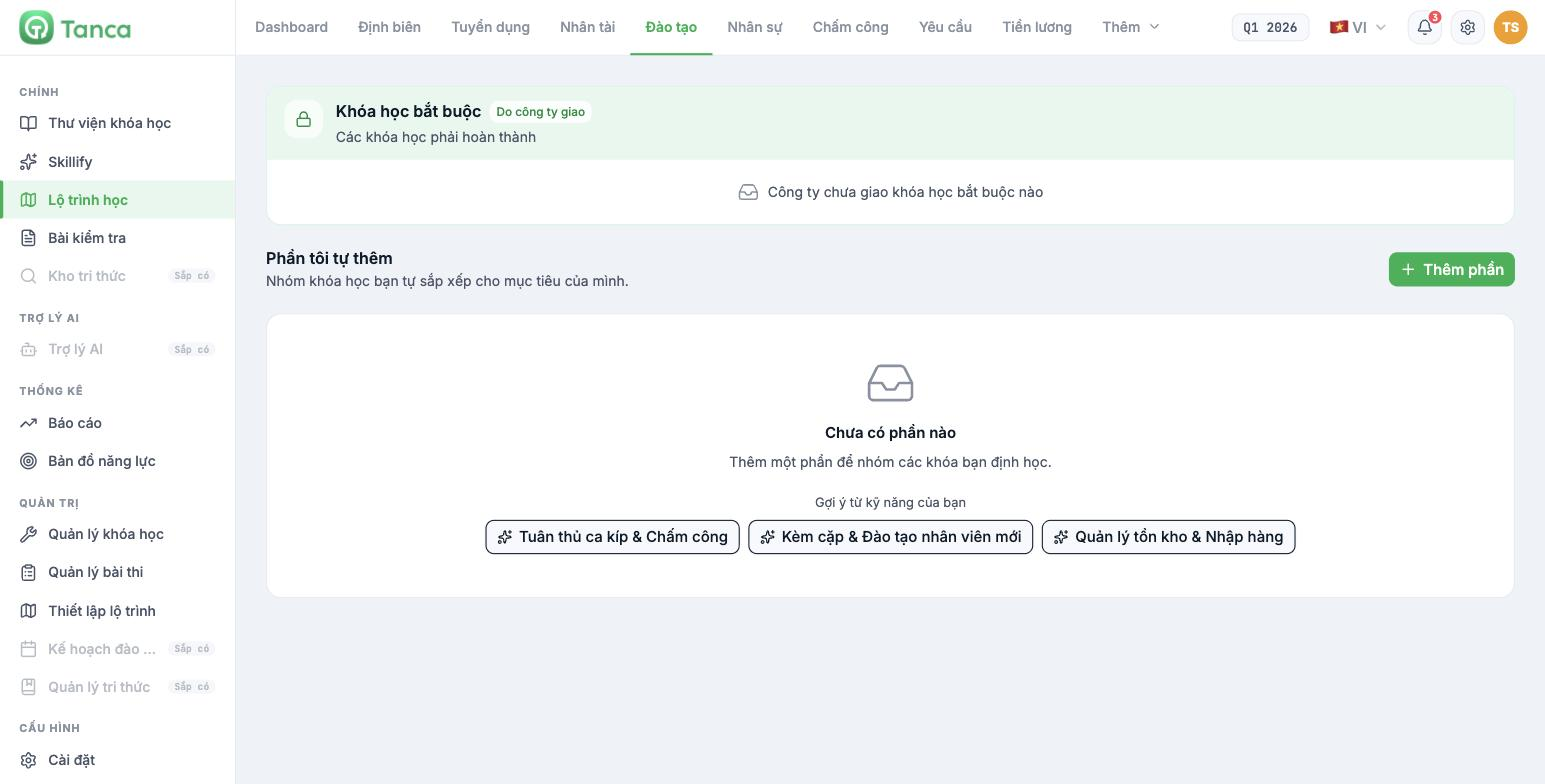
Each person's Training › Learning path screen has three sections:
| Section | Content |
|---|---|
| Mandatory courses — Assigned by the company | Courses that must be completed. This is the result of the toggle in Learning path setup |
| Sections I added | Groups of courses employees arrange themselves for their own goals. The Add section button |
| Recommended from your skills | That person's skills, leading to courses with the matching skills attached |
The Recommended from your skills section is the most valuable one, and it depends entirely on whether you attach skills to courses (article B16-04). A course without skills attached will never be recommended to anyone.
How many mandatory courses are enough
- New hires: three to five courses in the first month. More than that and they'll drop out and lose all five.
- Current employees: one to two mandatory courses per quarter.
- Always set a completion deadline for mandatory courses (entered in the course form, article B16-02). A mandatory course without a deadline is a course nobody takes.
- Review every quarter and turn off mandatory status for outdated courses. A mandatory list that grows longer every year is a sign that nobody is cleaning it up.

